Monitor Fabric Health
Use this topic to determine how Routing Director monitors fabric health and generates alerts when fabric queue drop or fabric destination errors occurs.
Fabric health monitoring helps you detect and triage packet loss that originates inside the switching fabric of MX Series devices rather than issues related to ingress or egress interface drops, traffic policing, or general device health problems.
Routing Director uses AI-ML to monitor fabric-specific telemetry, such as priority-aware fabric queue drop behavior and fabric destination delivery failures and correlate multiple fabric-related signals to enable a network operator to identify whether traffic loss is originating because of congestion, hardware issues, or fabric-path degradation.
Fabric health monitoring complements existing blackhole and traffic loss detection capabilities by providing additional insight into packet-loss symptoms that occur inside a device fabric. A network operator can view the following issues in a device fabric:
-
Fabric queue drops
-
Fabric destination errors
To view the alert indicative of a fabric health event:
Select Observability > Troubleshoot Devices > Device-Name.
The Device-Name page appears.
Scroll down to the Hardware accordion and expand it.
Fabric issues are indicated in the Fabric field. x Unhealthy indicates that there are x number of fabric issues as shown in fig
.Figure shows one event indicative of an issue in the fabric health.
Figure 1: Hardware Accordion Listing a Fabric Issue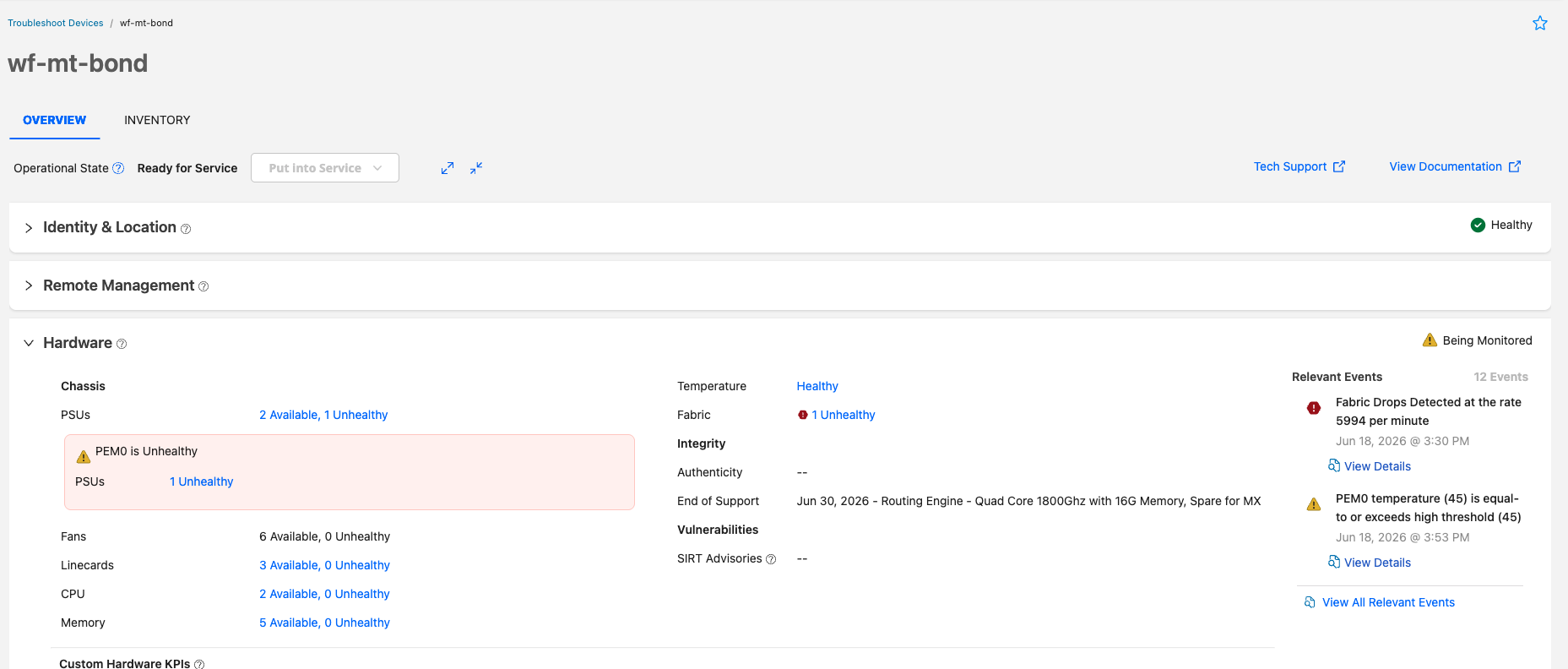
Clicking the x Unhealthy link opens the Events for Device-Name page, where the issues are listed as seen in Figure 2.
If no fabric issues are present, the status of Fabric is displayed as Healthy.
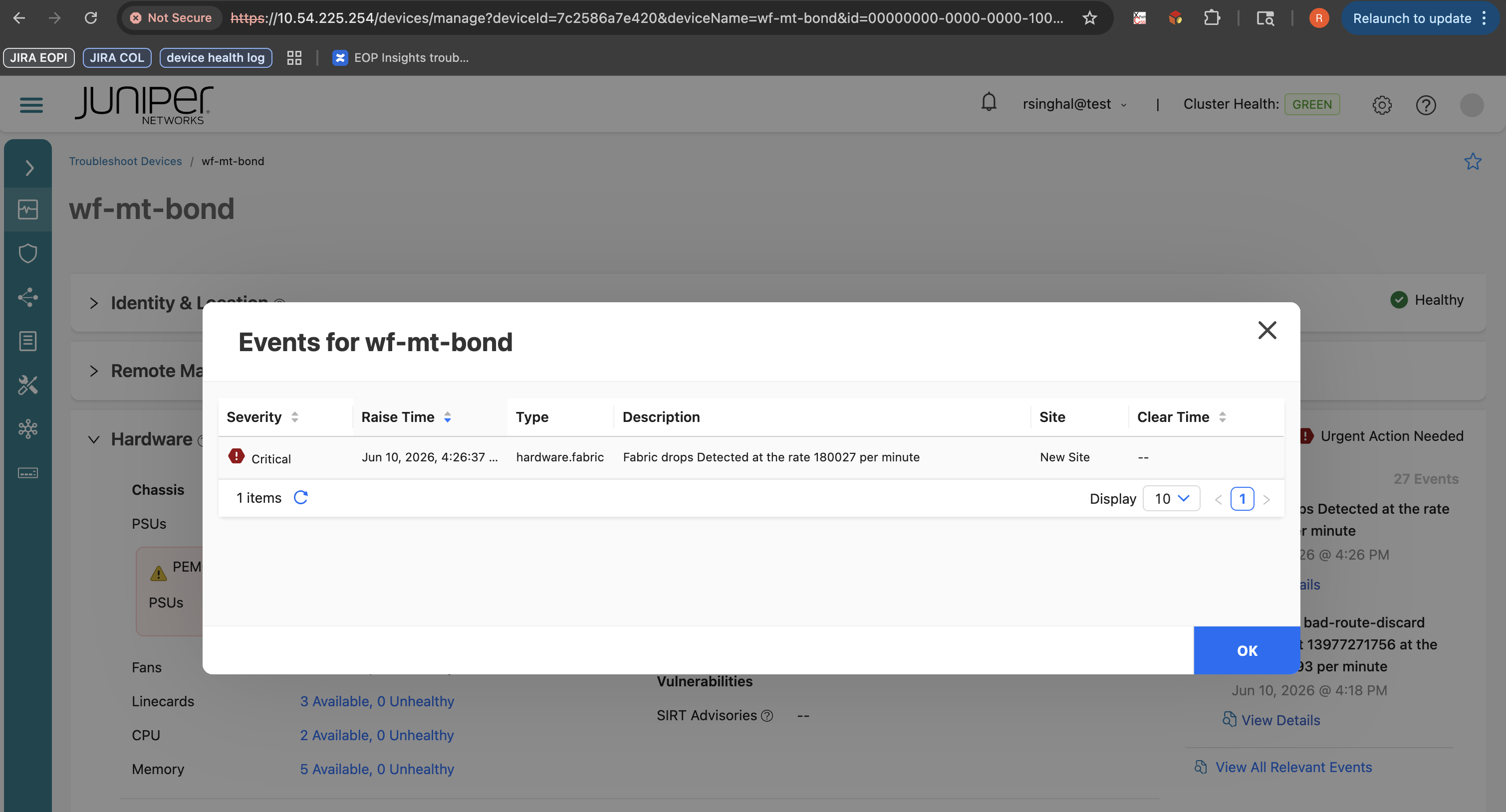
You can also view alert for fabric queue drops and fabric destination errors under Related Events section of the Hardware accordion. For more details, see Table 1.
The fabric health issues detected are classified as:
-
Critical—Indicates confirmed packet drops or fabric destination delivery failure within the fabric.
-
Normal—No packet drops or fabric destination errors detected.
For Routing Director to detect fabric health:
-
AI-ML must be enabled in the Routing Director cluster.
set deployment cluster applications aiops install-aiml true
-
Fabric Health Detection must be enabled in the device profile assigned to the device. See Fields in the Analytics tab.
-
Rules to collect fabric queue drop counters, fabric destination delivery failure indicators, and related fabric error signals must be configured.
Enabling AI-ML operations require additional CPU, memory, and storage resources. For detailed information on the required capacity for AI-ML use cases, see Hardware Requirements.