Change Apstra GUI User Password

  1. From the left navigation menu, navigate to Platform > User Management > Users and click the Change Password button in the Actions panel, for the user.
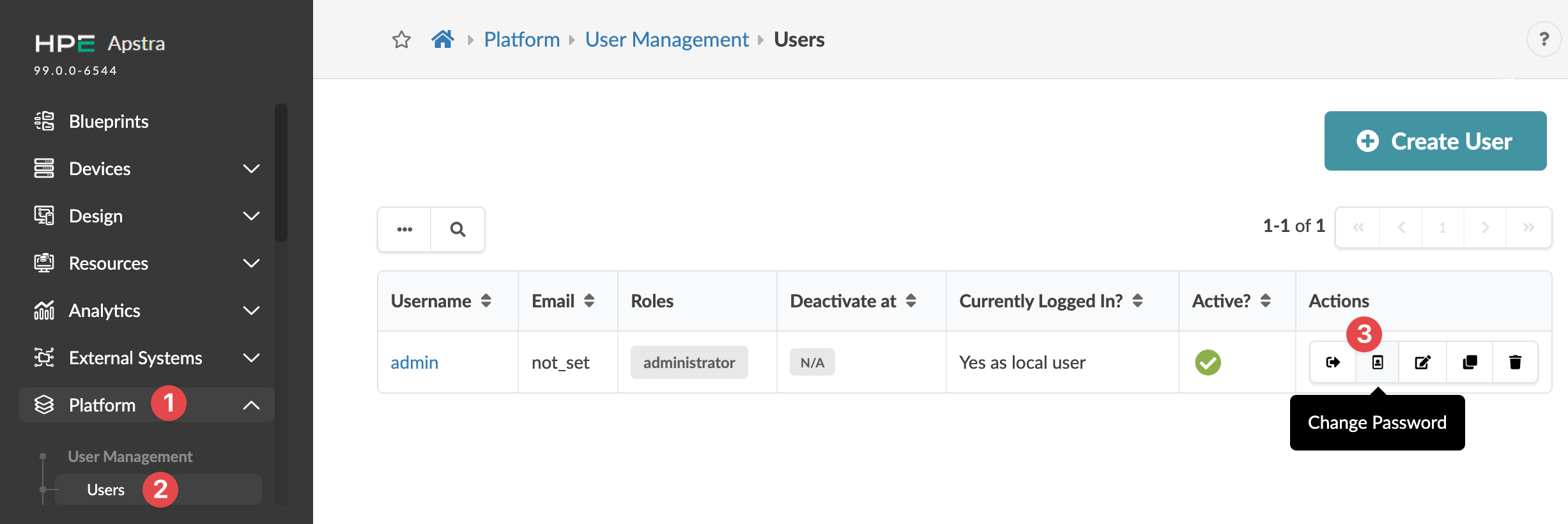
    User management interface in HPE Apstra platform showing navigation menu, user table with admin details, and Create User button.
  2. Enter a new password that meets password complexity requirements, then re-enter the new password. (You can change password requirements from Platform > Security > Password Complexity Parameters.)
  3. Click Change Password to update the password.