Standard Deviation Processor
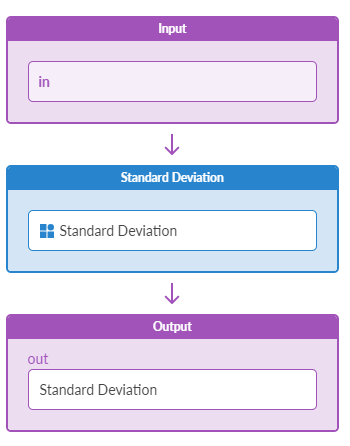
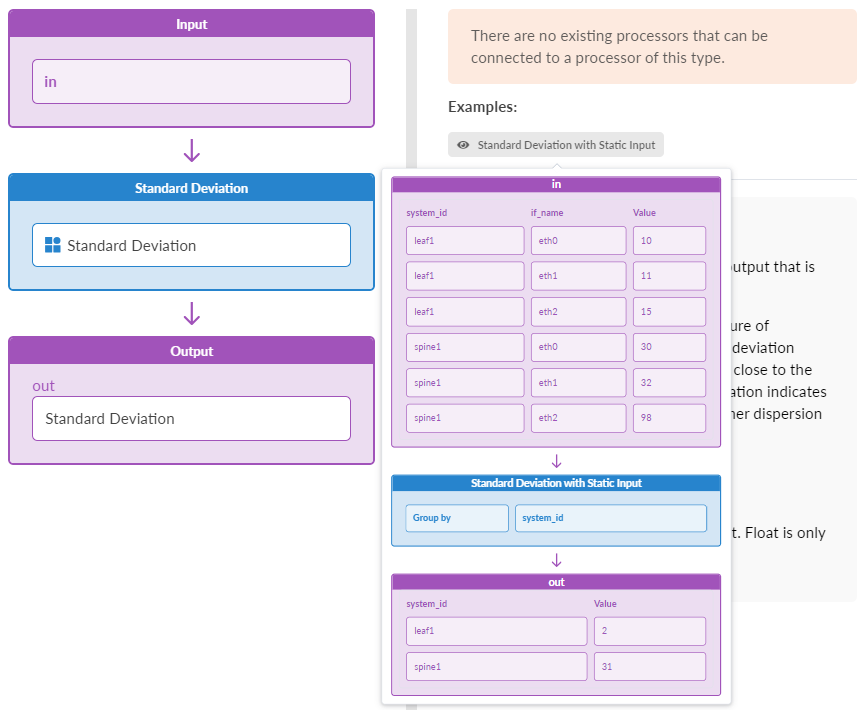
The Standard Deviation processor groups as described by Group by, calculates the standard deviation, then outputs one standard deviation per group.
| Parameter | Description |
|---|---|
| Input Types | Table (number), Table (number, accumluate=True) |
| Output Types | Table (number) |
| Group by (group_by) |
Accepts a list of property names to group input items into output items, produces only one output group for the empty list.Most processors take input and produce output. Many of them produce one output per input (for example, if input is a DSS, output is a DSS of same size). However, some processors reduce the size of the output relative to the size of the input. Effectively, they partition the input into groups, run some calculation on each of the groups that produce a single value per each group, and use that as output. Clearly, the size of the output set depends on the grouping scheme. We call such processors grouping processors and they all take the Group by configuration parameter. In the case of an empty list, the input is considered to be a single group; thus, the output is of size 1 and either N, DS, or TS. If a list of property names is specified, for example ["system_id", "iface_role"], or a single property is specified, for example ["system_id"], we divide the input into groups such that for each group, every item in the group has the same values for the given list of property names. See the standard deviation processor example for how this works. The output type of a processor depends on a value of the group_by parameter; for an empty list, a processor produces a single value result, such as N, DS, or T, and for grouping by one or more properties it returns a set result, such as NS, DSS, or TS. |
| DDoF (ddof) | Delta Degrees of Freedom, standard deviation correction value, is used to correct divisor (N - DDoF) in calculations, e.g. DDoF=0 - uncorrected sample standard deviation, DDoF=1 - corrected sample standard deviation. |
Example: Standard Deviation
group_by: ["role", "system_id"]
ddof: 1
Also assume an NS input of
[role:fabric, system_id:spine1, if_name=eth0] :10
[role:fabric, system_id:spine1, if_name=eth1] :11
[role:server, system_id:spine1, if_name=eth3] :12
[role:server, system_id:spine1, if_name=eth4] :13
[role:fabric, system_id:spine2, if_name=eth0] :14
[role:fabric, system_id:spine2, if_name=eth1] :15
[role:server, system_id:spine2, if_name=eth3] :16
[role:server, system_id:spine2, if_name=eth4] :17
Given the above, the output would be a number-set of
[role:fabric, system_id:spine1] : stddev([10, 11])
[role:fabric, system_id:spine2] : stddev([14, 15])
[role:server, system_id:spine1] : stddev([12, 13])
[role:server, system_id:spine2] : stddev([16, 17])