Create Recovery Snapshot for a Switch
To ensure that you have a full backup if you ever need it, follow these steps to create recovery snapshots for your switches.
A recovery snapshot stored in OAM (Operations, Administration, and Maintenance) volume holds a full backup that can be used in case something goes wrong with a Junos volume.
To create a recovery snapshot
-
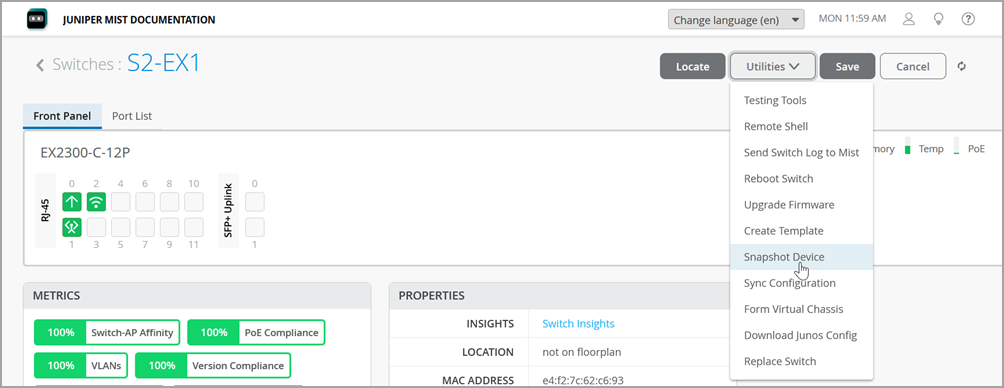
On the switch details page, click Utilities >
Snapshot Device.
 The Snapshot Device confirmation window appears.