View Cradlepoint Device Details and Insights
Use the Juniper Mist portal to view the device details and Insights for Cradlepoint devices you've provisioned in the Mist portal.
View Cradlepoint Device Details
To view Cradlepoint device details from the Mist portal:
-
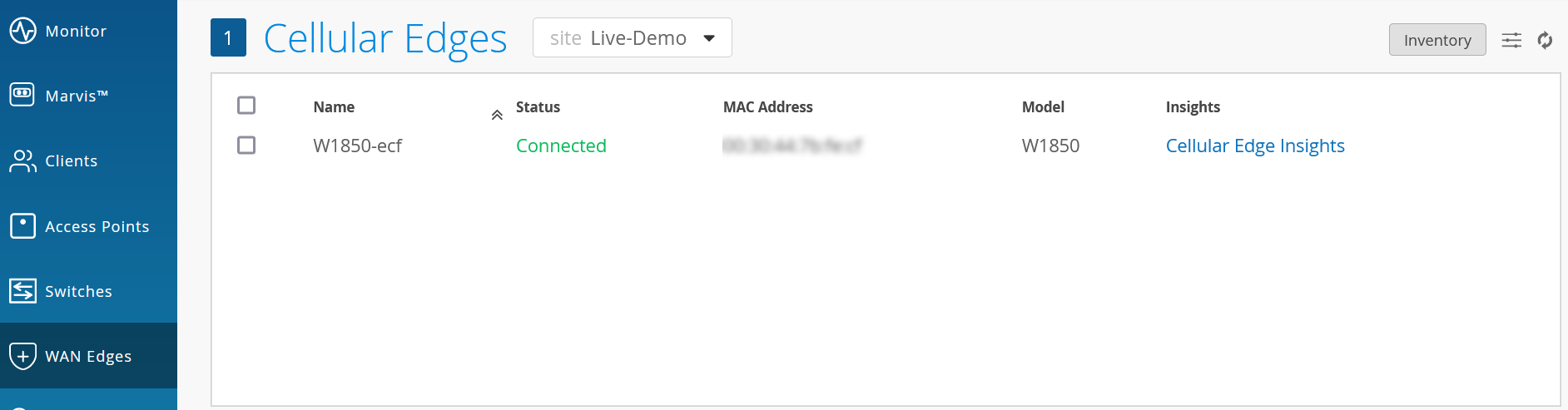
Select the required site from the drop-down menu to view Cradlepoint devices assigned
to that site.
Figure 1: View Cradlepoint Device Details
-
Click the device name to open the device details page.
Figure 2: View Cradlepoint Device-Specific Details

The page lists device-specific information such as properties, statistics, SIM list, and front panel details. You have an option to navigate to the NetCloud dashboard by clicking Go to NetCloud in the top-right corner.
Get Cradlepoint Device Insights
To see events related to Cellular Edge devices, select Monitor > Service Levels > Insights. Then, in the Site drop-down menu, select Cellular Edge as the context, then click the device name.
Figure 3: Select Cellular Edge to Display Insights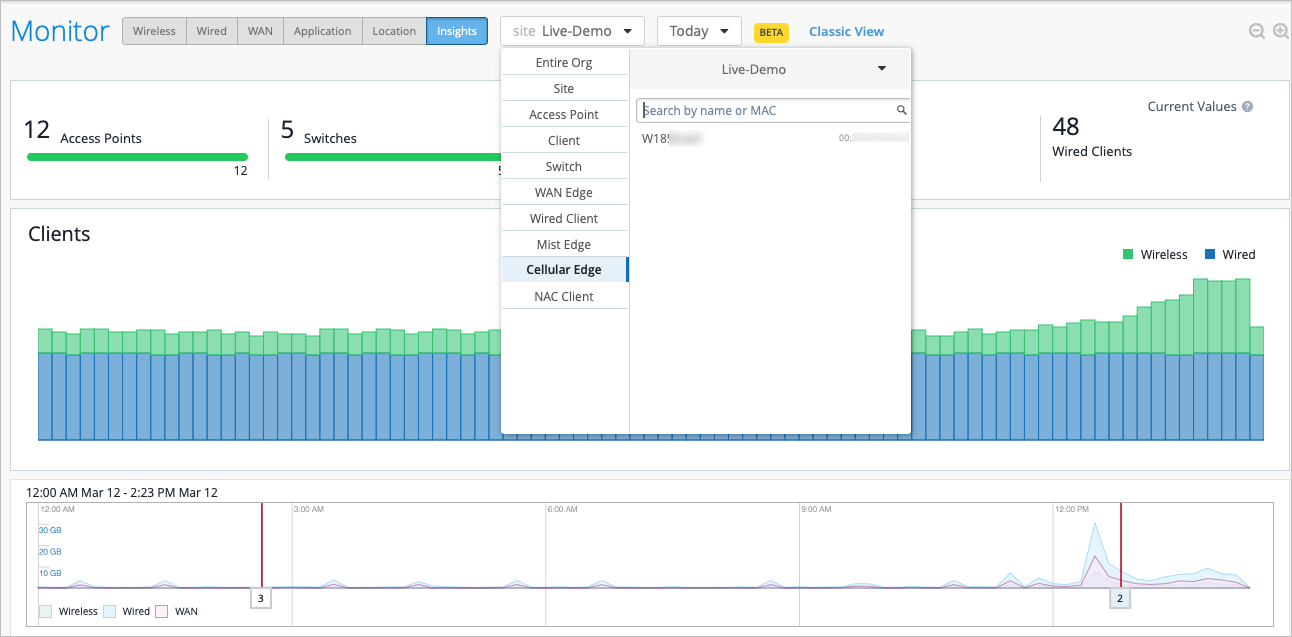
The page displays Cellular Edge device events, properties, and port details. For Cradlepoint devices, the events are ingested from NetCloud.
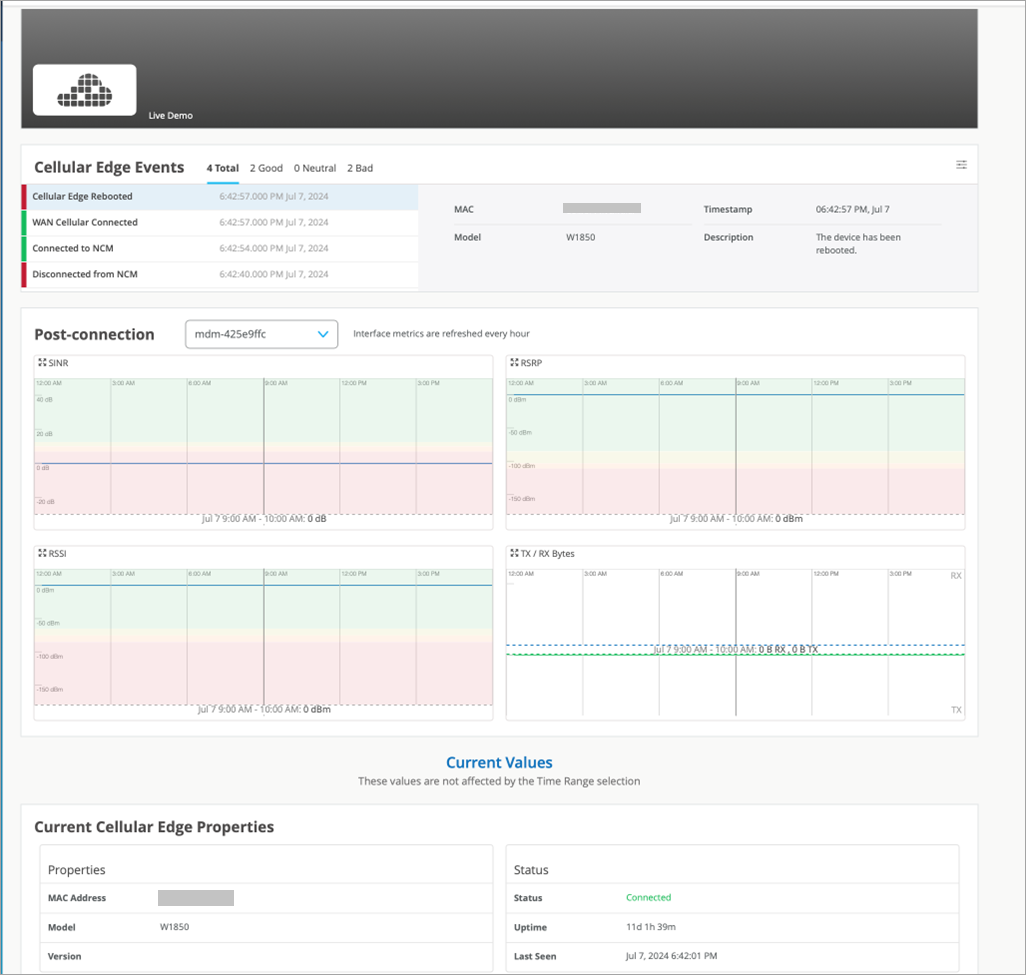
The time series data charts include:
-
SINR—Signal-to-Interference-plus-Noise Ratio (SINR) graph compares the level of the received signal to the level of background noise and interference.
-
RSRP—Reference Signal Received Power (RSRP) represents a measure of the received power level in an LTE network. Supported range: -200 through 10 dBm.
-
RSSI—Received signal strength indicator (RSSI) is a measurement of the AP radio signal and is typically measured by the client. The scale runs from -100 dBm (weakest) to 0 dBm (strongest).
-
RSRQ—Reference Signal Received Quality (RSRQ) measures the quality of the reference signal received by the Cellular Edge device. RSRQ measures the strength of the signal received, by assessing the interference and noise level in the signal.
-
TX / RX Bytes—TX bytes measures the volume of traffic that is transmitted by the interface, and RX bytes measures the volume of traffic that is received by the interface.
You can find the supported device events currently ingested at List Other Device Events Definitions.