View Security Events (SRX Only)
Analyze security-related events detected across the network to identify potential threats and take corrective actions to help protect network resources.
The Juniper Mist Security Events page, accessible through Site > WAN Edge > Security Events, provides a centralized view of security-related events. It displays a log of security events detected by Juniper Mist to monitor the security posture of the network. You can filter and view details allowing for proactive security response and analysis.
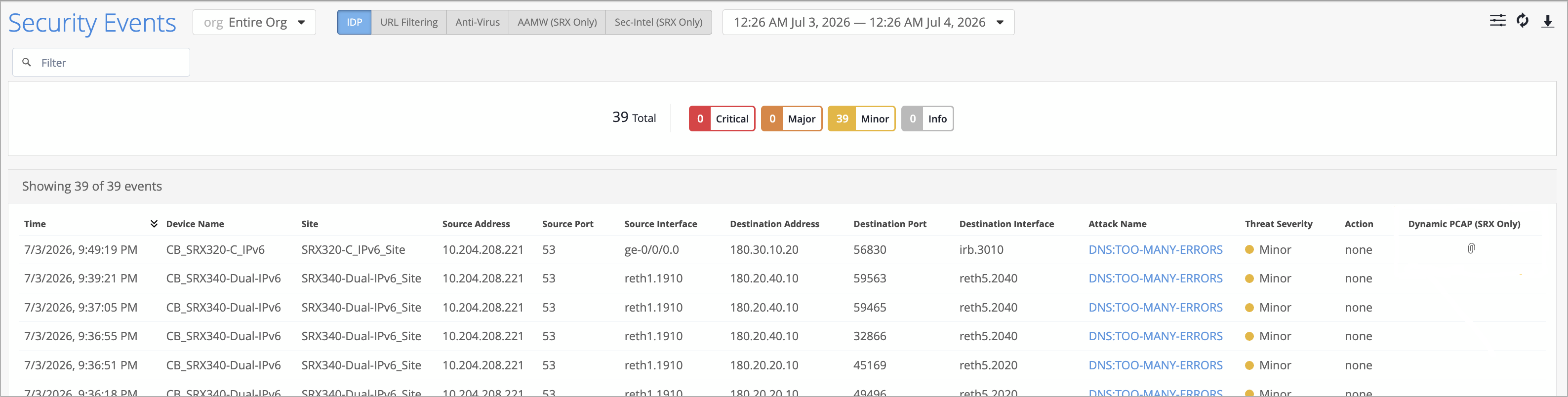
Click one of the tabs AAMW (Advanced Anti-Malware) or SecIntel to see the related security event details. In the example above, the page shows incident details for Command and Control (C&C) with a severity level of Minor. It also indicates the action taken, which is Permit in this case. Additionally, you can view other information such as the device name, site, source and destination addresses, and source and destination ports information.
If an SRX Series devices detects an Intrusion Detection And Prevention (IDP) attack, click the download icon (a paperclip image) in the Dynamic PCAP (SRX only) column to download the packet capture (PCAP) file associated with the IDP event. For more information, see Dynamic Packet Captures.