Find Information and Instructions for Juniper Mist
Get familiar with the various help features of the Juniper Mist portal.
In the Juniper Mist™ portal, use these features to find information and instructions:
-
Resource Center—Click the book icon (at the lower-left corner of the portal) to open the Resource Center.
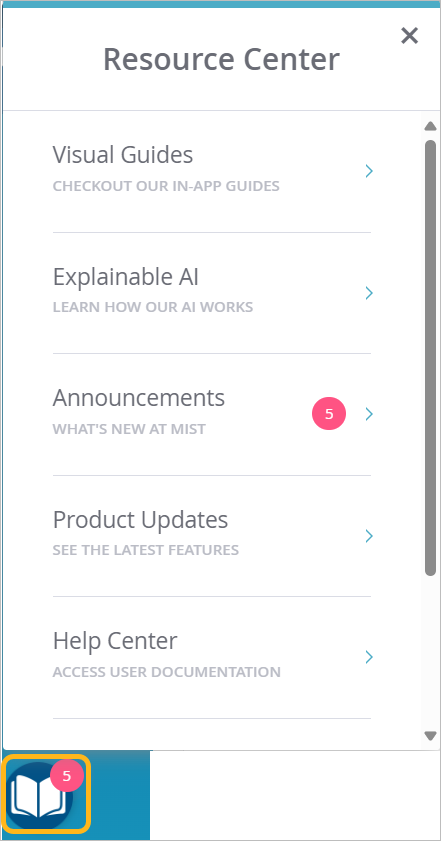
Table 1: Features of the Resource Center Feature Description Visual Guides Click-through demos that introduce various features Explainable AI Essential concepts presented in whiteboard videos Announcements Information about new features, security advisories, and more Help Center Juniper Mist help topics Product Updates Juniper Mist release notes Support Tickets and Documentation menu—Click the question icon (at the top-right corner of the portal) and then select a menu option.
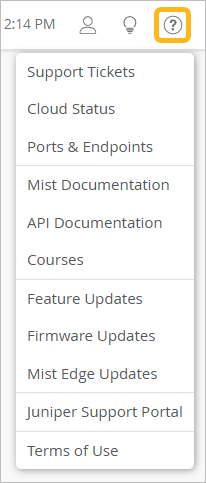
Table 2: Options on the Support Tickets and Documentation Menu Feature Description Support Tickets Create and view support tickets for your Juniper Mist organization. Cloud Status Check the current status of the Mist cloud for your region. Ports & Endpoints Get help about which ports and IP addresses to allow for your cloud instance. Mist Documentation Browse Juniper Mist help topics. API Documentation View developer documentation. Courses View the available training courses at Mist.com. Feature Updates Release notes for Juniper Mist Firmware Updates Learn about Juniper Mist product updates. Mist Edge Updates Learn about Mist Edge product updates. Juniper Support Portal Go to the support portal, where you can log in to view information, support cases, and more for your Juniper devices. Terms of Use End User License Agreement