Troubleshoot a Device or Site by Using APIs
You can use the troubleshoot API to troubleshoot devices and sites from an external portal.
Devices that you can troubleshoot include clients (wired and wireless), access points (APs), switches, and WAN Edges. You can also use the APIs to troubleshoot sites for wired, wireless, and WAN issues.
To use the Marvis APIs, you must have:
-
A valid observer API token.
-
Marvis subscription at the organization level.
-
MAC address of the device (if you want to troubleshoot a device)
-
Site ID or site name (if you want to troubleshoot a site)
Here are the details of the API queries:
-
To troubleshoot a device:
GET /api/v1/orgs/:org_id/troubleshoot?mac=:device_macIf you know the hostname or username of the device, use the search API (
/clients/searchor/devices/search) to get the MAC address.You can also include the
site_idoption if you want the troubleshoot response to be fetched for a device in a specific site. Include thestartandendoptions if you want the troubleshoot response for a specific duration. -
To troubleshoot a site:
GET /api/v1/orgs/:org_id/troubleshoot?site_id=:siteidYou can also include the
typeoption if you want the troubleshoot response to be fetched for a specific network issue—wired, WAN, or wireless. Note that the default type is wireless. If you have only a WAN or wired deployment, then ensure that you specify the type. Include thestartandendoptions if you want the troubleshoot response for a specific duration.
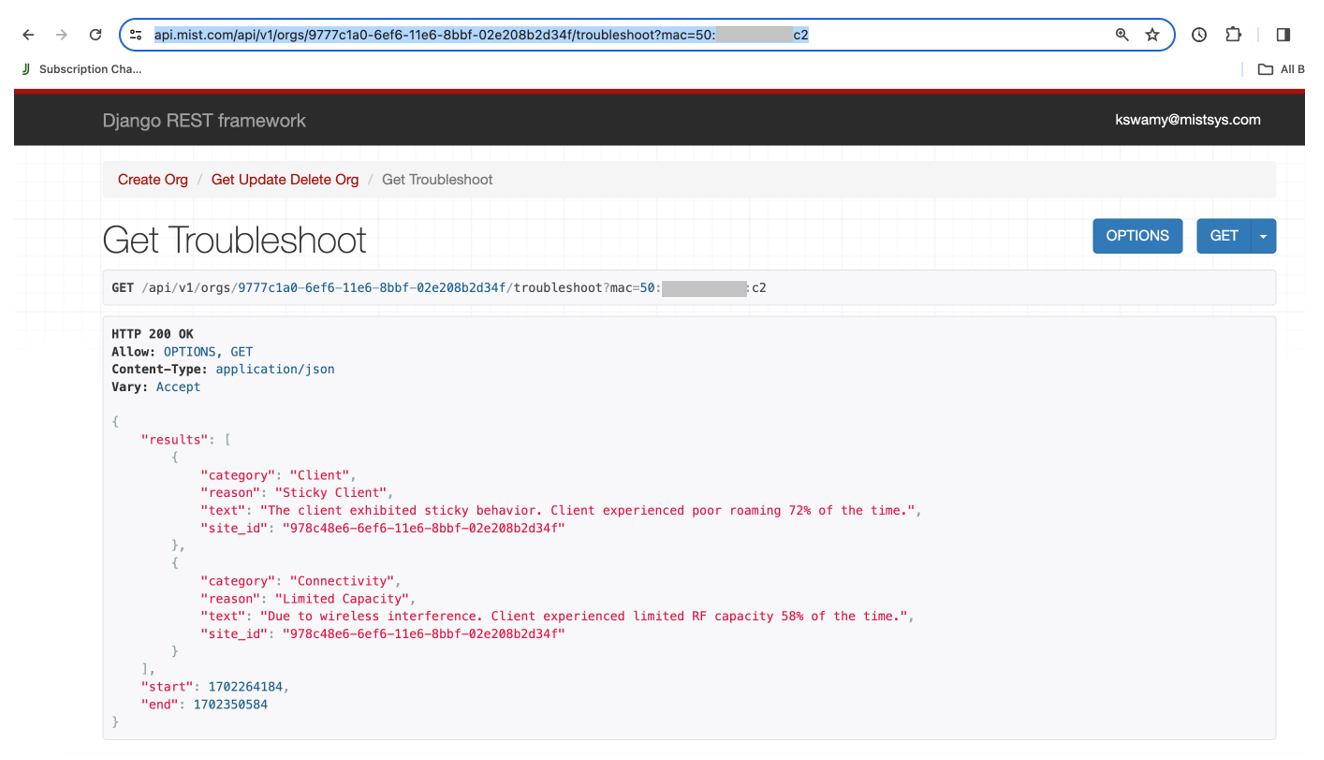
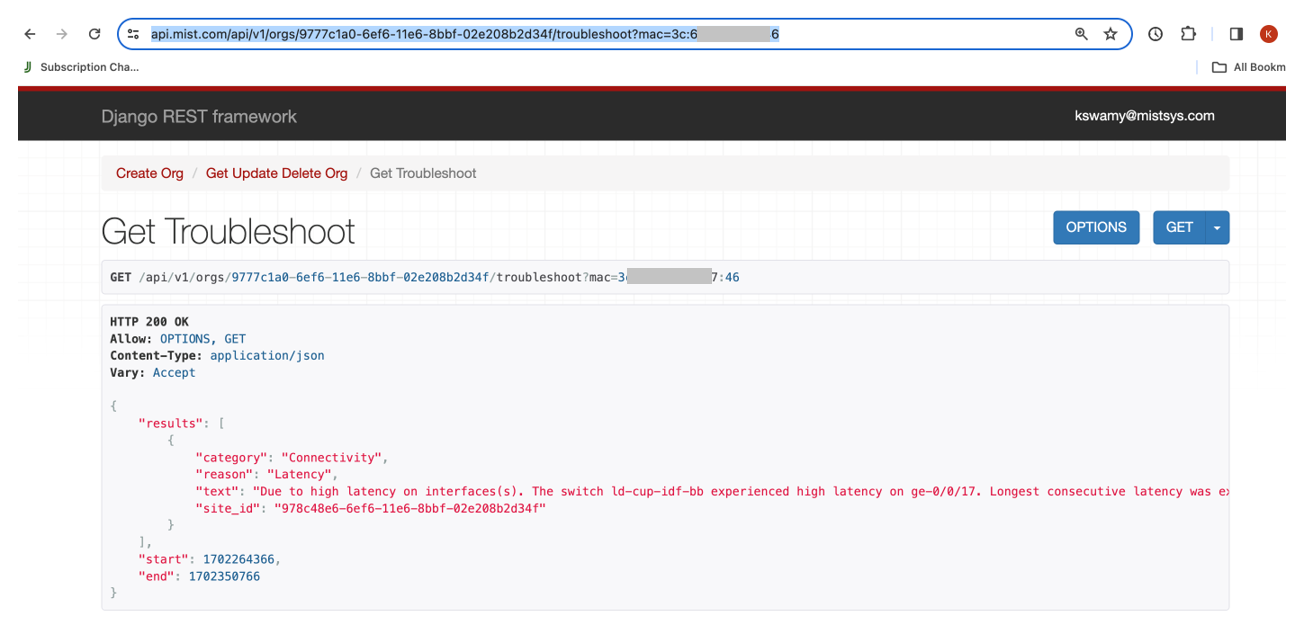
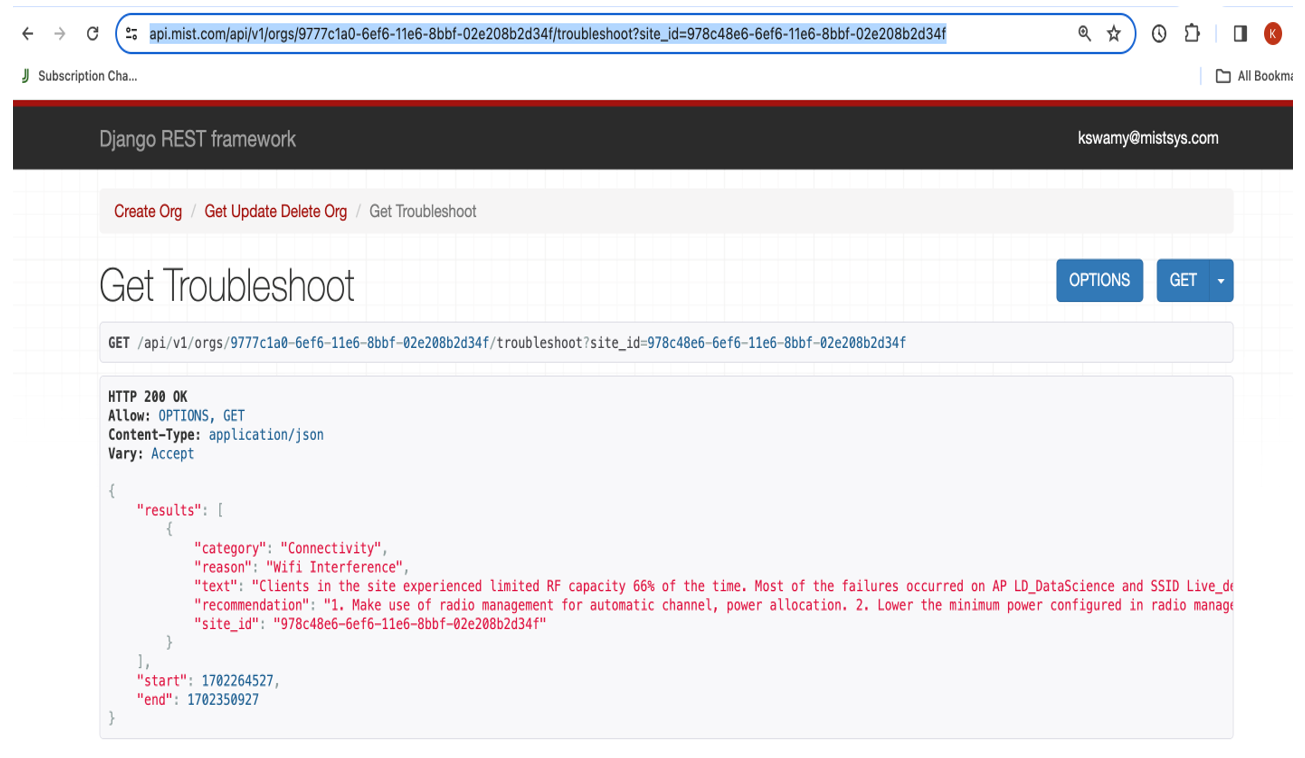
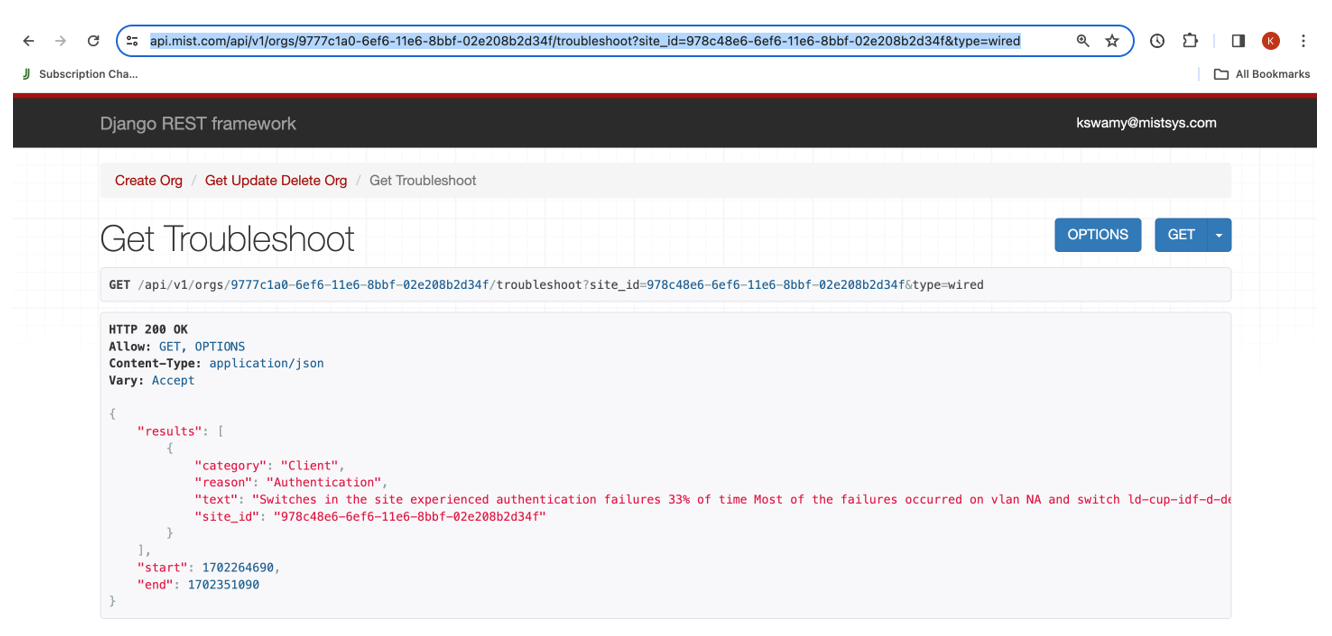
The API query fetches a text-based response containing the problem category, reason, description, and recommendation (if applicable). Here are some sample results:
-
Troubleshoot a device (wireless client)
https://api.mist.com/api/v1/orgs/9777c1a0-6ef6-11e6-8bbf-02e208b2d34f/troubleshoot?mac=50:xx:xx:xx:xx:c2
-
Troubleshoot a device (wired client)
https://api.mist.com/api/v1/orgs/9777c1a0-6ef6-11e6-8bbf-02e208b2d34f/troubleshoot?mac=3c:xx:xx:xx:xx:46
-
Troubleshoot a site (wireless)
https://api.mist.com/api/v1/orgs/9777c1a0-6ef6-11e6-8bbf-02e208b2d34f/troubleshoot?site_id=978c48e6-6ef6-11e6-8bbf-02e208b2d34f
-
Troubleshoot a site (wired)
https://api.mist.com/api/v1/orgs/9777c1a0-6ef6-11e6-8bbf-02e208b2d34f/troubleshoot?site_id=978c48e6-6ef6-11e6-8bbf-02e208b2d34f&type=wired
-
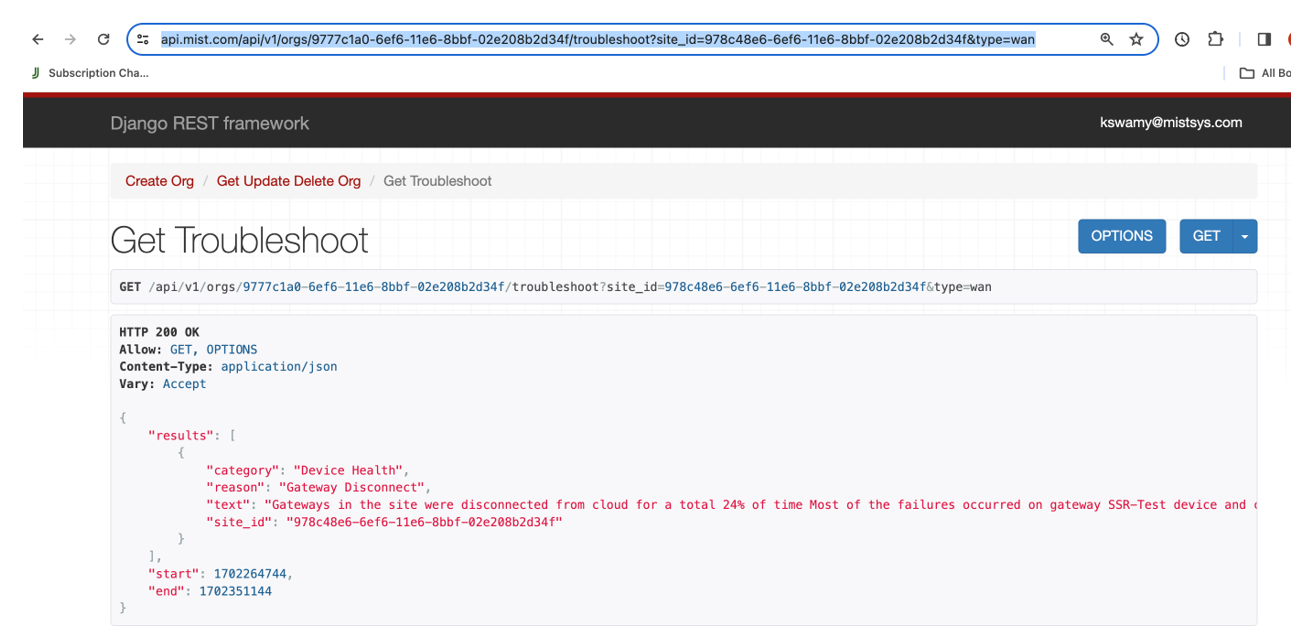
Troubleshoot a site (WAN)
https://api.mist.com/api/v1/orgs/9777c1a0-6ef6-11e6-8bbf-02e208b2d34f/troubleshoot?site_id=978c48e6-6ef6-11e6-8bbf-02e208b2d34f&type=wan
To view the API documentation, see the Mist API Reference. For more information on troubleshooting using Marvis, see Troubleshoot Org.