ON THIS PAGE
Router Properties and Router Ports
Current Router Properties
The Current Router Properties section on the router Insights page displays the properties and status of a router. From this section, you can view information such as router MAC address, model, OS version, uptime and so on.
For field descriptions, see Table 1.
|
Field |
Description |
|---|---|
|
MAC Address |
MAC address of the router. |
|
Model |
Router model name. |
|
Version |
Version of Junos OS or Junos OS Evolved running on the router. |
|
Status |
Status of the onboarded router:
See Understanding Router Connection Status to interpret the status with respect to the communication channels between the router and the Juniper Cloud. |
|
IP Address |
IP address of the router. |
|
Uptime |
Time since the last reboot of the routing-engine. |
|
Last Seen |
Date and time the router was last seen as connected to Juniper Routing Assurance. |
Router Ports
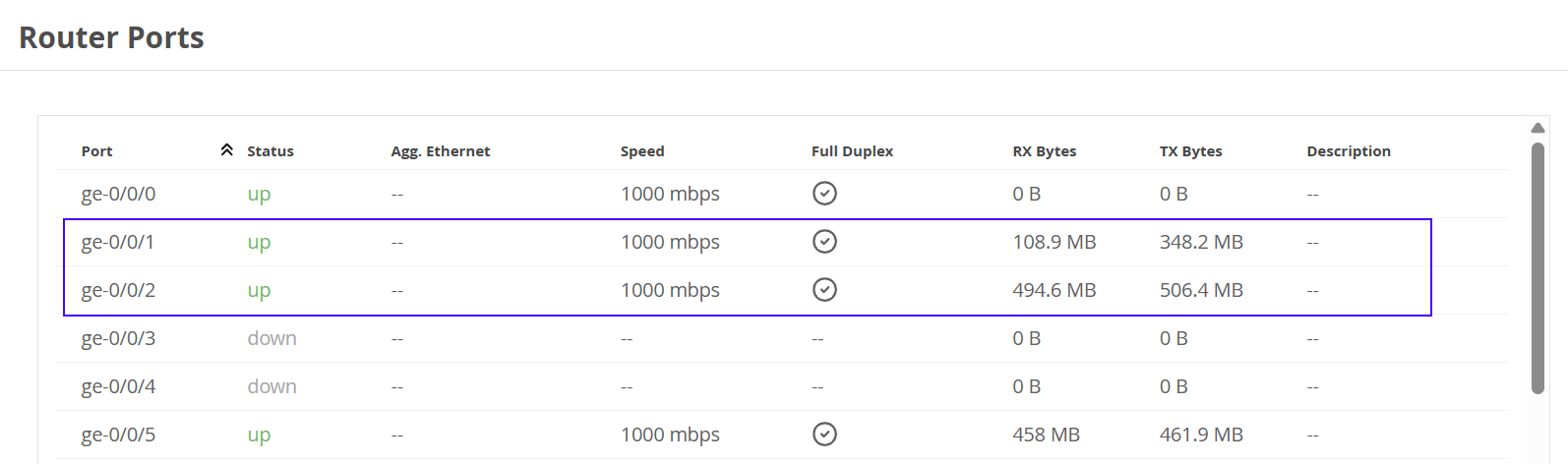
The Router Ports section provides an overview of interface status, duplex speed settings, and traffic statistics of the router. Click the down arrow next to an interface to expand the list and view subinterface details.
For field descriptions, see Table 2.
|
Field |
Description |
|---|---|
|
Port |
Name of the port. |
|
Status |
Status of the port. The status can be—
|
|
IPs |
IP address assigned to the subinterface. Note: IPs column is available only for
subinterfaces.
|
|
Agg. Ethernet |
Aggregated interface number. |
|
Speed |
Configured speed of the port. |
|
Full Duplex |
Connection characteristic of the port—
|
|
RX Bytes |
Number of bytes of data received at the port. |
|
TX Bytes |
Number of bytes of data sent from the port. |
|
Description |
Brief description of the port. |
Figure 1 displays the statistics of all the interfaces on a router.