Deploy Apstra ConnectorOps for Infected Host Isolation and Verify Connectivity
Use the following steps to deploy Apstra ConnectorOps and verify connectivity to Apstra DC Director and ATP Cloud
-
Create a directory for the Apstra ConnectorOps image.
mkdir ~/connectorops-ih
-
Download the latest Apstra ConnectorOps image onto the VM, host, or server.
Use the following download link under Application Tools: https://support.juniper.net/support/downloads/?p=apstra.
- Install Docker and Docker Compose.
-
Load the Docker image.
root@host:~/connectorops-ih$ docker load -i <connectorops-ih-image>
The following is an example docker-compose.yml
version: '3.8' services: connectorops: image: <image-name> pull_policy: always container_name: connectorops environment: - AOS_URL=https:<apstra-ui-url> - AOS_USER=<username> - AOS_PASSWORD=<password> - LOG_LEVEL=debug - SKYATP_URL=https://api.sky.junipersecurity.net - SKYATP_TOKEN=<atp-cloud-token> - INFECTED_HOST_ISOLATION=enable volumes: - /home/admin:/app/data restart: always -
Start Apstra ConnectorOps for Infected Host Isolation.
root@host:~/connectorops-ih$ docker-compose up -d
Apstra ConnectorOps generates anih-acl-configletif one doesn’t already exist. -
Import the
ih-acl-configletinto your blueprint:From your blueprint, navigate to Staged > Catalog > Configlets > Import Configlet.
b. Select the
ih-acl-configletfrom the dropdown and click Next.- Review the rendered template and click Submit.
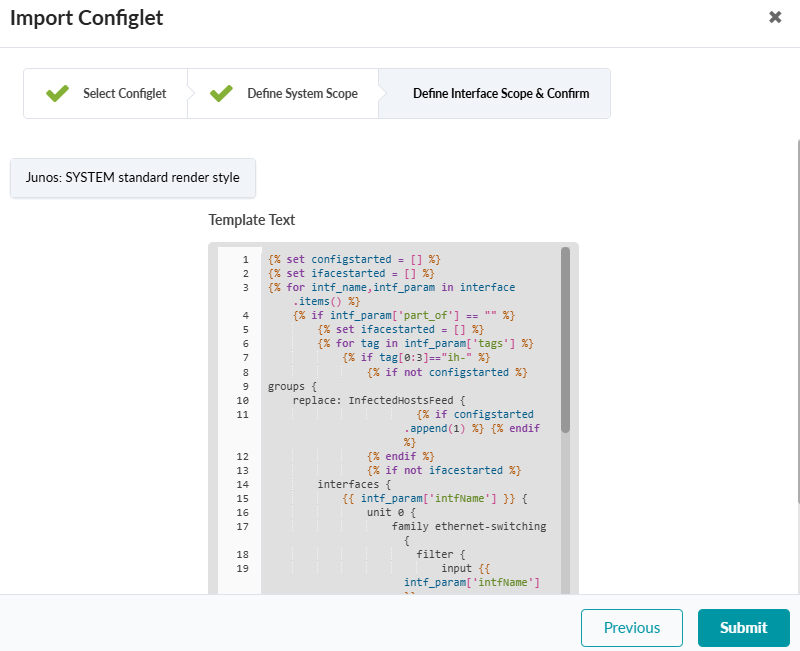
- Repeat this process for each blueprint where you want IH isolation.