Update Blueprint Revision Description

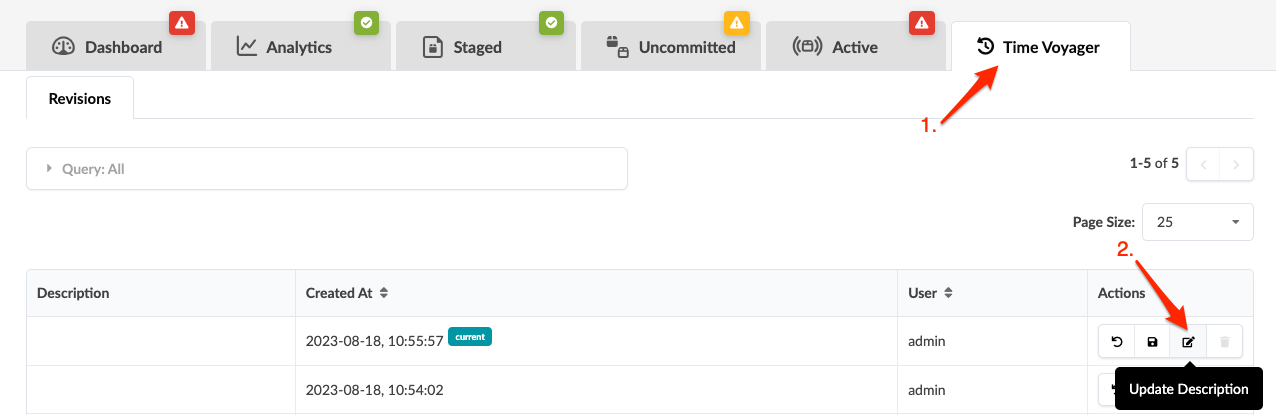
  1. From the blueprint, click Time Voyager, then click the Update description button for the revision to update (third of four buttons in Actions section.)
    User interface of software showing Time Voyager tab with Revisions section listing entries with descriptions, dates, user info, and action icons for revert, save, edit, and delete. Update Description tooltip visible.
  2. Enter or change the description.
  3. Click Update to change the description and return to the table view.