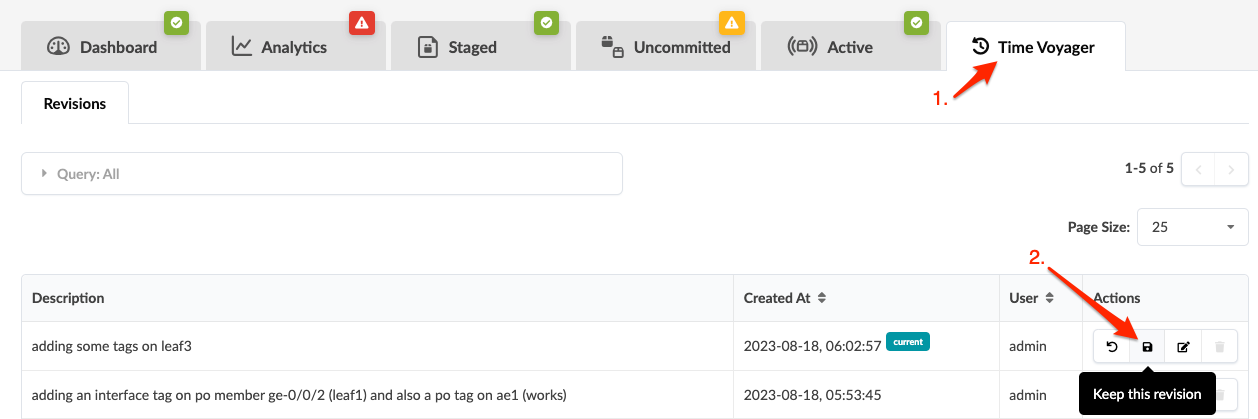
From the blueprint, click Time Voyager, then click the
Keep this revision button for the revision to keep (second of
four buttons in Actions section).
Click Save to confirm and proceed. The button turns gray
indicating that the revision has been saved indefinitely. It won't be deleted until you
manually delete it.