Delete Tenant
-
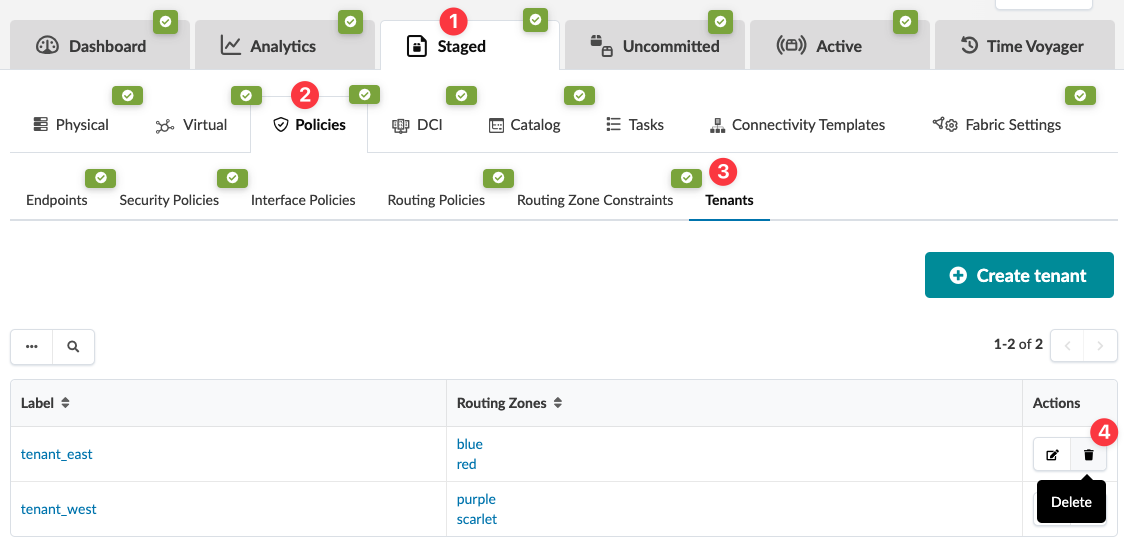
From the blueprint, navigate to Staged > Policies > Tenants and click the
Delete button for the tenant to delete.
 The Delete this resource? dialog opens.
When you're ready to activate your changes, go to the Uncommitted tab to review and commit (or discard) your changes.