Update Template
You can update a blueprint template to change its structure and policies using the GUI.
Changes made to a template in the Design (global) catalog don't affect blueprints that were previously created with that template, thereby preventing potentially unintended changes to those blueprints.
To update templates from the GUI:
-
From the left navigation menu, navigate to Design > Templates
and click the Edit button in the Actions panel on the right
for the template to update.
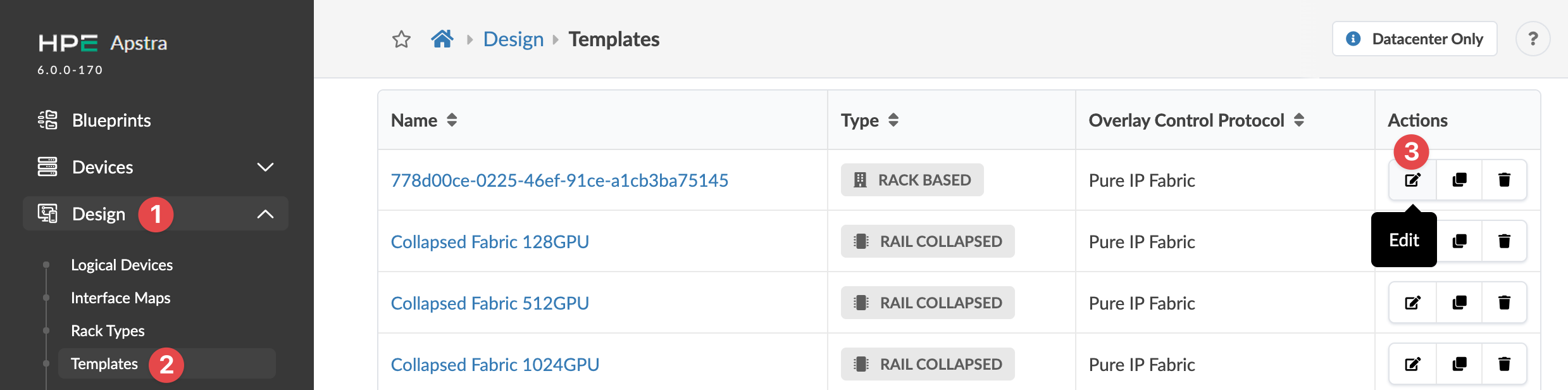 The Edit Template dialog opens.
The template is updated and you're returned to the
Templates table view.