Create Template (Rail Collapsed)
You can create blueprint templates based on rails using the GUI.
To create a rail collapsed template using the GUI:
-
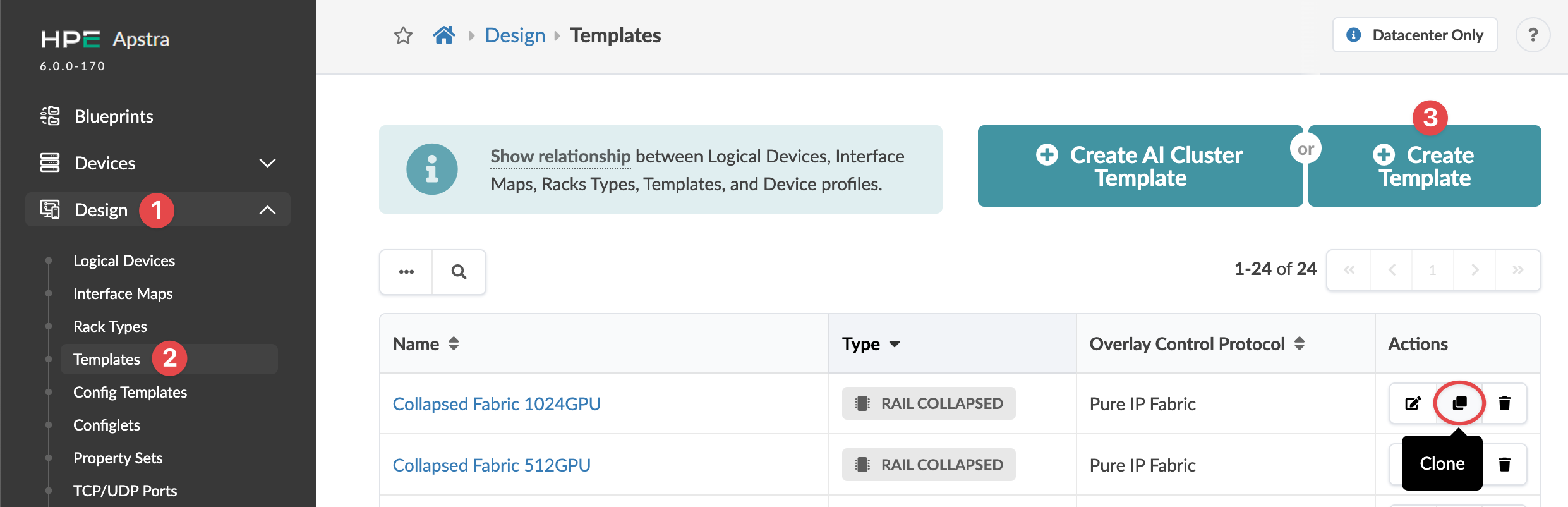
From the left navigation menu, navigate to Design > Templates
and click Create Template (or to copy an existing rail collapsed
template and customize it, click the Clone button for the template
to copy).
 The Create Template dialog opens (or the Clone Template dialog opens, as applicable).
The template is created and you're returned to the
Templates table view.
Next Steps: Create a blueprint from the template.