Create Template (Collapsed)

You can create blueprint templates based on spineless topologies using the GUI.

To create a collapsed template from the GUI:

  1. From the left navigation menu, navigate to Design > Templates and click Create Template.
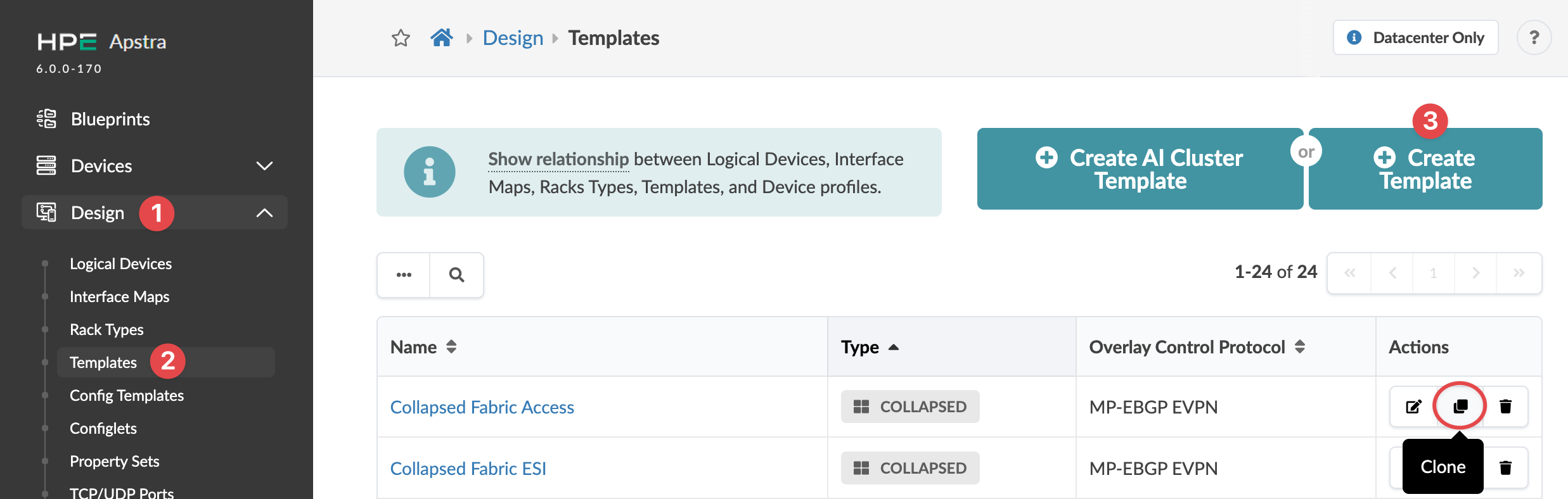
    HPE Apstra interface showing the Templates section under the Design menu with options to manage and create network configuration templates. Two templates are listed with types COLLAPSED and protocol MP-EBGP EVPN. Action buttons for editing, cloning, and deleting templates are visible.
    The Create Template dialog opens (or the Clone Template dialog opens, as applicable).
  2. Enter a unique name (64 characters or fewer).
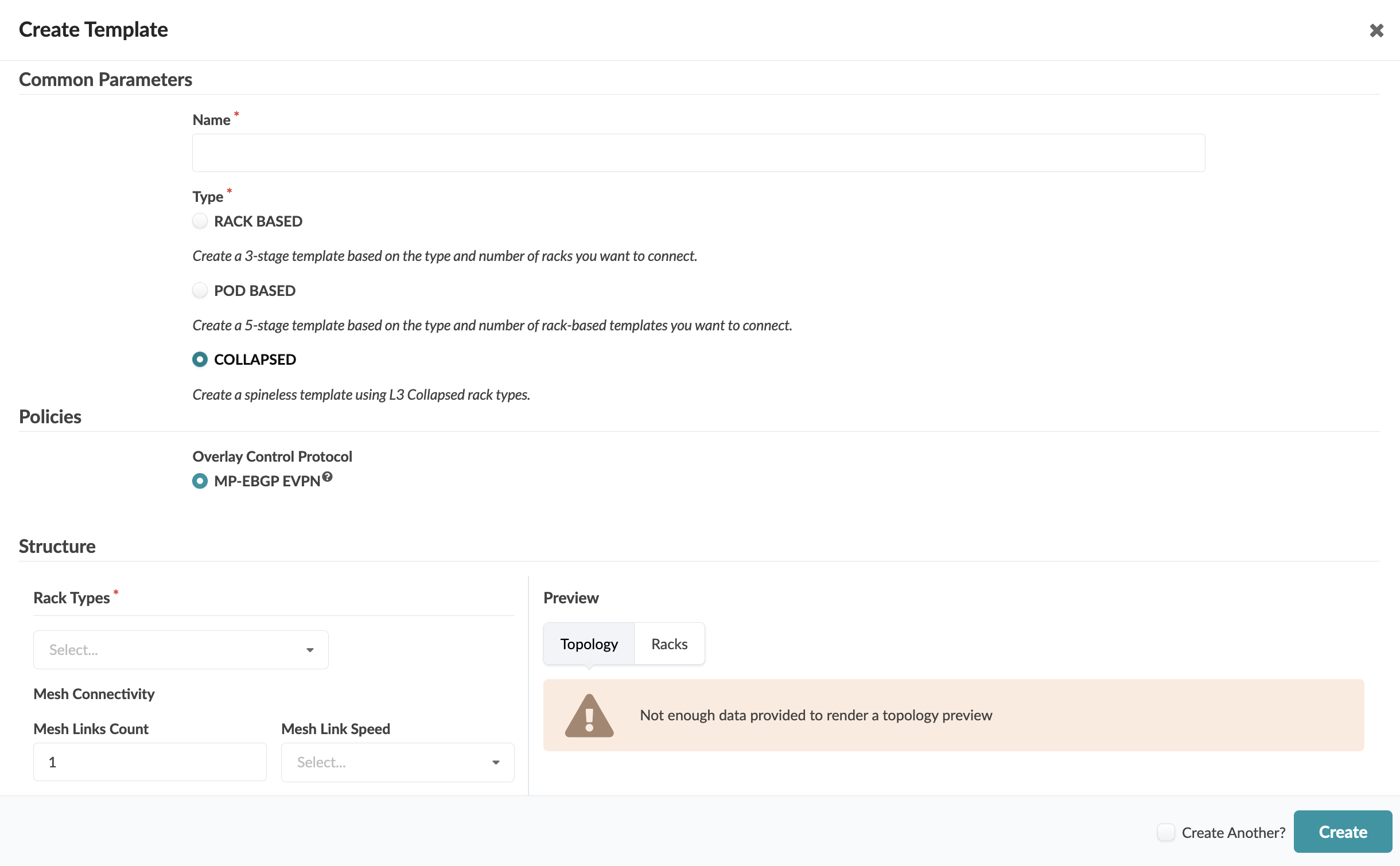
    User interface for creating a network template with sections for entering template name, selecting template type, configuring overlay protocol, rack types, mesh connectivity, and previewing topology.
  3. Select COLLAPSED.
  4. Select applicable policies.
  5. Select a rack type from the drop-down list (only L3 collapsed rack types are available for selecting), then select the number of mesh links and their speeds. Notice that as you enter information, the topology preview on the right changes accordingly.
  6. Click Create.
The template is created and you're returned to the Templates table.

Next Steps: Create a blueprint from the template.