Create Telemetry Service Schema
Create a custom telemetry service schema, which is used when creating custom telemetry collectors.
-
From the left navigation menu of the GUI, navigate to Analytics >
Telemetry > Service Registry and click Create Service
Schema.
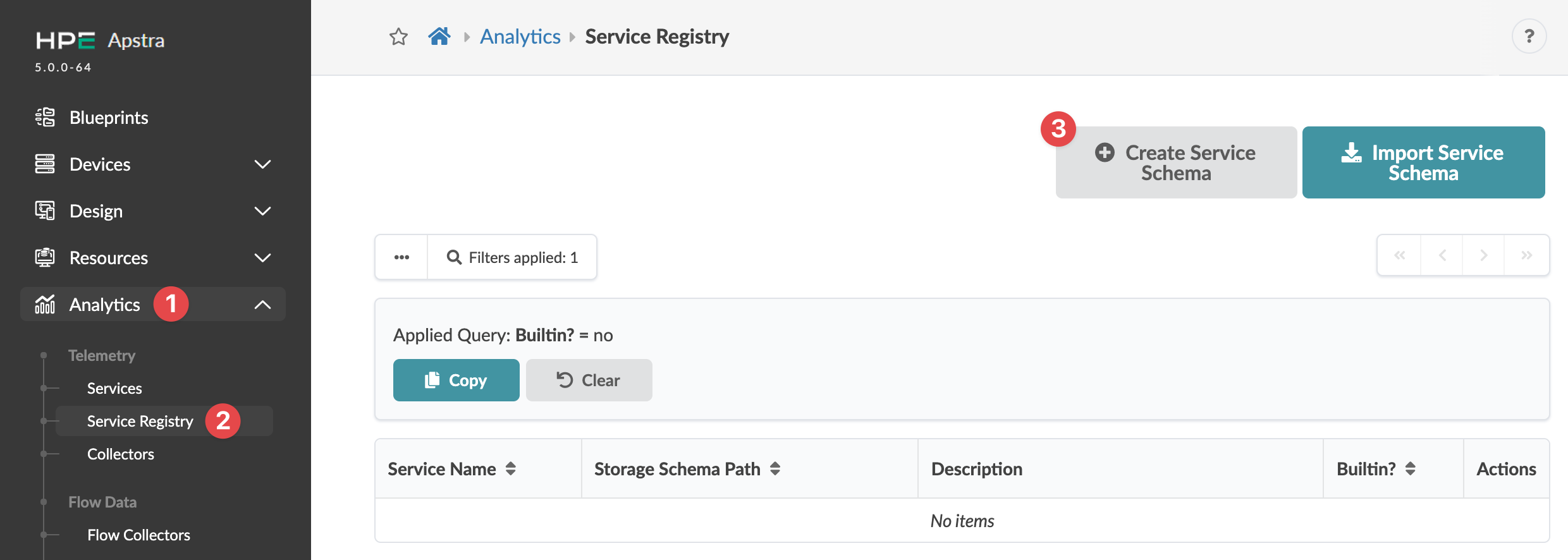 The Create Service Schema dialog opens.
 -
Enter a schema name, (optional) description, and one or more telemetry keys and values
(of type string or integer).
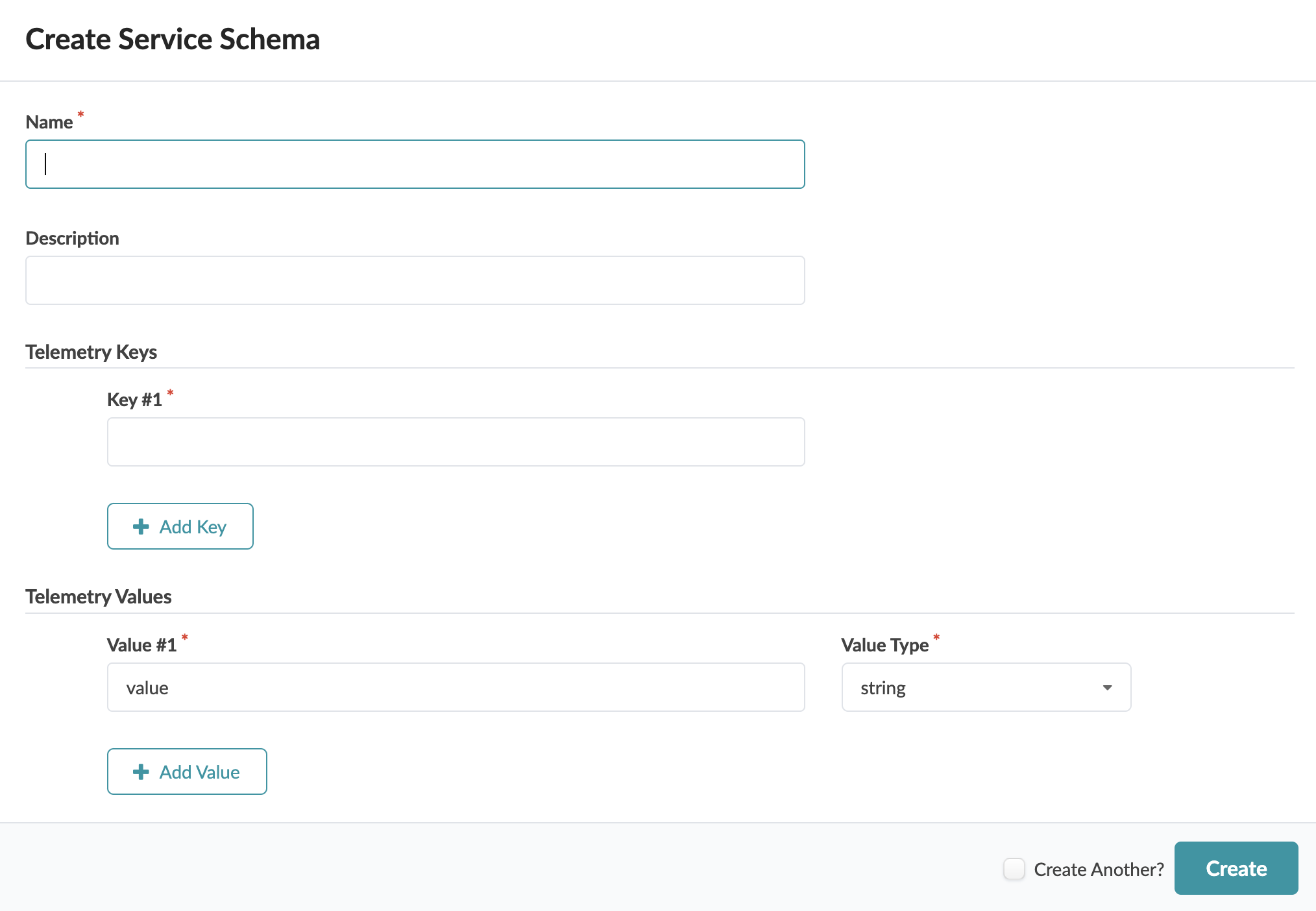
When you create a telemetry collector, you'll select a custom telemetry service
schema.