Optimize Routing Zone Resource Usage
In HPE Networking Apstra Data Center Director version 4.2.0 and later, resources used for routing zones are already optimized (enabled) by default. This means VRF configuration is rendered only on leafs where at least one server-endpoint is a member of a virtual network in that routing zone.
In Apstra DC Director versions earlier than 4.2.0, all routing zones required resources. When you upgrade an Apstra DC Director server from a pre-4.2.0 version to version 4.2.1 or later, optimization is disabled by default. Since enabling optimization is disruptive, you must manually enable it yourself in this case. (Remember, currently you can't upgrade to major releases, such as 4.2.0.)
-
From the blueprint, navigate to Staged > Fabric Settings > Fabric
Policy and click Modify Settings.
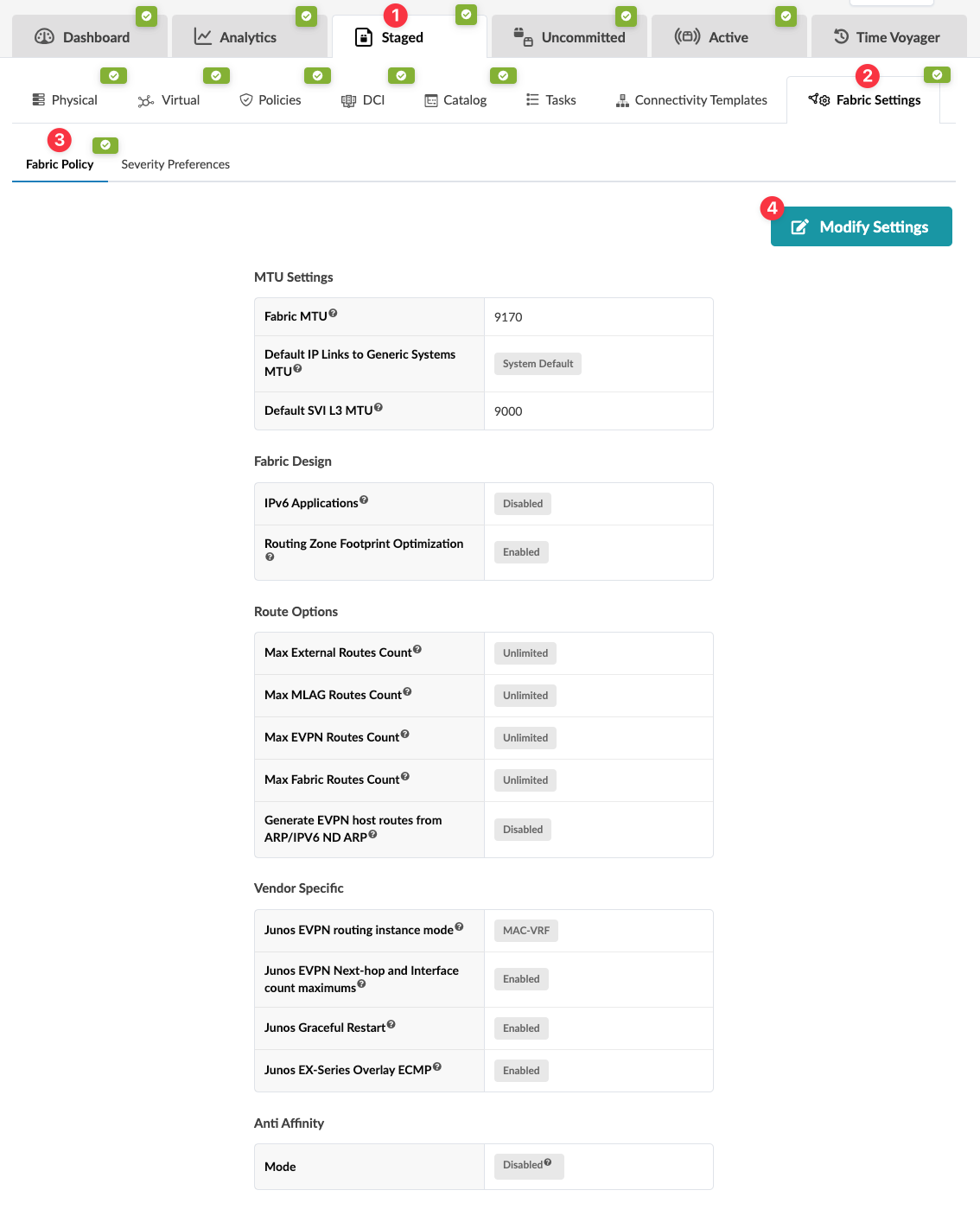 The Modify Fabric Policy Settings dialog appears,
 -
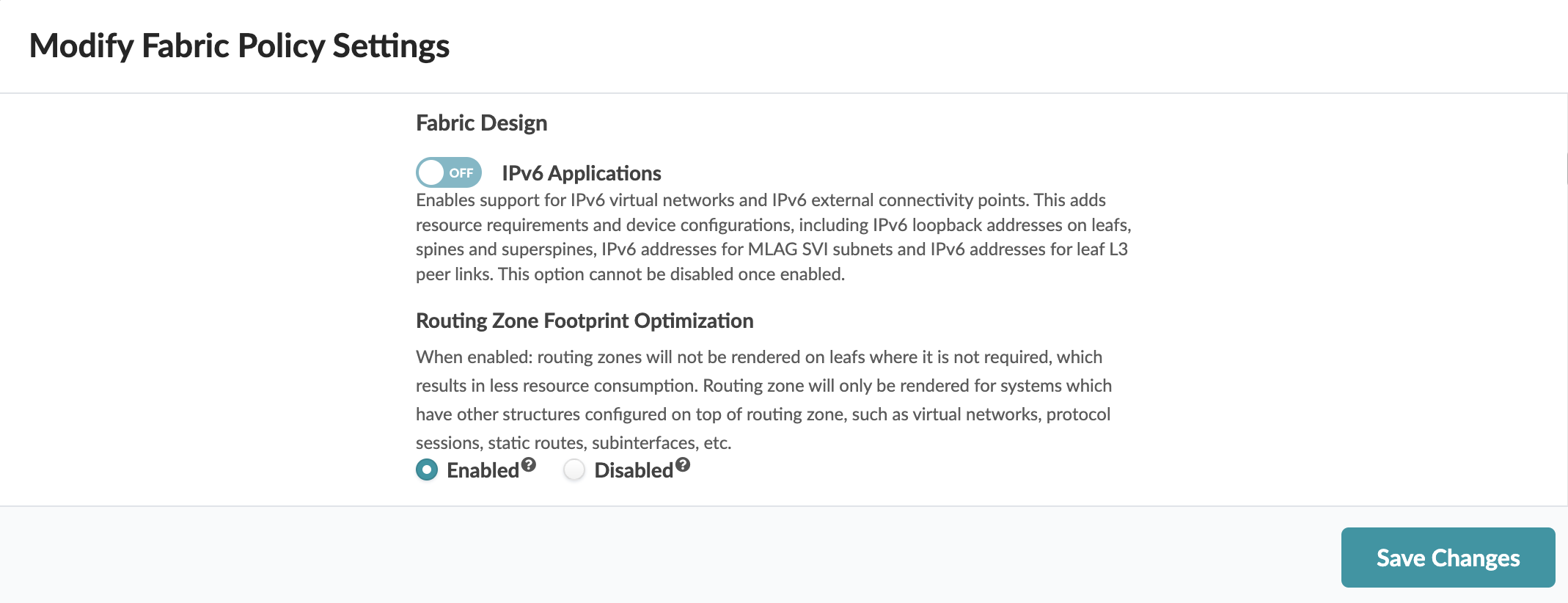
In in the Fabric Design section, for Routing Zone Footprint Optimization,
select Disable or Enable, as
appropriate.
-
Disabled - Resources are required for all routing zones (active and inactive).
-
Enabled - Resources are required only on active routing zones (at least one server-endpoint is a member of a virtual network in that routing zone).
-