Query
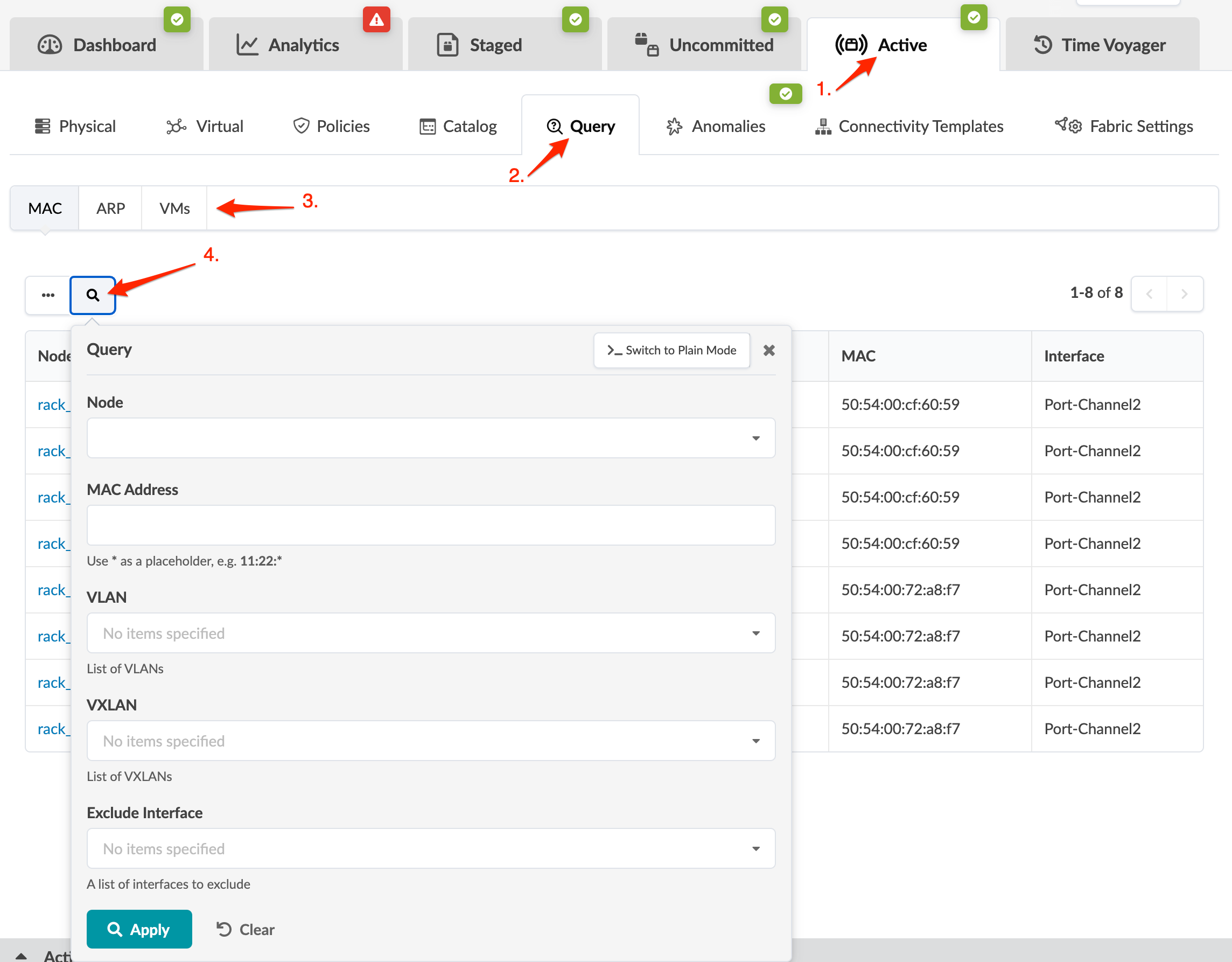
You can search for MAC addresses, IP addresses and VMs by using the query feature in the active blueprint.
-
From the blueprint, navigate to Active > Query.
You can search for MAC addresses, IP addresses and VMs by using the query feature in the active blueprint.