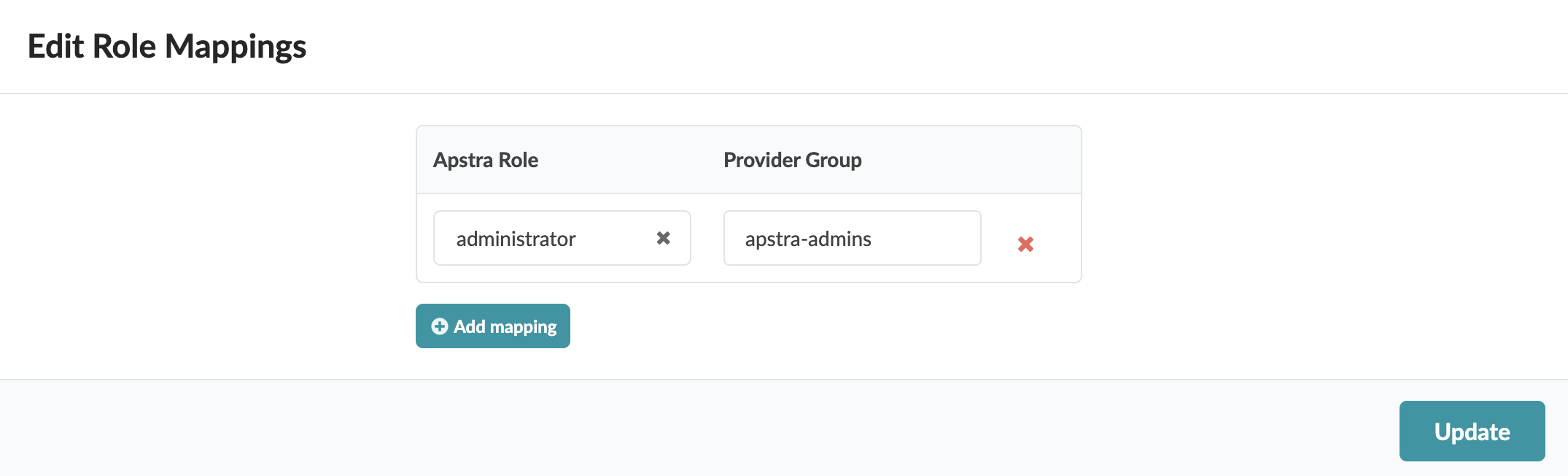
Edit RBAC Provider Role Map
CAUTION:
Changing role mappings for an active provider causes all remotely logged in users to be logged out (because the session tokens are cleared when changes are made). Users will need to log back into the system. This includes user admin, if admin is not logged in locally.
To update the provider role map from the GUI:
-
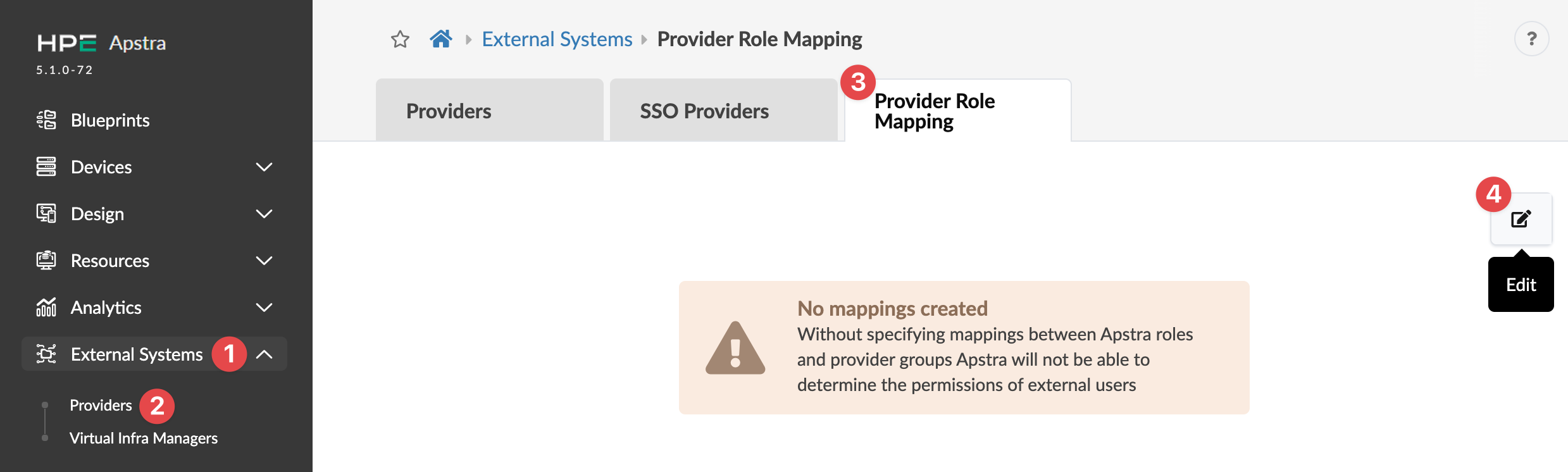
From the left navigation menu, navigate to External Systems > Providers
> Provider Role Mapping and click the Edit button
(top-right).
-
Edit role mapping as needed.