Update Probe
You can update intent-based analytics probes.
Editing a probe affects any widgets and dashboards that are associated with it.
To update a probe using the GUI:
-
From the blueprint, navigate to Analytics > Probes and click
the Edit button in the Actions panel for the
probe to update.
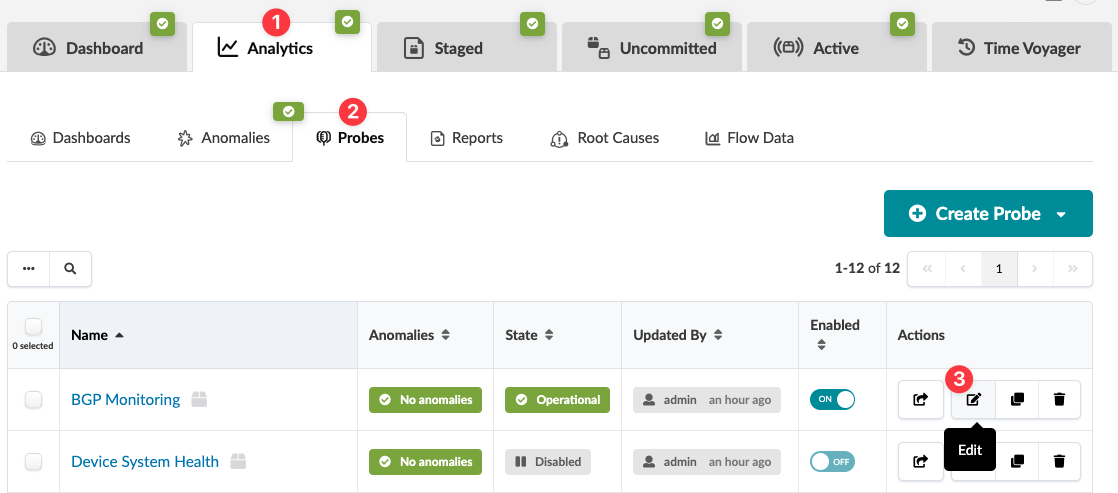 The Edit Predefined Probe dialog opens.
The changes are staged and you're returned to the table
view.