Import Probe

You can import intent-based analytics probes.

To import a probe using the GUI:
  1. From the blueprint, navigate to Analytics > Probes, then click Create Probe and select Import Probes from the drop-down list.
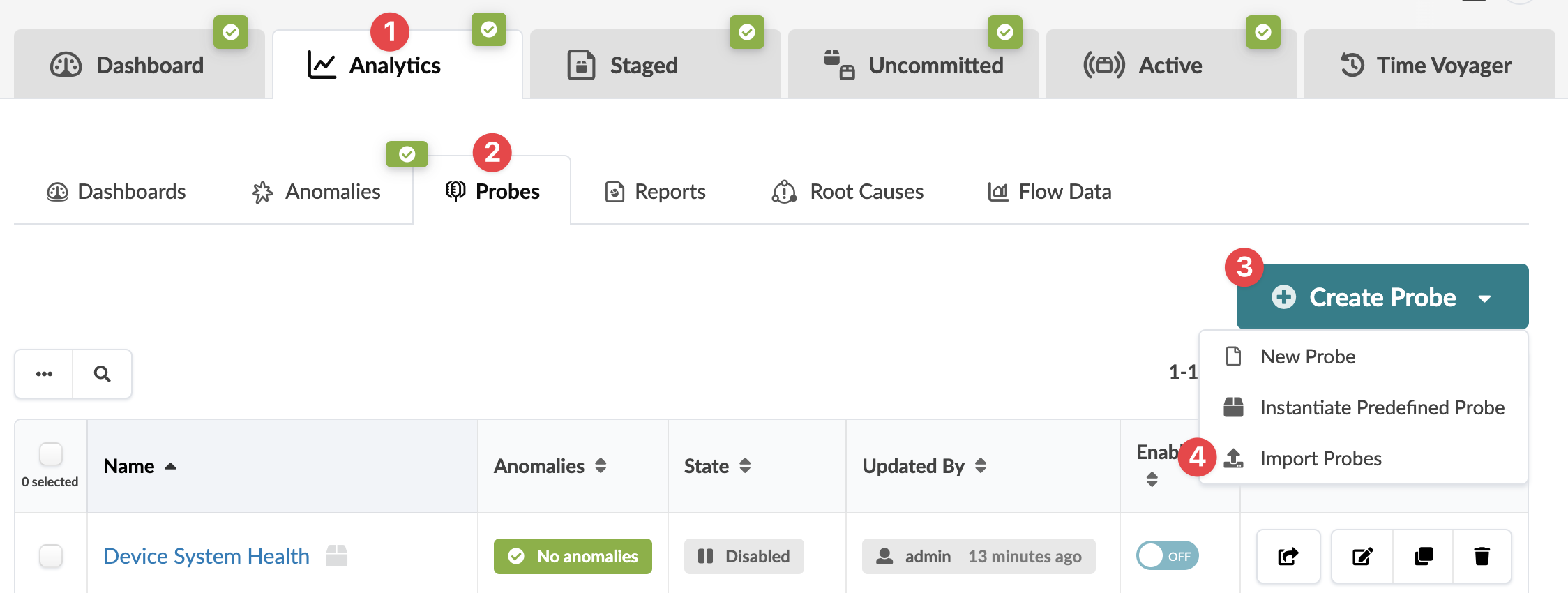
    User interface screenshot of a monitoring platform with navigation tabs like Dashboard and Analytics, sub-options like Dashboards and Anomalies, and a Create Probe dropdown with New Probe option. Below, a table displays probe details like Name, Anomalies, State, and Enable Toggle.
    The Import Probes dialog opens.
  2. Either click Choose Files and navigate to the JSON file(s) on your computer, or drag and drop the file(s) from your computer into the dialog window.
  3. Click Import.
The probe is imported and you're returned to the table view.