Update Link Speed per Superspine (5-Stage)
As a Day 2 operation, you can change the link speed between spines and superspines on 5-stage blueprints.
Make sure link speed is supported on the links / ports (speeds
must be part of the port transformations).
To update the link speed per superspine using the GUI:
-
Click the Update spine config button on the bottom-right of the
card for the pod to change.
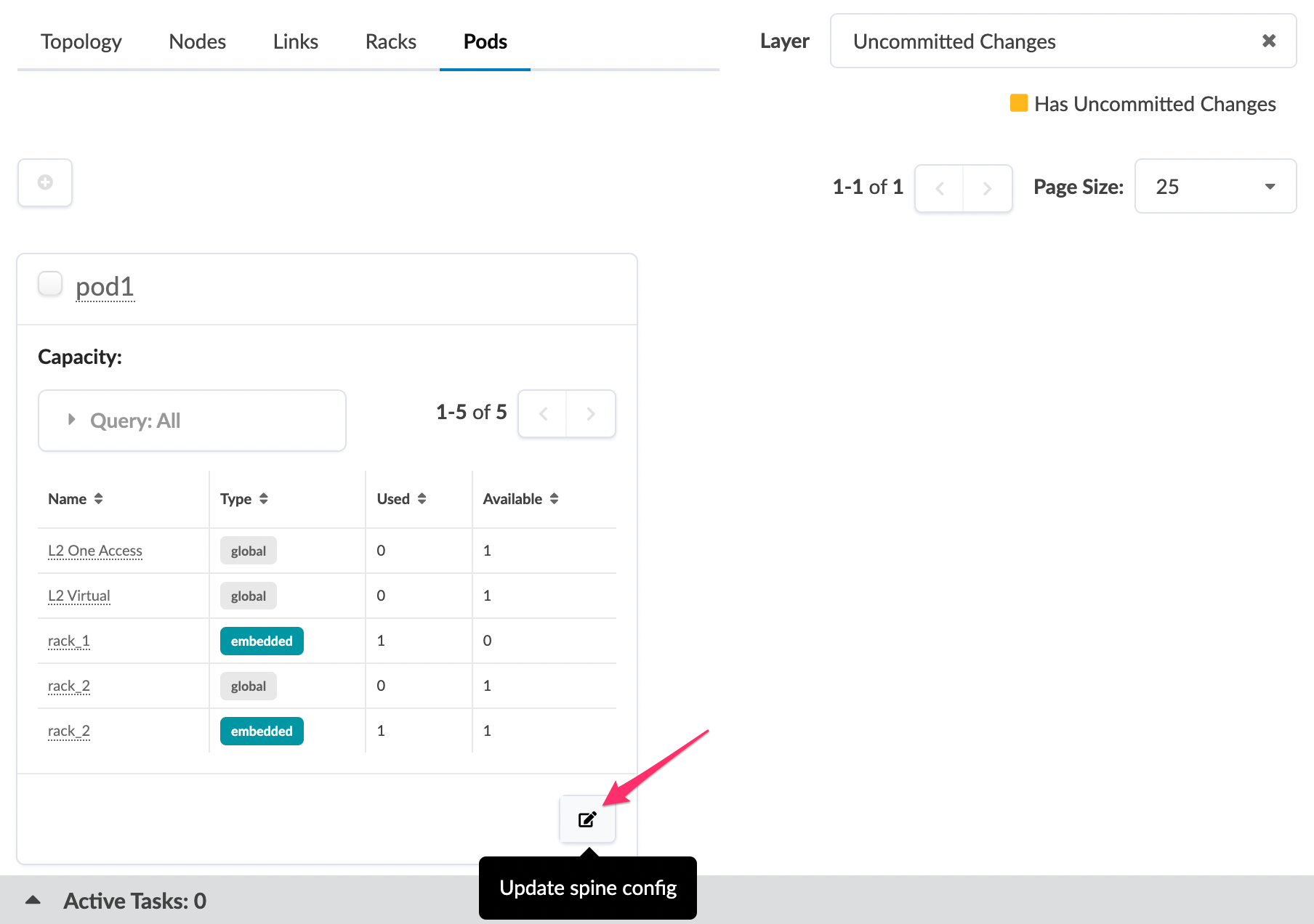 The Update Spine Config dialog opens.
 -
In the Link per superspine speed drop-down list, select the new
link speed.
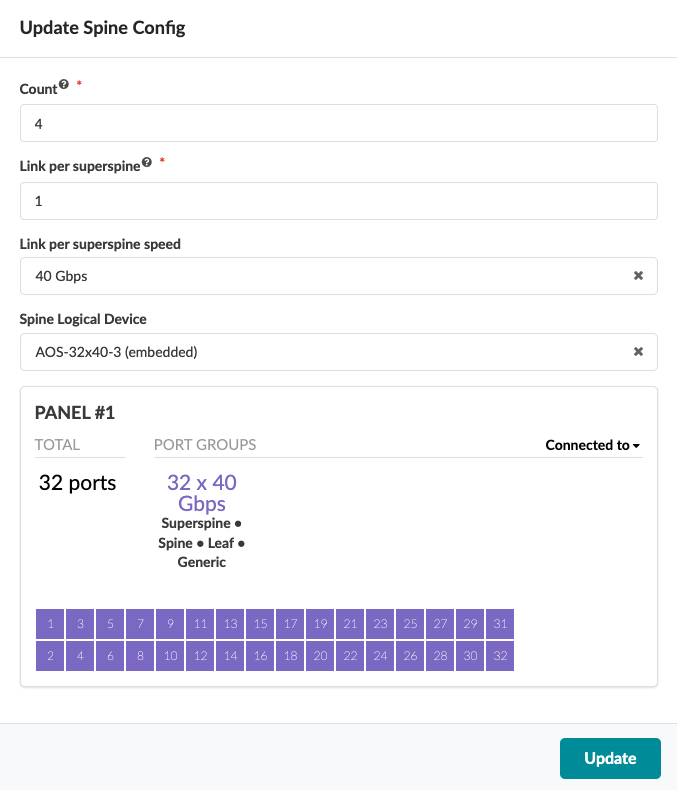
The changes are staged and you're returned to the Pods
view.
When you're ready to activate your changes, go to the Uncommitted tab to review and commit (or discard) your changes.