Reset GUI Admin Password
If you've lost the GUi admin password, you can reset it from the terminal.
If you reset (a lost) GUI admin password to the default, we highly recommend that you immediately change it to a secure one. User admin has full root access. Juniper is not responsible for security-related incidents because of not changing default passwords.
To reset the GUI admin password:
-
Log in to the GUI (default password: admin), navigate to
Platform > User Management >
Users, then click the Change
password button in the Actions
panel for admin.
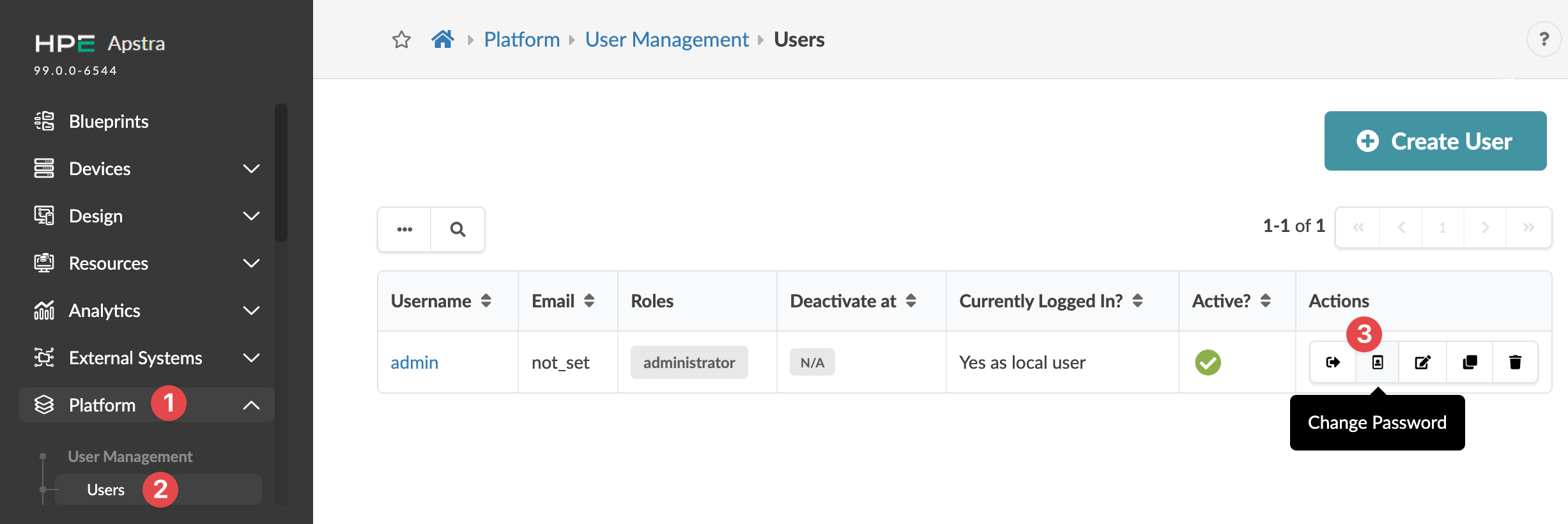 The Change Password dialog opens.
The password is updated and you're returned to the
Users page.