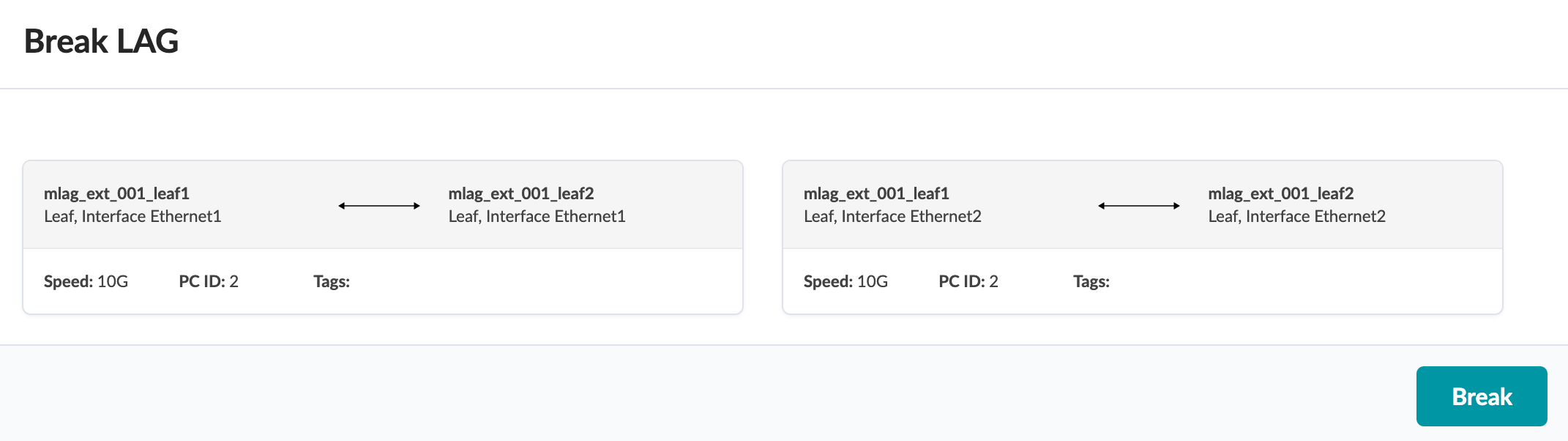
Break LAG

It’s common to break a LAG towards a server into individual links, then reform the LAG from individual links, all while keeping the same VLAN allocation (when re-bootstrapping the server for example). You can break a LAG while preserving any assigned connectivity templates.

To break a LAG using the GUI:
  1. From the blueprint, navigate to Staged > Physical > Topology and select the node with the LAG to break.
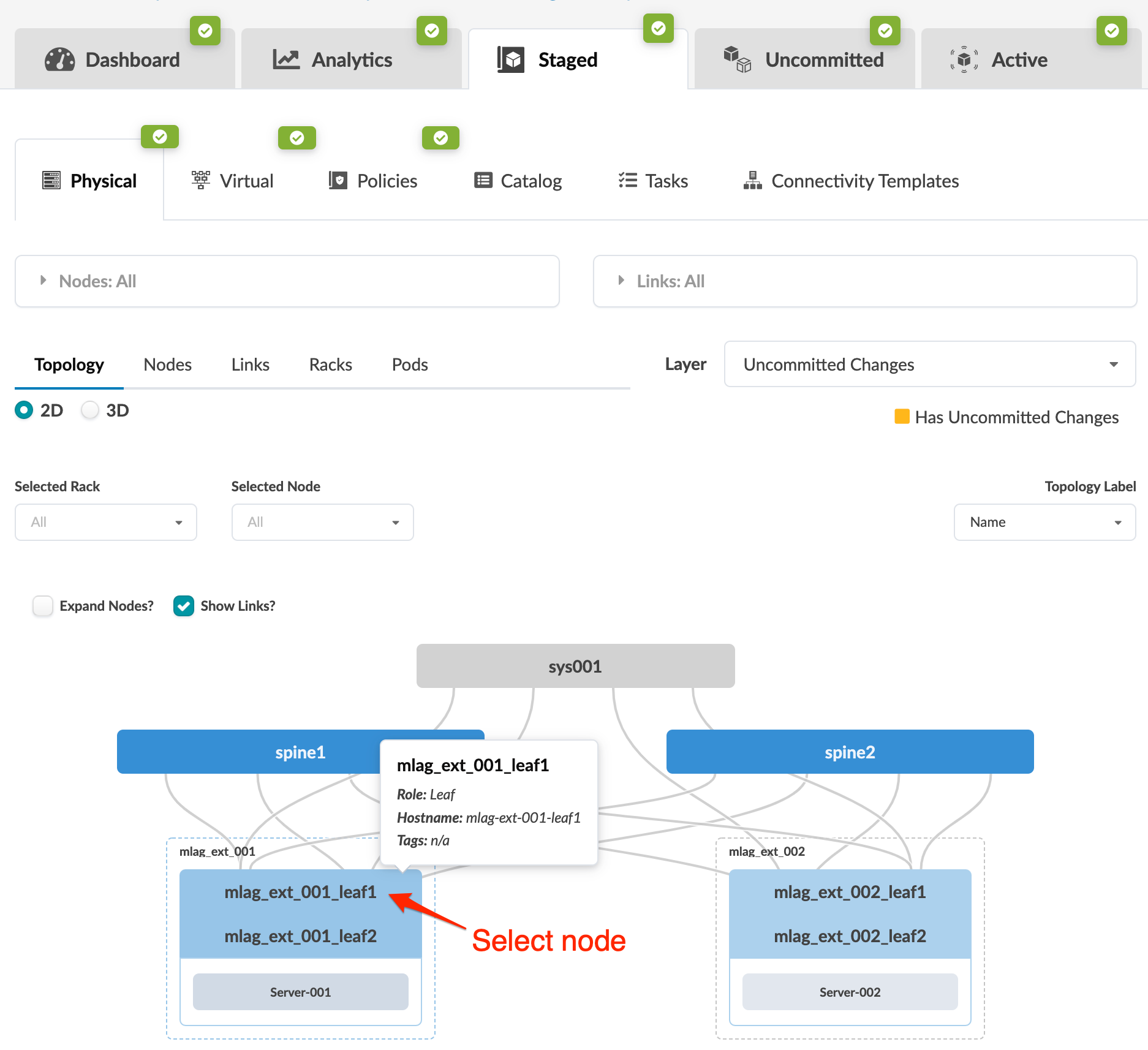
    Screenshot of a network management interface displaying a 2D topology view with nodes and connections. Tabs include Dashboard, Analytics, and Active. Navigation options like Physical and Virtual are present. Highlighted node mlag_ext_001_leaf1 is shown with details. Yellow marker indicates uncommitted changes.
    The Topology selection view appears.
  2. Select the interface check boxes for the LAG (or click the port-channel representation) to see the operations available for those interfaces (and that you have permissions for).
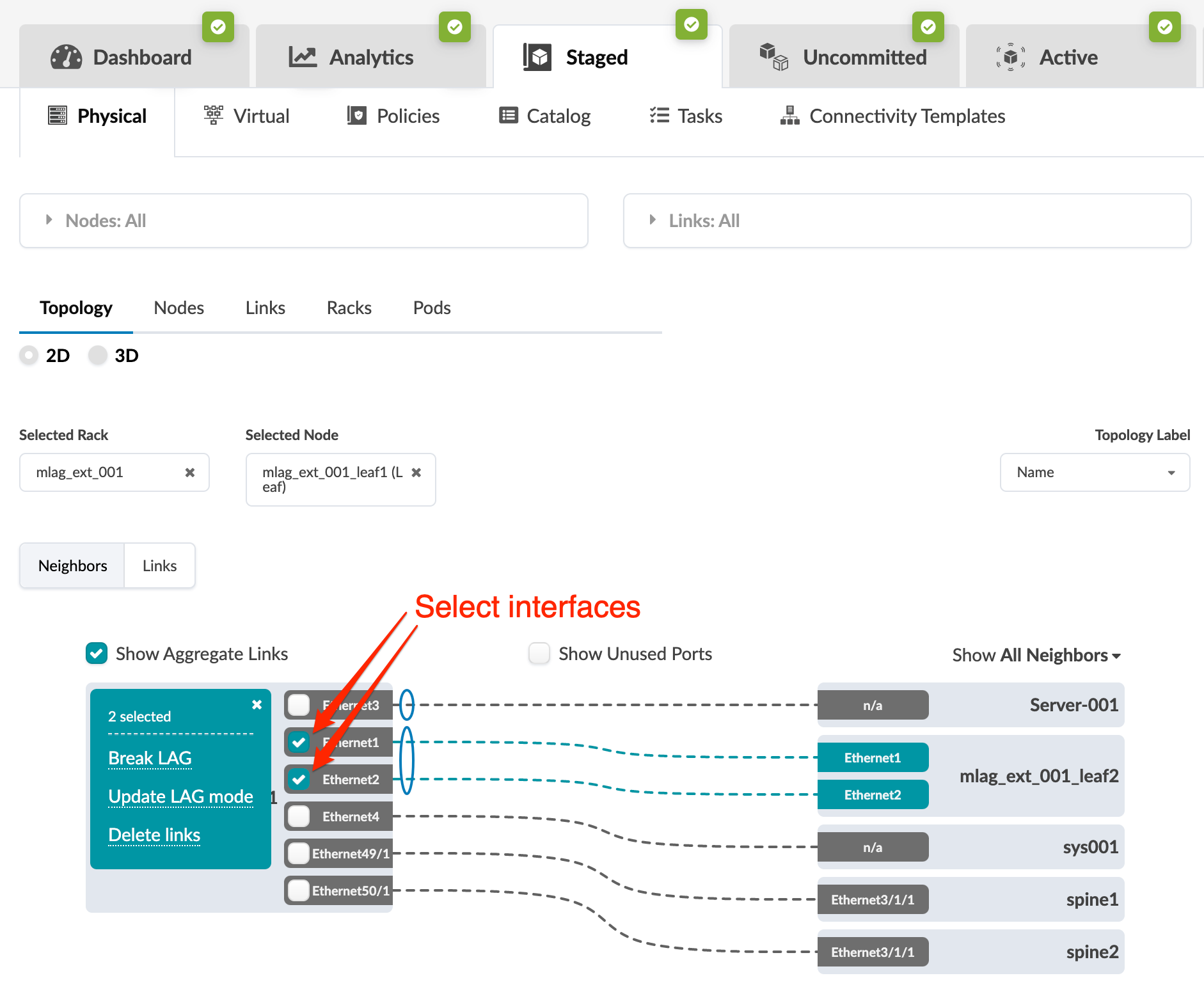
    Network management interface showing tabs for Dashboard, Analytics, Staged, Uncommitted, and Active, with Physical view selected. Topology tab displays 2D and 3D options. Selected rack is mlag_ext_001 with node mlag_ext_001_leaf1 Leaf. Interfaces Ethernet1 and Ethernet2 are selected with options to Break LAG, Update LAG mode, or Delete links. Connections to neighbors Server-001, mlag_ext_001_leaf2, sys001, spine1, and spine2 are represented by dashed lines. Filters include Show Aggregate Links and Show Unused Ports. Dropdown for Show All Neighbors is visible.
  3. Click Break LAG.
    The Break LAG dialog opens.
  4. Click Break.
    Network interface configuration for breaking a Link Aggregation Group. Two pairs of interfaces from devices mlag_ext_001_leaf1 and mlag_ext_001_leaf2. Each pair involves Leaf, Interface Ethernet1 and Ethernet2, speed 10G, Port Channel ID 2. Break button at bottom right.
The change is staged and you're returned to the Topology view.

When you're ready to activate your changes, go to the Uncommitted tab to review and commit (or discard) your changes.