Create Local Pool Generator (Freeform)

Use local pools to ?. Create local pool generators to automatically create and delete local pools based on your criteria.

  1. From the blueprint, navigate to Staged > Resource Management > Local Pools > Local Pool Generator > Create Local Pool Generator.
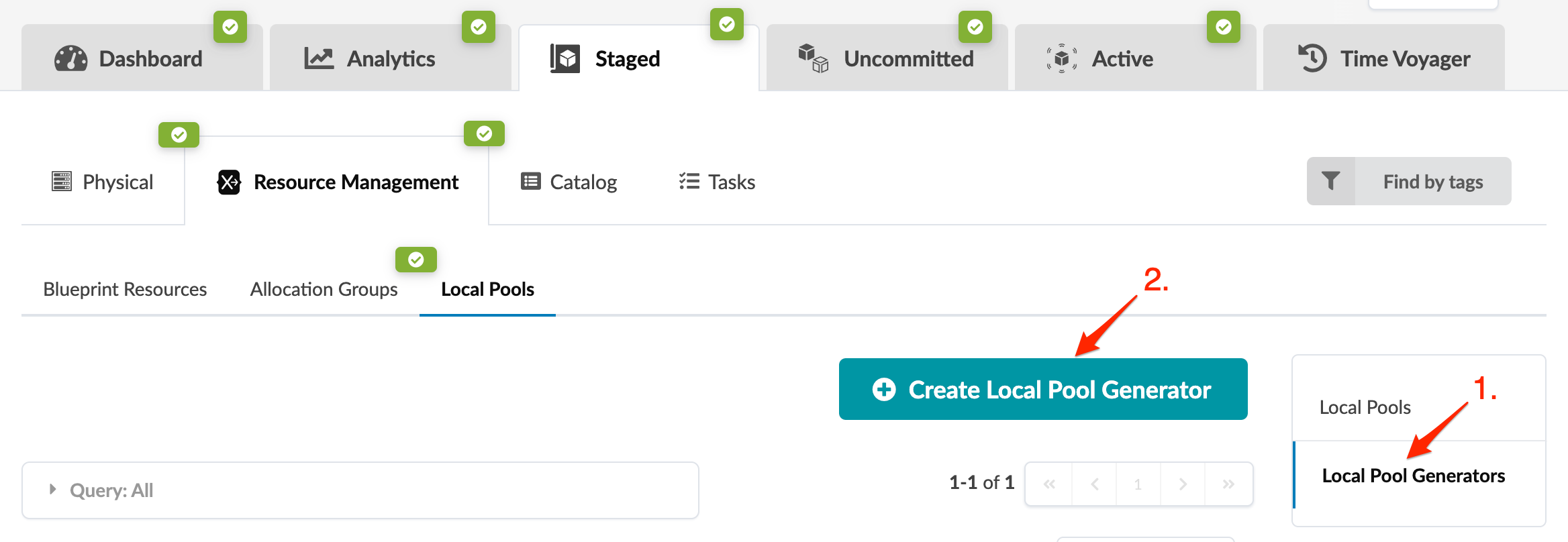
    User interface of a software application with tabs Dashboard, Analytics, Staged, Uncommitted, Active, Time Voyager. Sub-menu includes Physical, Resource Management, Catalog, Tasks. Local Pools section with options Blueprint Resources, Allocation Groups, Local Pools. Local Pool Generators selected, button Create Local Pool Generator present. Filter option Find by tags available.
  2. Enter a local pool generator name, then enter the scope for your generator.
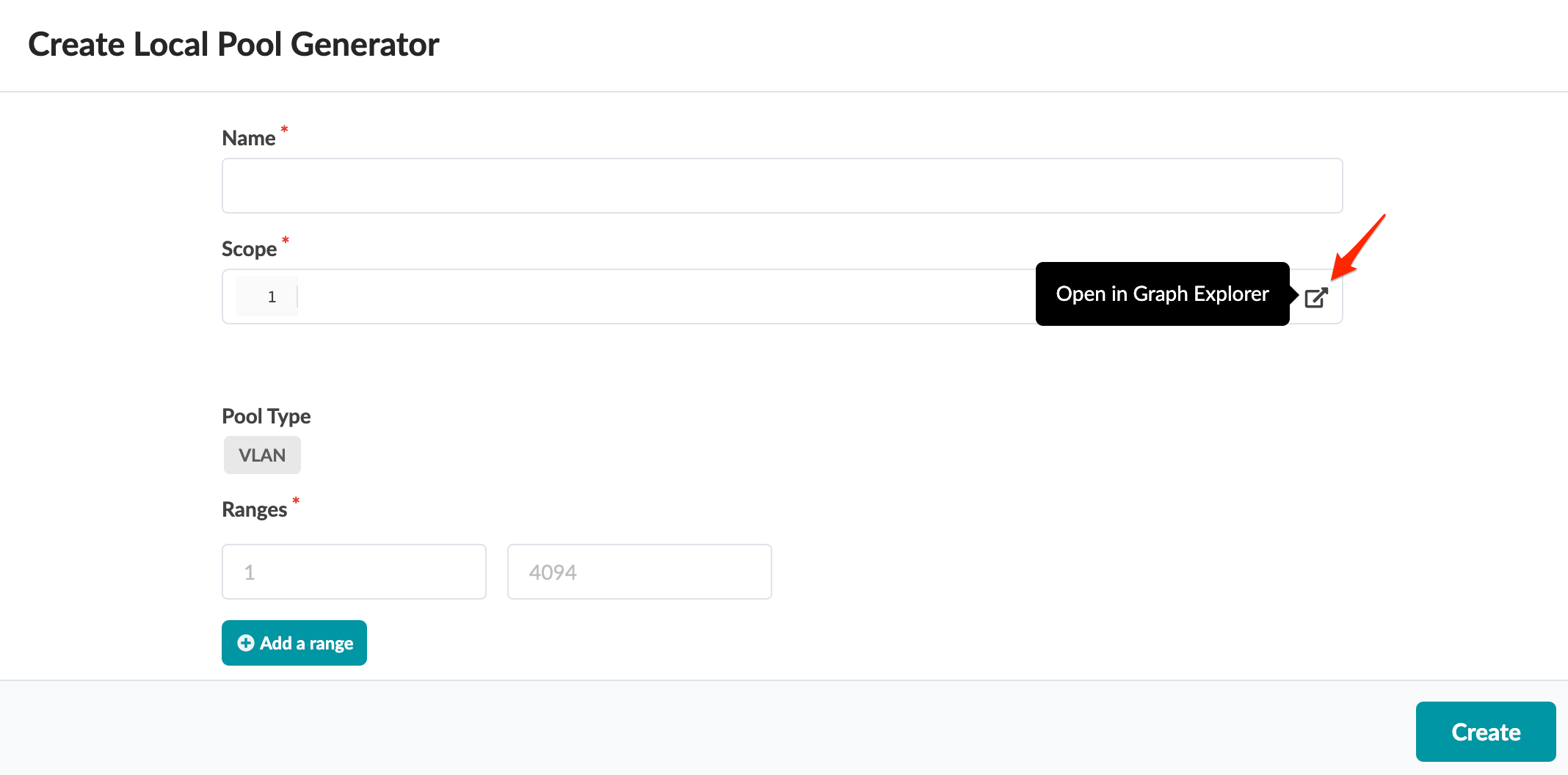
    User interface for creating a Local Pool Generator with fields for Name, Scope, Pool Type, Ranges, and a Create Button.

    To assist with determining scope, you can use the Graph Explorer.
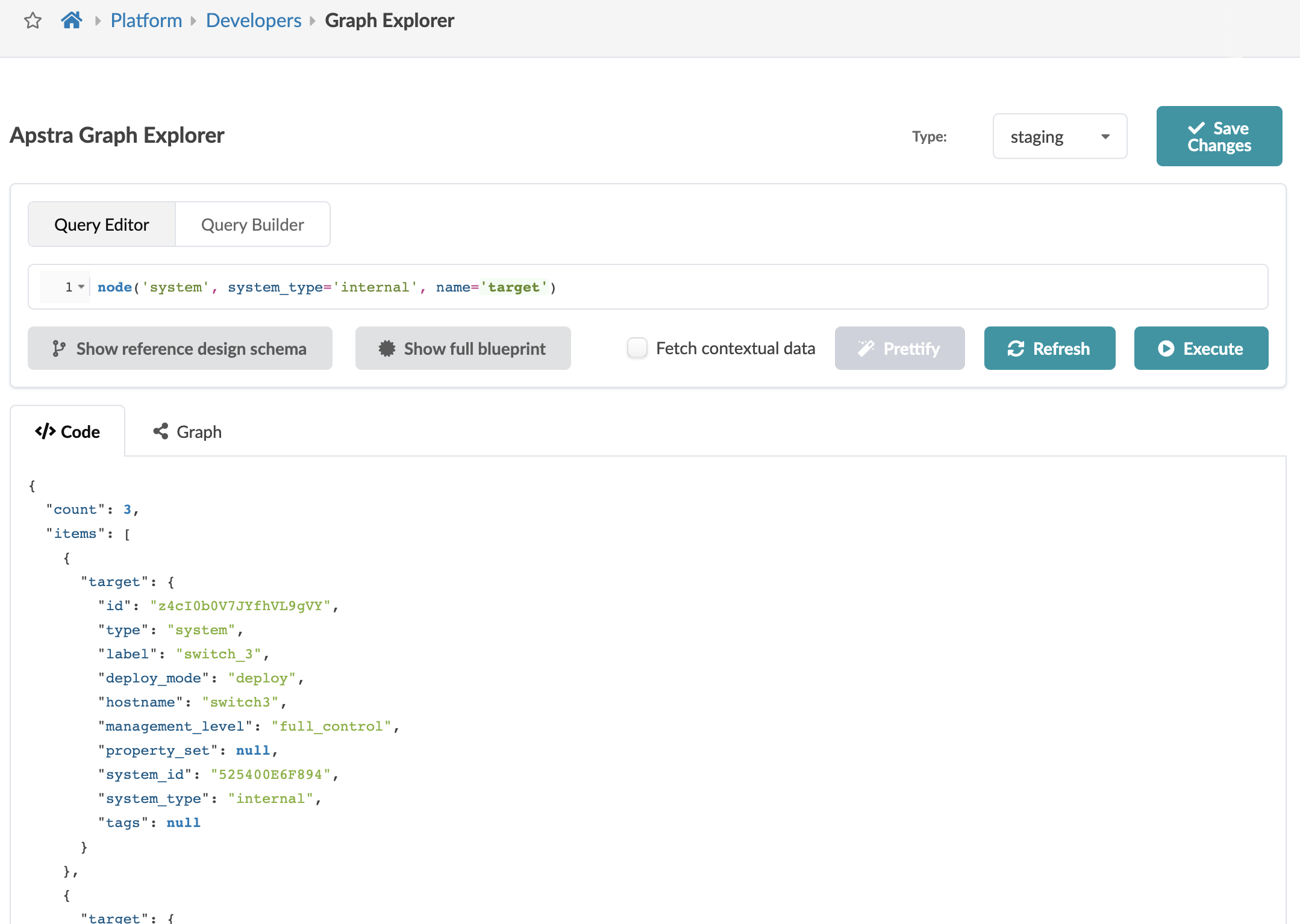
    Apstra Graph Explorer interface for querying network blueprints with query editor, JSON output, and action buttons.
  3. Click Create to create the local pool generator and return to the Local Pools table view.