Create Local Pool (Freeform)

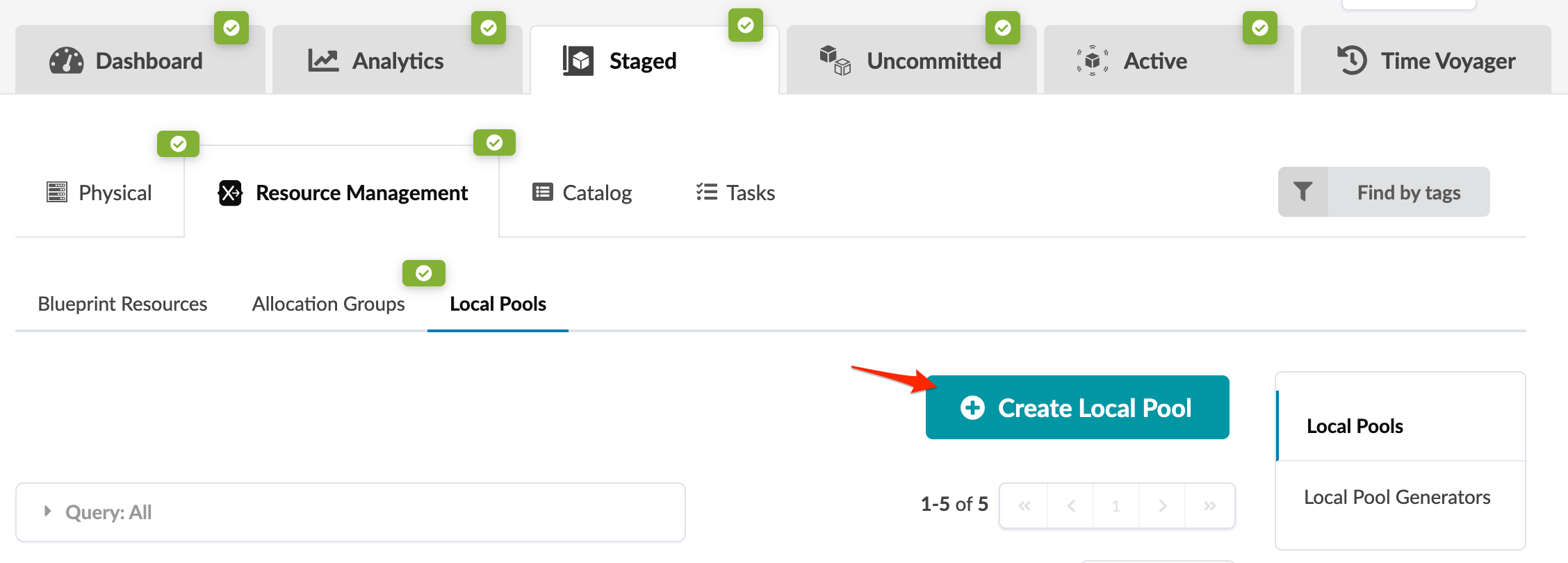
  1. From the blueprint, navigate to Staged > Resource Management > Local Pools > Create Local Pool.
    Resource management interface with tabs for Dashboard, Analytics, Staged, Uncommitted, Active, Time Voyager. Sub-navigation includes Physical, Resource Management, Catalog, Tasks. Local Pools selected. Teal button labeled Create Local Pool with plus icon. Find by tags filter and Query: All section. Pagination shows 1-5 of 5.
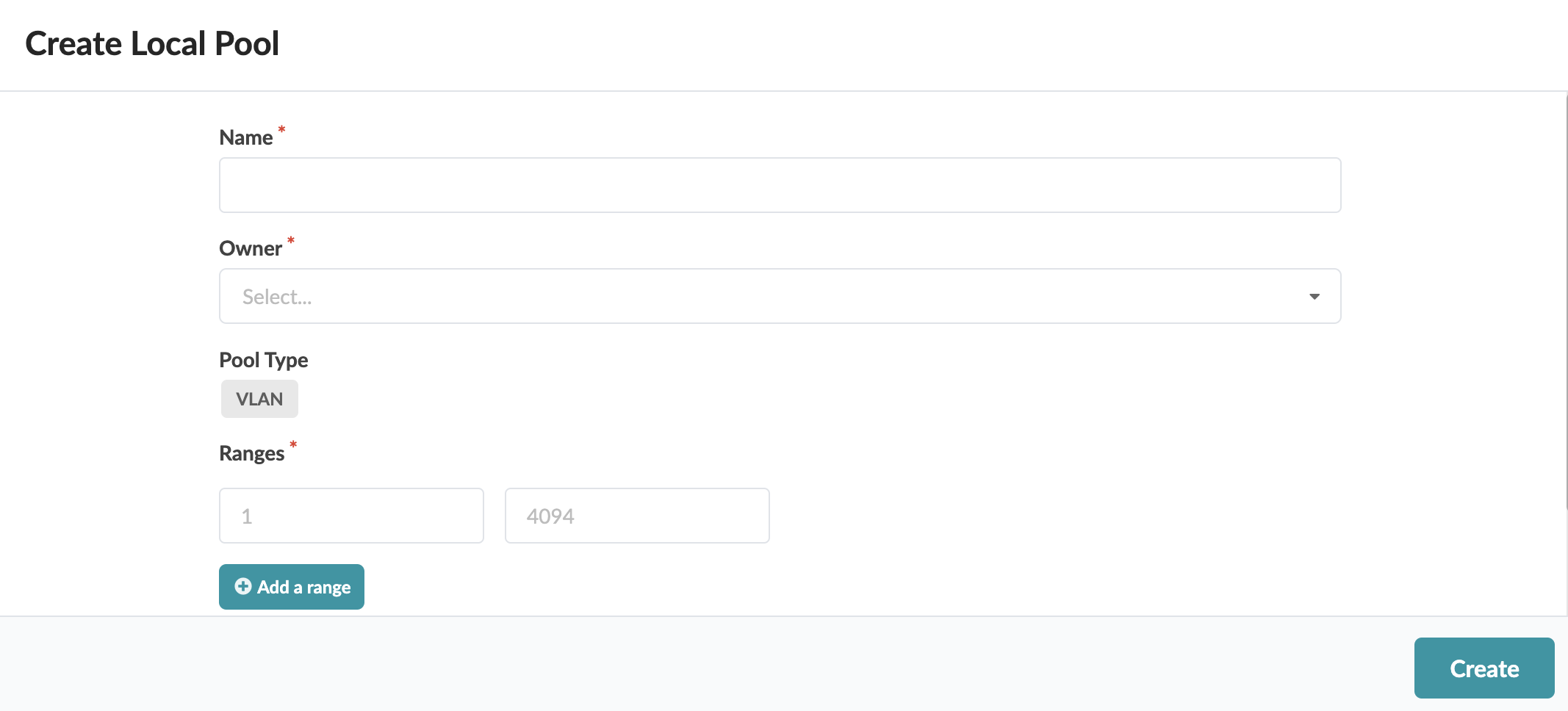
  2. Enter a local pool name.
    Create Local Pool form interface for configuring network settings with fields for Name, Owner, Pool Type VLAN, Ranges 1-4094, and buttons to add range or create pool.
  3. You'll be applying the integers to a system. Select the system from the Owner drop-down list.
  4. Enter the range of integers for the pool.
  5. If you want to add another range, click Add a range and enter the range.
  6. Click Create to create the pool and return to the table view.