Change Virtual Network Description
You can add and change a description on a virtual network (as of HPE Networking Apstra
Data Center Director version 5.0.0).
-
From the blueprint, navigate to Staged > Virtual > Virtual
Networks and click the Edit button in the
Actions panel for the virtual network to update.
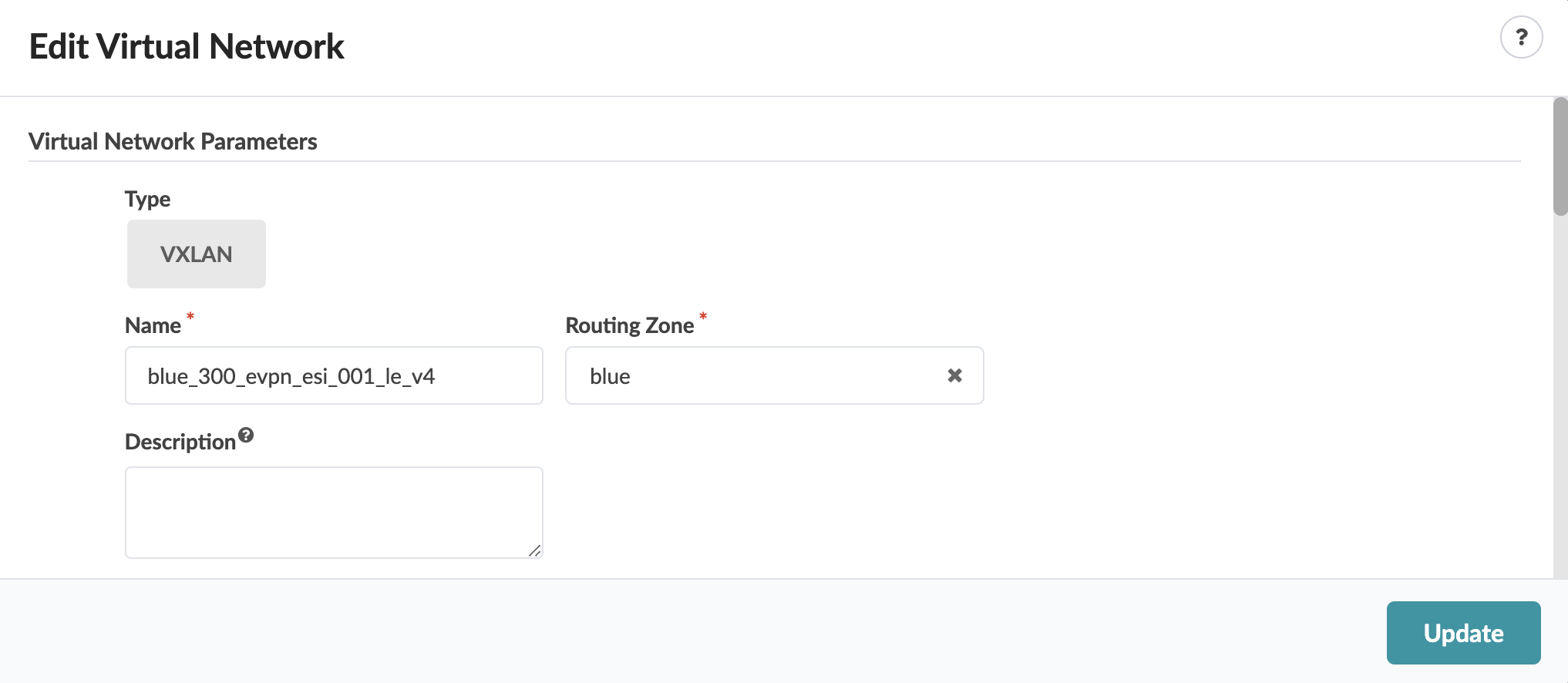
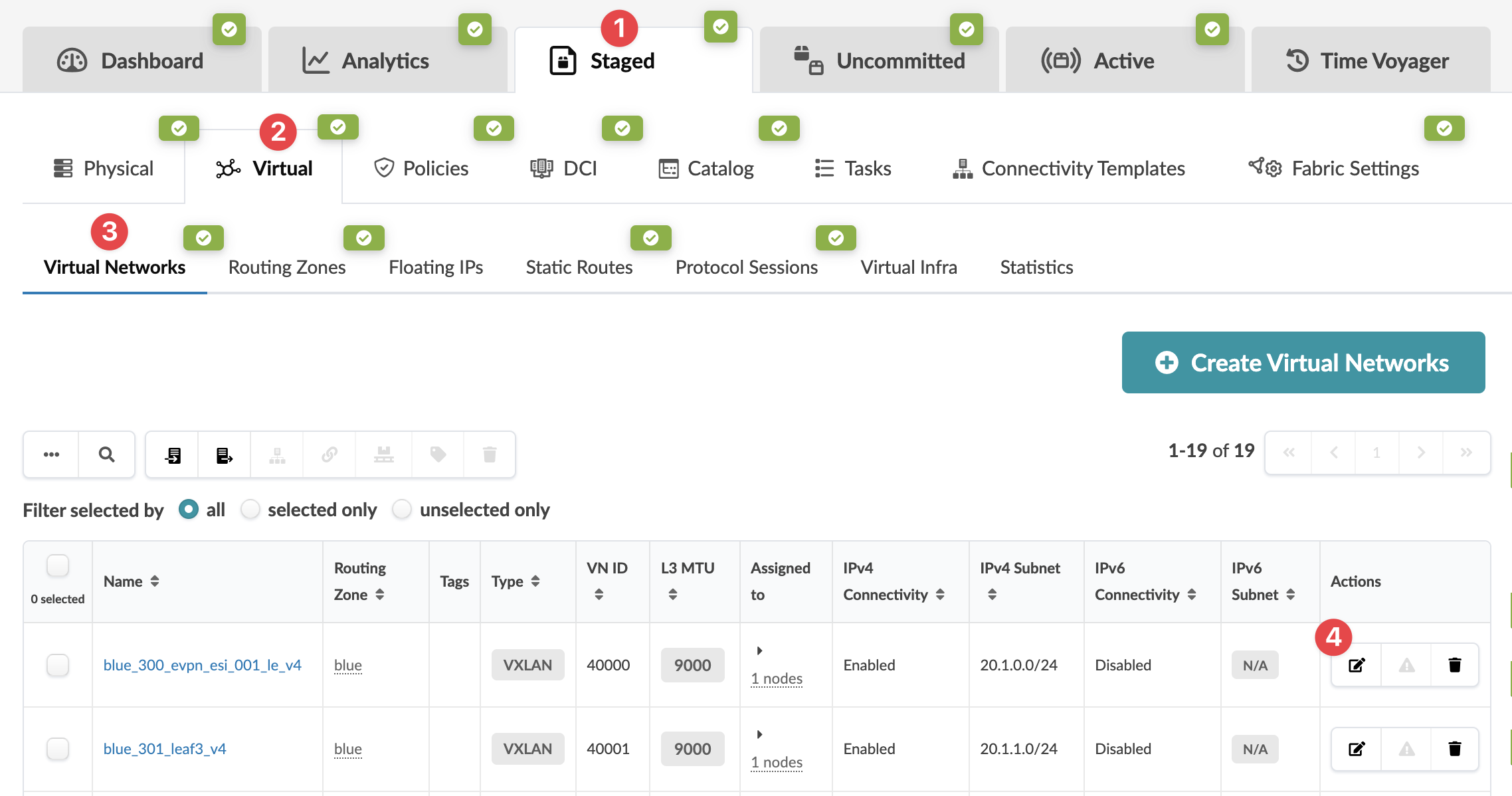 The Edit Virtual Network dialog opens.
 -
Change (or add) the description. (You can change various other parameter details from
this dialog as well.)
When you're ready to activate your changes, go to the Uncommitted tab to review and commit (or discard) your changes.