EVPN VXLAN Route Summary Dashboard

The EVPN VXLAN Route Summary analytics dashboard automatically enables the EVPN VXLAN Type-3/Type-5 Validation and XVLAN EVPN Flood List Validation probes.

To create the dashboard:

  1. From the Asptra UI, navigate to Analytics > Dashboards, select Create Dashboard > Instantiate Predefined Dashboard.
  2. Select EXPN VXLAN Route Summary and click Create.
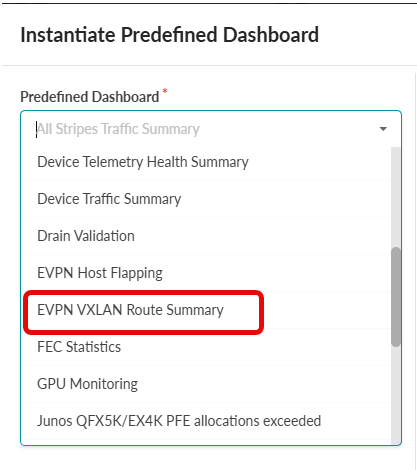
    Dropdown menu titled Instantiate Predefined Dashboard with EVPN VXLAN Route Summary highlighted in a red box.
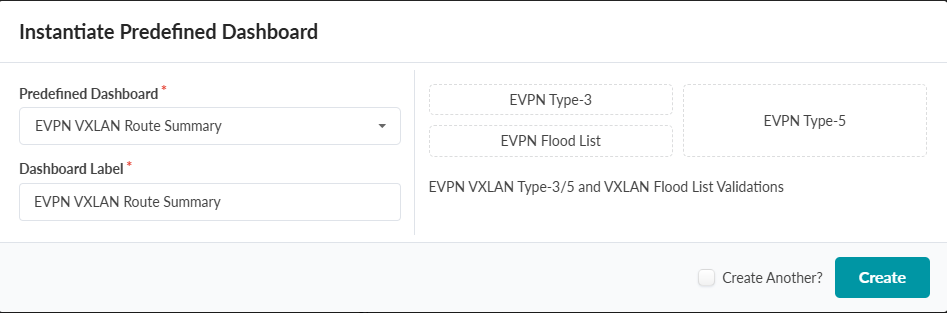
    User interface for instantiating a predefined dashboard with dropdown set to EVPN VXLAN Route Summary, text field labeled EVPN VXLAN Route Summary, options for EVPN Type-3, EVPN Type-5, EVPN Flood List, description EVPN VXLAN Type-3/5 and VXLAN Flood List Validations, checkbox for Create Another, and Create button to finalize.
  3. Click Create to display the route summary for the EVPN VXLAN Type-3/Type-5 Validation and XVLAN EVPN Flood List Validation probes. For additional routing details. click the View stage link under each widget.
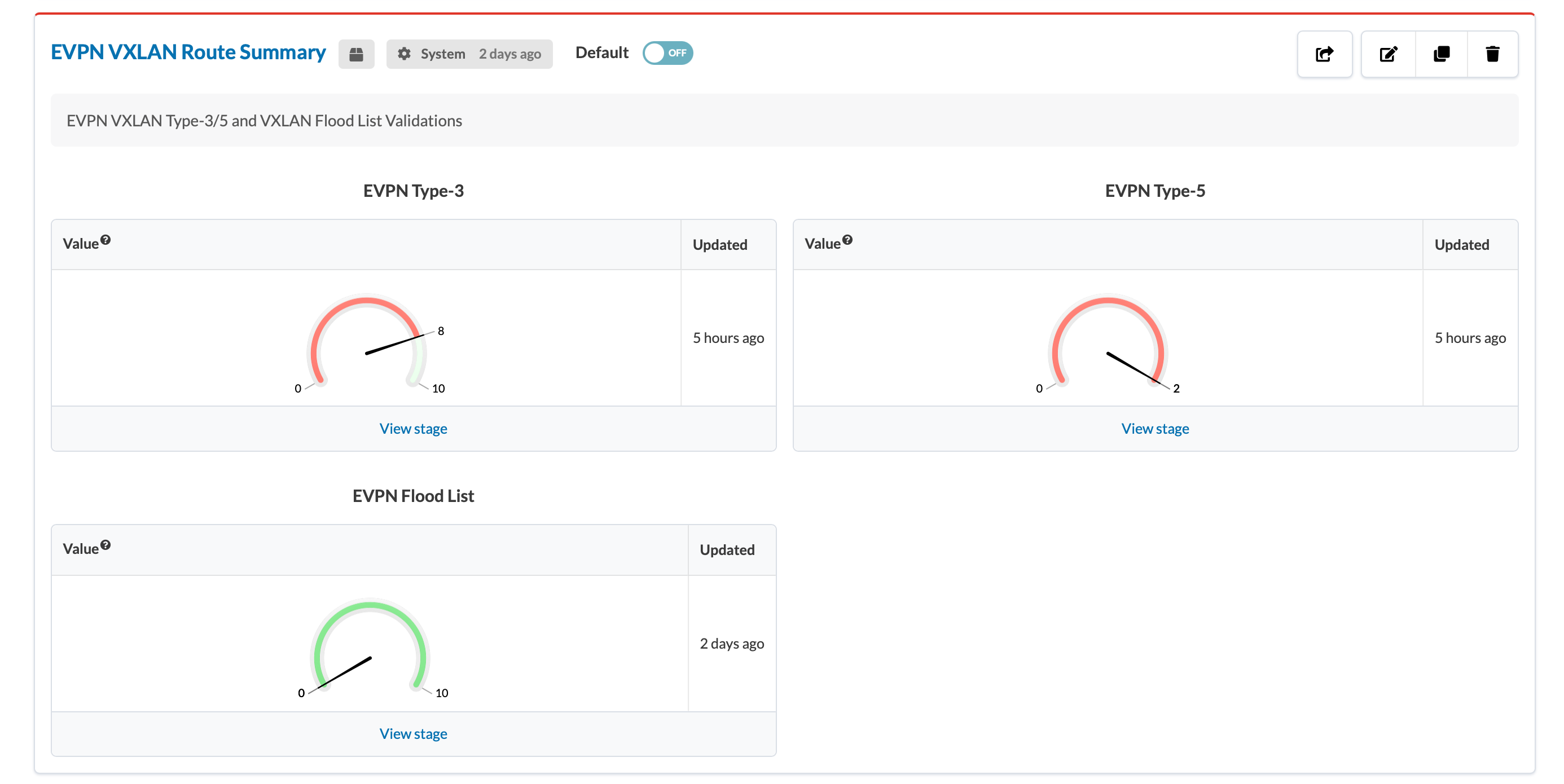
    Dashboard interface titled EVPN VXLAN Route Summary showing Type-3 gauge at 8 of 10 in red, Type-5 gauge at 2 of 10 in red, and Flood List gauge at 6 of 10 in green with last updates and View stage links.