Import Blueprint Analytics Dashboard
After you've exported an analytics dashboard from one blueprint, you can import it into other blueprints.
To import a blueprint analytics dashboard using the
GUI:
-
From the blueprint, navigate to Analytics > Dashboard, click
Create Dashboard, then select Import
Dashboards from the drop-down list.
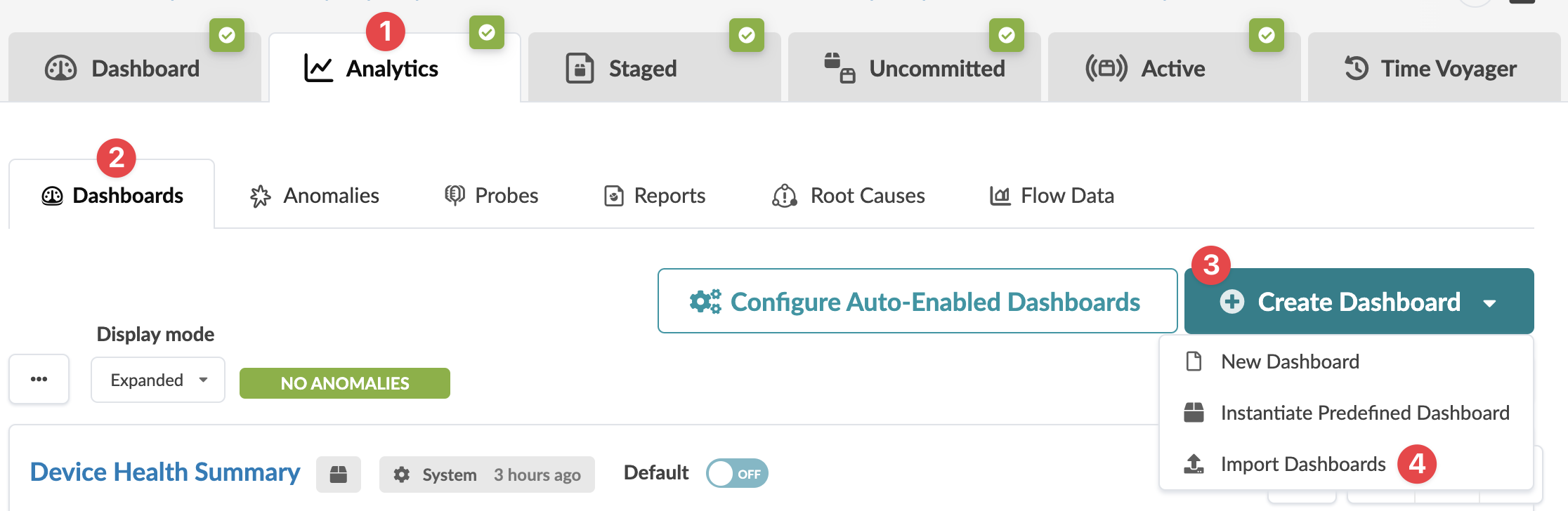 The Import Dashboards dialog opens.
 -
Either click Choose Files and navigate to the file(s) on your computer, or drag
and drop the file(s) from your computer into the dialog window.
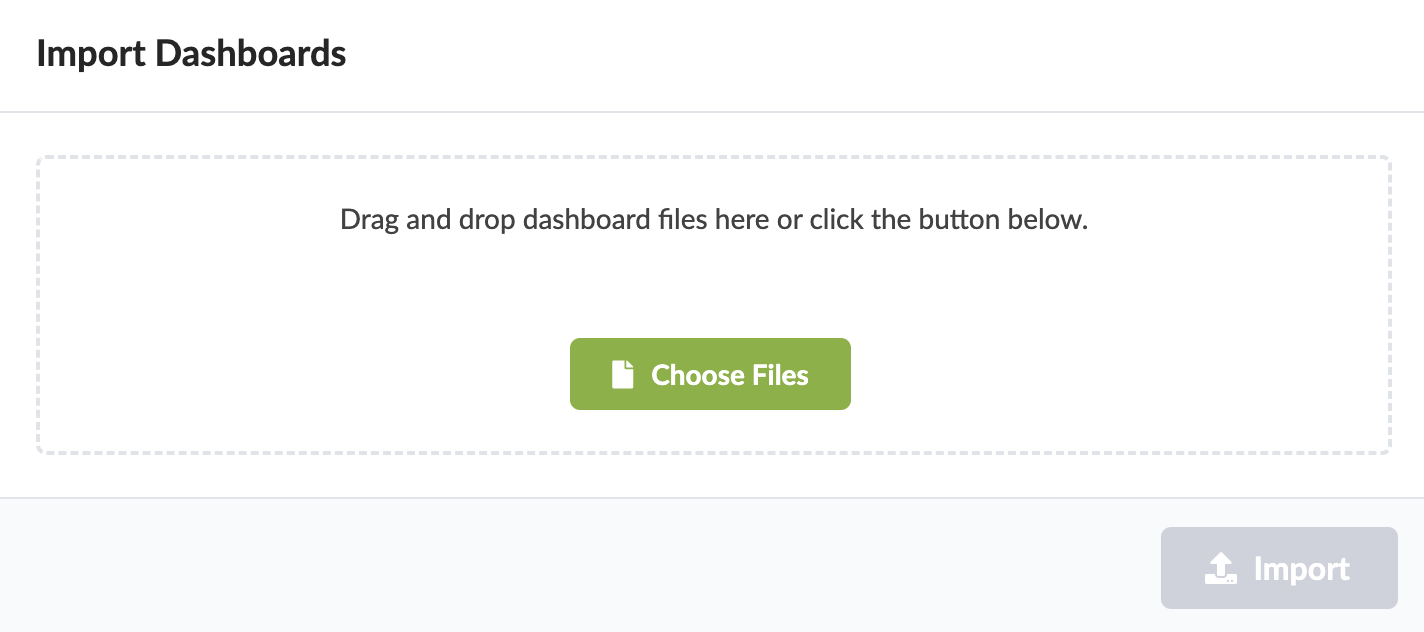
The dashboard is imported and you're returned to the
Analytics Dashboards view.
You can start using the analytics dashboard in this blueprint.