Edit Cabling Map (Freeform)
You can change one or more interfaces and IP addresses in the cabling map editor.
-
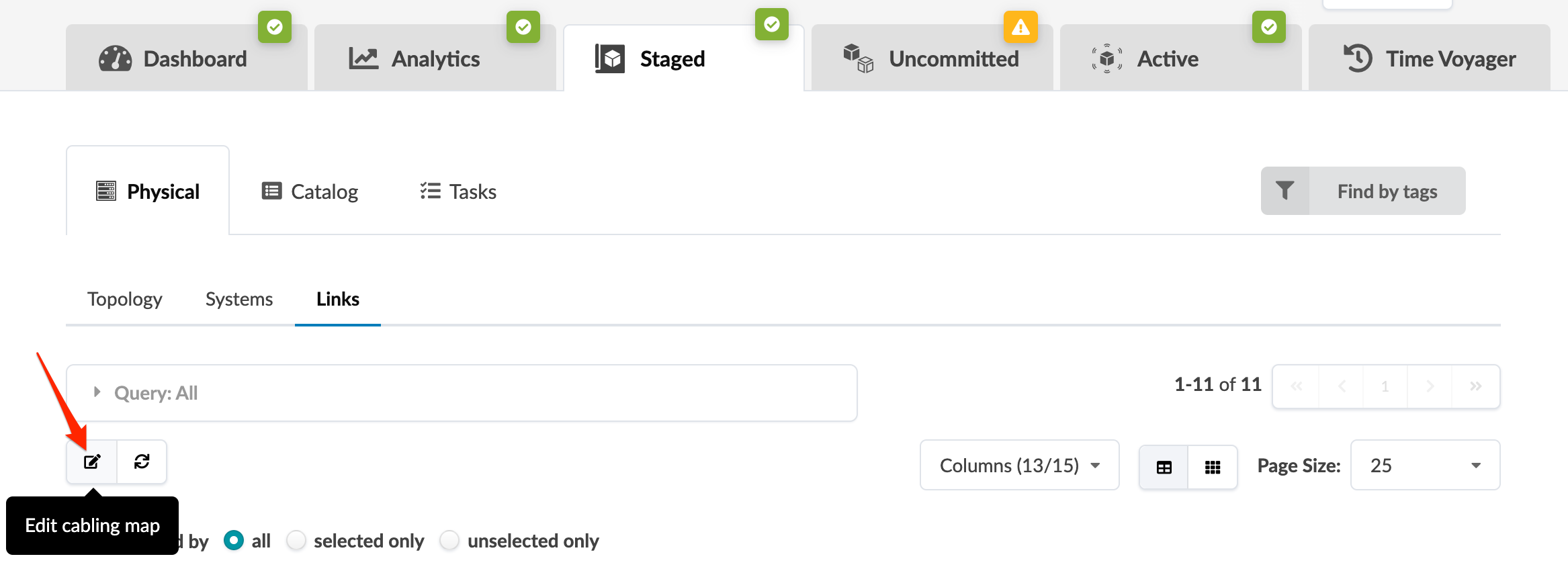
From the blueprint, navigate to Staged > Physical > Links
and click the Edit cabling map button.
-
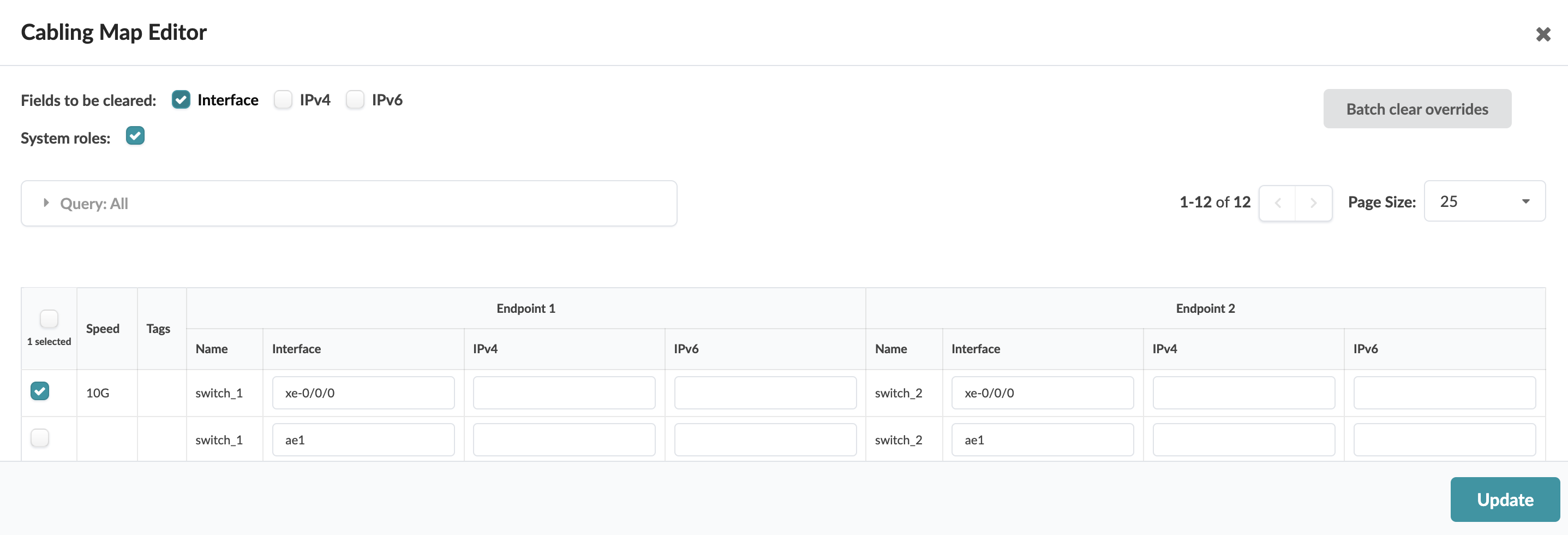
In the cabling map editor, change interface names and/or IP addresses, as
applicable.
-
You can use Batch clear override to clear all interfaces and IPv4/IPv6 values for selected links.
-
To drop the override for either an interface name or IPv4/IPv6 address, submit an empty value in the corresponding field.
-
Next Steps:
When you're ready to activate your changes, commit them from the Uncommitted tab.