Comparison Processor
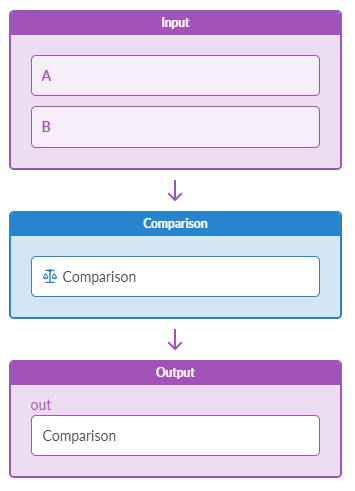
The Comparison processor takes two Table(number) inputs: 'A' and 'B'. It matches items by their keys and performs a comparison based on the 'operation' configuration. If the inputs have different key sets, set the 'significant_keys' property to map items. Without this, unmatched keys return an empty result. Inputs and 'significant_keys' must allow only 1:1 mapping between 'A' and 'B'. Allowing one item to map to multiple items causes an error.
| Parameters | Description |
|---|---|
| Input Types | Tablev(number) |
| Output Types | Table (discrete state): true or false |
| Comparison Operation (operation) |
Operation for comparing operands. le (less than or equal), ne (not equal), ge (greater than or equal), gt (greater than), lt (less than), eq (equal) |
| Significant Keys (significant_keys) |
List of keys to map items from the inputs for applying the specified operation. It is typically used by processors that take multiple inputs and perform operations on them. When inputs have the same sets of keys it does not need to be specified. When inputs have different sets of keys, it must be specified and it must allow only 1:1 items mapping from the given inputs, otherwise the probe will go into error state. |
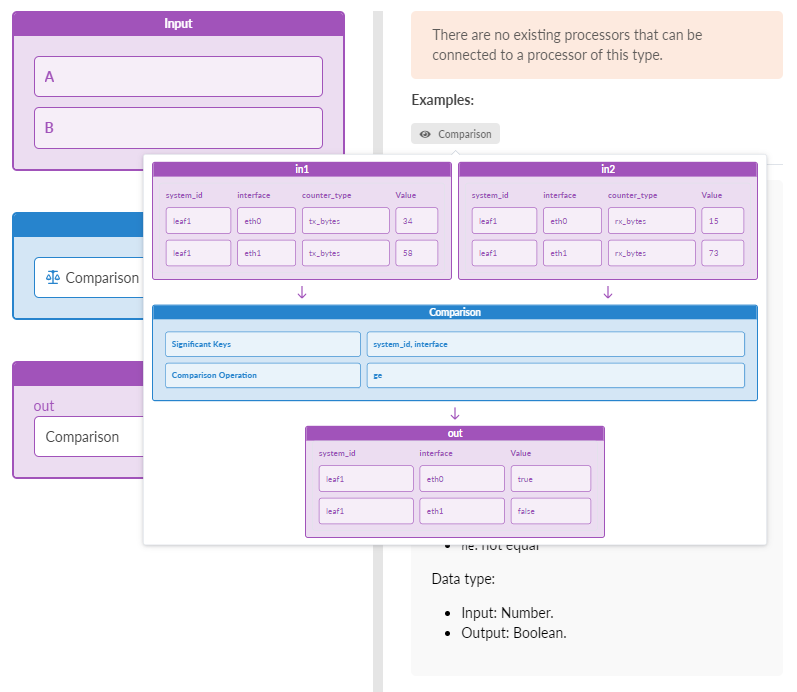
Example: Comparison
significant_keys: ["system_id", "interface"]
operation: "ge"
Input A:
[system_id=leaf1,interface=eth0,counter_type=tx_bytes]: 34
[system_id=leaf1,interface=eth1,counter_type=tx_bytes]: 58
Input B:
[system_id=leaf1,interface=eth0,counter_type=rx_bytes]: 15
[system_id=leaf1,interface=eth1,counter_type=rx_bytes]: 73
Output (Discrete-State-Set):
[system_id=leaf1,interface=eth0]: "true"
[system_id=leaf1,interface=eth1]: "false"