Accumulate Processor
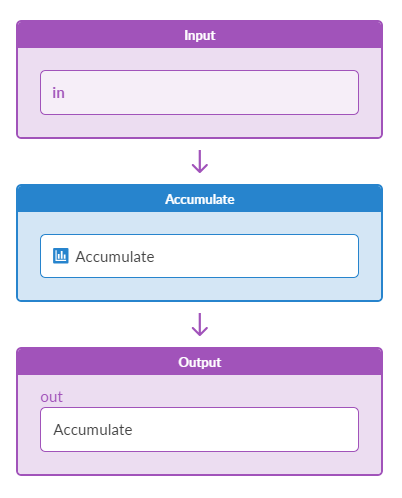
The Accumulate processor in IBA probes creates a time-series output for each input with
the same properties. When the input changes, it appends the timestamp and value to
the output series. If total_duration is set and the series exceeds
this duration, it removes old samples. Similarly, if max_samples is
set and the series exceeds this limit, it removes old samples.
| Parameter | Description |
|---|---|
| Input Types | Table (number or discrete state) |
| Output Types | Table (number or discrete state, accumulate=True) |
| Max Samples (max_samples) | Limits the maximum number of samples or an expression that evaluates to number of samples (default:1024) |
| Total Duration (total_duration) | Limits the number of samples by their total duration. (in seconds) or an expression that evaluates to number of seconds (default:0) |
| Graph Query (graph_query) |
One or more queries on graph specified as strings, or a list of such queries. (String will be deprecated in a future release.) Multiple queries should provide all the named nodes referenced by the expression fields (including additional_properties). Graph query is executed on the "operation" graph. Results of the queries can be accessed using the "query_result" variable with the appropriate index. For example, if querying property set nodes under name "ps", the result will be available as "query_result[0]["ps"]". In collector processors ( In other processors it is used for general parameterization and it is only supported as a list of queries.
graph_query: "node("system", role="leaf", name="system").
              out("hosted_interfaces").
              node("interface", name="iface").out("link").
              node("link", role="spine_leaf")"
graph_query: ["node("system", role="leaf", name="system")",
              "node("system", role="spine", name="system")"]
Non-collector processors containing the
graph_query: [node("property_set", label="probe_propset", name="ps")]
duration: int(query_result[0]["ps"].values["accumulate_duration"])
Another example is a that probes can validate a compliance requirement; the compliance value may change over time and/or it can be used by more than one probe. Also, a probe can validate NOS versions on devices. In this case, property sets can be used to define the current NOS version requirement. If it changes tomorrow: change the property set value, instead of going under the probe stage. |
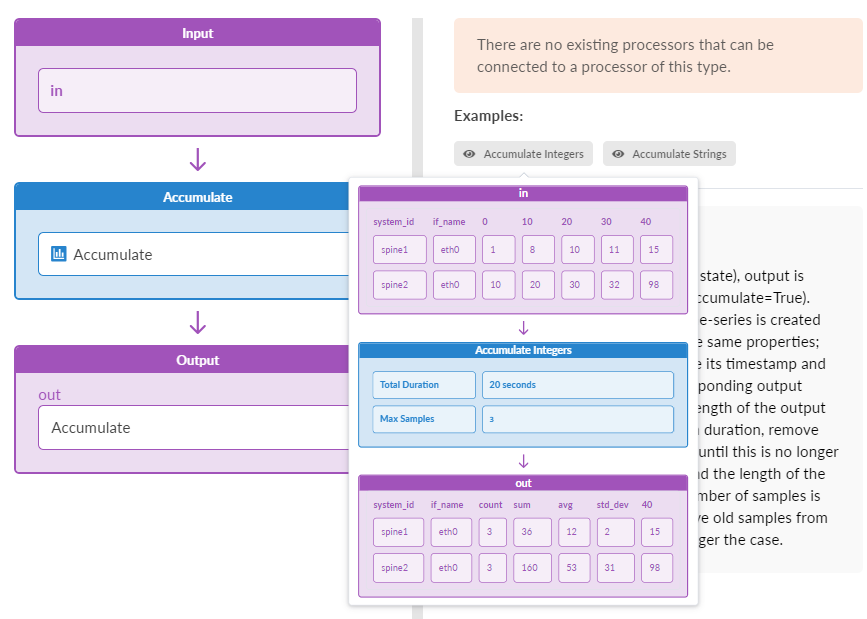
In the Add Processor window of the GUI, hover over the "Accumulate Integers" or "Accumulate Strings" tooltips for visual examples of how the Accumulate Processor functions.
Example: Accumulate
Assume a configuration of
max_samples: 3
total_duration: 0
Assume the following input at time t=1
[if_name=eth0] : "up"
[if_name=eth1] : "down"
[if_name=eth3] : "up"
We have the following output at time t=1
[if_name=eth0] : [{"up", 1 second"}]
[if_name=eth1] : [{"down", 1 second"}]
[if_name=eth3] : [{"up", 1 second"}]
Assume the following input at time t=2
[if_name=eth0] : "down"
[if_name=eth1] : "down"
[if_name=eth3] : "up"
We have the following output at time t=2
[if_name=eth0] : [{"up", 1 second"}, {"down", 2 seconds"}]
[if_name=eth1] : [{"down", 1 second"}]
[if_name=eth3] : [{"up", 1 second"}]
Assume the following input at time t=3
[if_name=eth0] : "up"
[if_name=eth1] : "down"
[if_name=eth3] : "up"
We have the following output at time t=3
[if_name=eth0] : [{"up", 1 second"}, {"down", 2 seconds"}, {"up", 3 seconds"}]
[if_name=eth1] : [{"down", 1 second"}]
[if_name=eth3] : [{"up", 1 second"}]
Assume the following input at time t=4
[if_name=eth0] : "down"
[if_name=eth1] : "down"
[if_name=eth3] : "up"
We have the following output at time t=4
[if_name=eth0] : [{"down", 2 seconds"}, {"up", 3 seconds"}, {"down", 4 seconds"}]
[if_name=eth1] : [{"down", 1 second"}]
[if_name=eth3] : [{"up", 1 second"}]
If the expressions are used for max_samples or total_duration, then they are evaluated for each input item and the corresponding key is added for each output item.
max_samples: context.ref_max_samples * 2
total_duration: context.ref_duration * 2
Sample input:
[if_name=eth0, ref_max_samples=10, ref_duration=60] : "up"
[if_name=eth1, ref_max_samples=20, ref_duration=120] : "down"
Output
[if_name=eth0, max_samples=20, duration=120] : "up"
[if_name=eth1, max_samples=40, duration=240] : "down"