TCP/UDP Port Alias Introduction
When you create a security policy and add rules for TCP or UDP protocols, a source port and destination port are specified. You can enter port numbers or you can create aliases ahead of time that can be entered instead of the port numbers. For example, you could create an alias with name SSH and a value of 22.
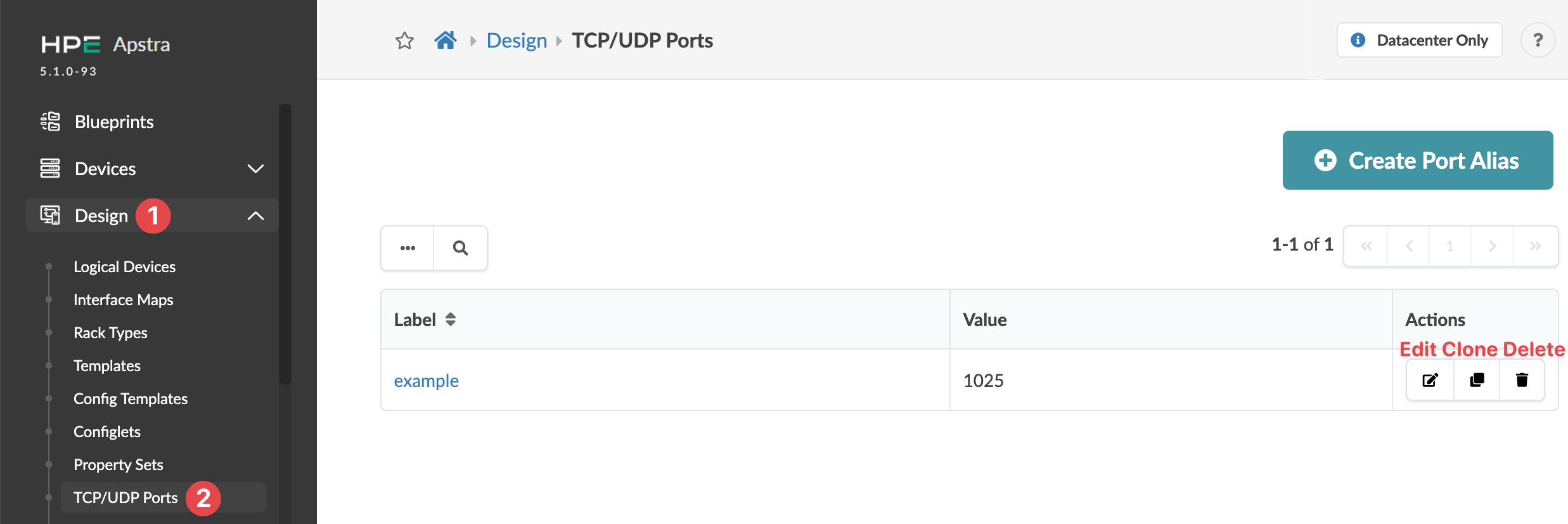
From the left navigation menu, navigate to Design > TCP/UDP Ports to go to TCP/UDP ports. You can create, clone, edit and delete port aliases.