Protocol Sessions (Virtual)

When you create connectivity templates, protocol sessions (BGP sessions) are created. (As of HPE Networking Apstra Data Center Director version 4.0, protocol sessions replace security zone external connectivity points.) From the blueprint, navigate to Staged > Virtual > Protocol Sessions to go to protocol sessions.
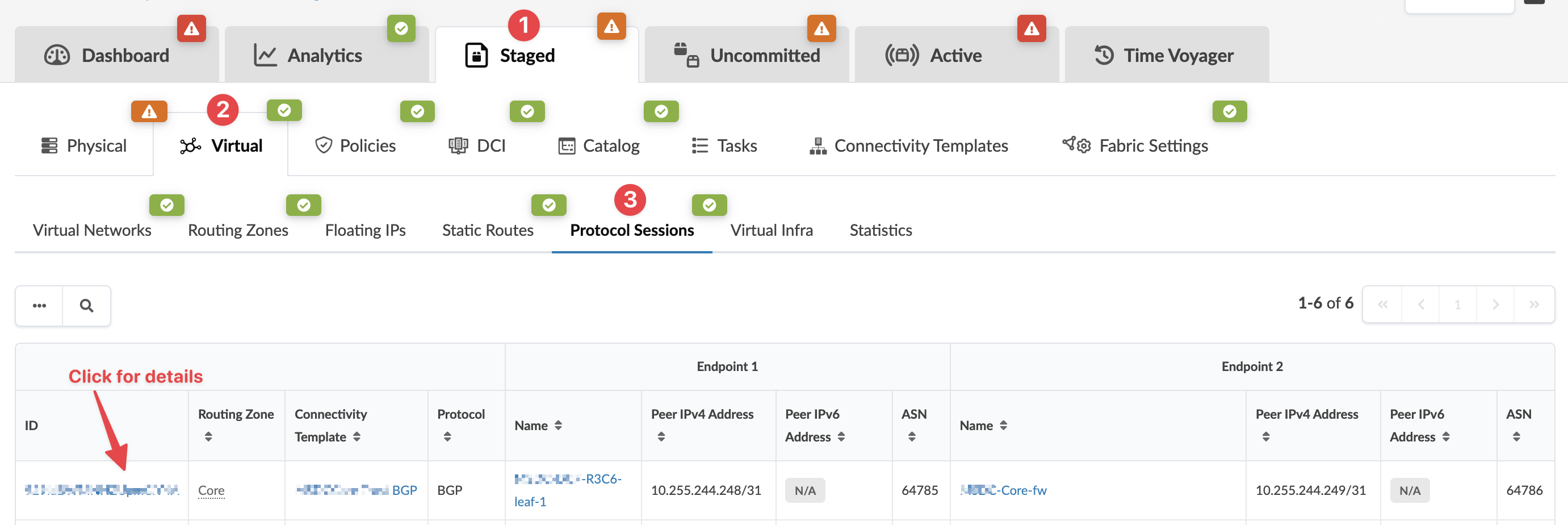
Network management interface showing staged configurations in the Virtual section under Protocol Sessions. A table lists details like ID, routing zone, protocol, peer IP addresses, and ASN. Green checkmarks indicate active sessions, and red icons highlight issues. A red arrow points to an ID field with a note to click for more details.

To see details including peer configuration, click the Protocol Session ID.
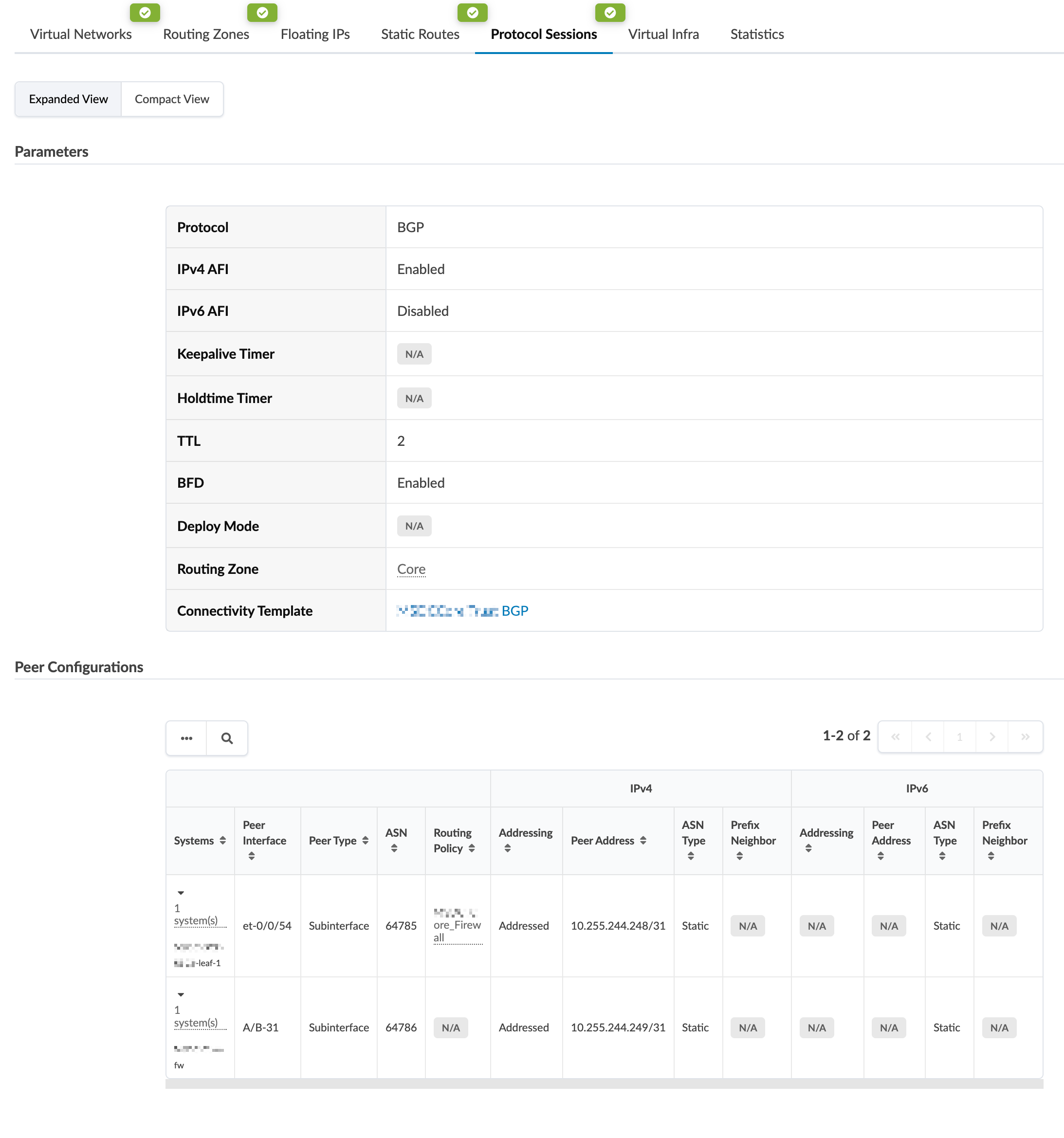
Network configuration interface for managing BGP sessions, showing parameters like protocol BGP, IPv4 enabled, IPv6 disabled, TTL 2, BFD enabled, and routing zone Core, and a table of peer configurations including peer interface, type, ASN, routing policy, addressing, and peer addresses.