EVPN VXLAN Type 3 Route Validation Probe
The EVPN VXLAN Type-3 route validation probe validates EVPN Type-3 routes on every leaf device in the network.The probe collects appropriate telemetry data, compares it to the set of Type-3 routes expected to be present and alerts if expected routes are missing on any device.
Table 1 describes the probe parameters you configure when you Instantiate the probe.
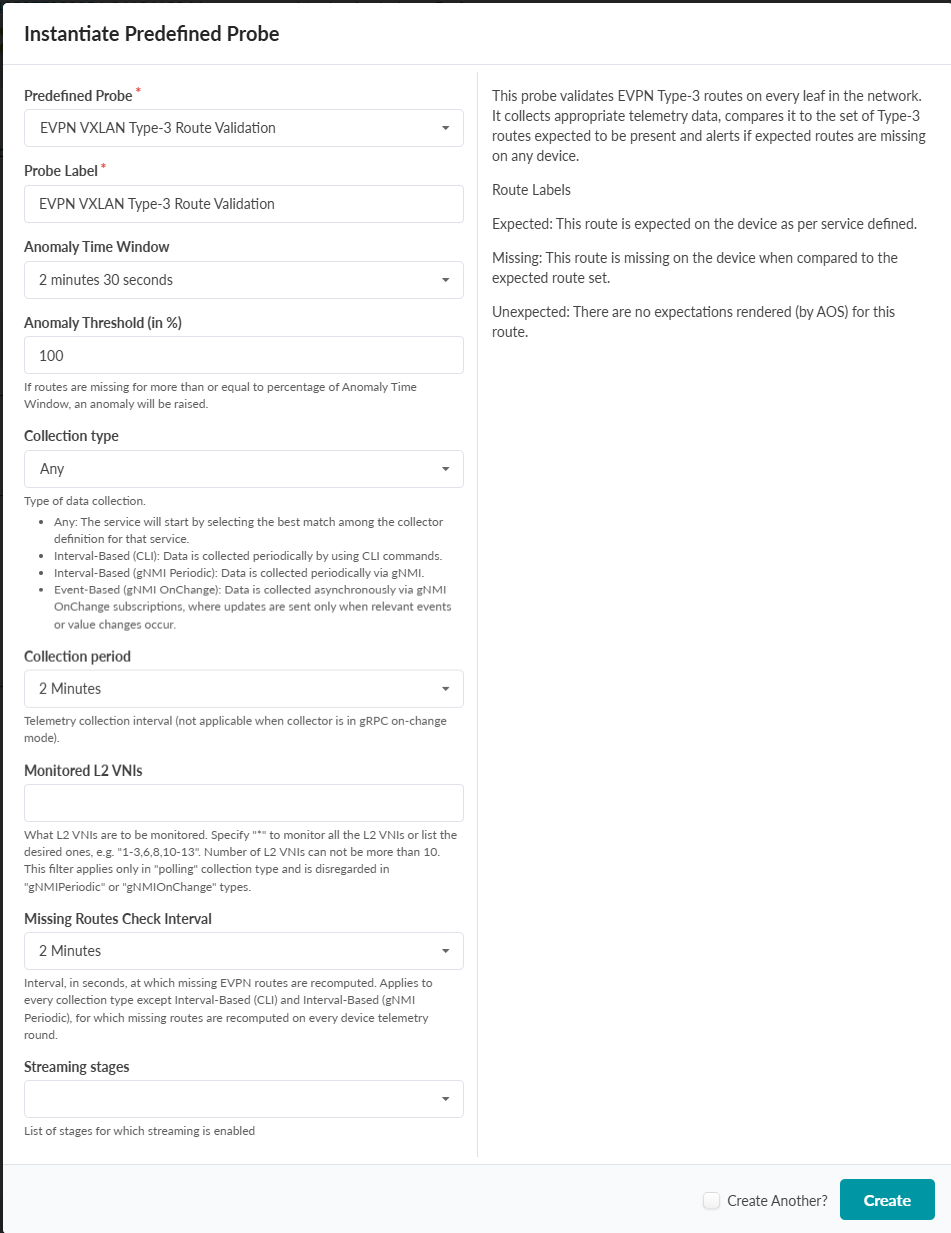
| Parameter | Description |
|---|---|
| Probe Label | Name to identify the probe. |
| Anomaly Time Window |
Average period duration for missing routes. counters. The default is 2 minutes 30 seconds. |
| Anomaly Threshold (in %) | If a route is missing for a duration equal to or greater than the
specified percentage of the Anomaly Time Window, an anomaly is raised.
The Anomaly Time Window (ATW) and Anomaly Threshold (AT) are defined as follows: is AT. The calculation for Z is performed as Z = (ATW × AT) / 100, expressed in seconds. For example: For example, if ATW is 20 seconds and AT is 5%, then Z = (20 × 5) / 100 = 1 second. An anomaly is raised when the route remains in a missing state for Z seconds within the total ATW duration. |
| Collection type |
|
| Collection period | Telemetry collection interval (not applicable when the collector is in gPRC OnChange mode. The default is 2 minutes. |
| Monitored L2 VNIs | What L2 VNIs are to be monitored. Specify "*" to monitor all L2 VNIs, or list the desired VNIs, such as "1-3, 6, 8, 10-13". The number of L2 VNIs cannot exceed 10. This filter applies only in the "polling" collection type. |
| Missing Routes Check Interval | Interval, in seconds, at which missing EVPN routes are recomputed.
The default is 2 minutes. Applies to every collection type except interval-based (CLI) and interval-based (gNMI periodic), for which missing routes are recomputed on every device telemetry round. |
| Streaming stages | List of stages for which streaming is enabled. When specified, data streams from the configured stages to the designated receivers. See Stage Parameters for more information. |
*Apstra automatically selects the optimal collection method when the collection type is set to "any" (default setting). This selection determines the Junos version and selects the most appropriate collection type.
Release-Specific information
-
Junos OS 23.4 uses gNMI periodic collection with a default period of 120 seconds and an anomaly time window of 150 seconds. On-change gNMI for EVPN routes is unsupported
-
Junos OS 25.2 release and later defaults to the gNMI OnChange collection type. gNMI OnChange collection streams updates in real time as device changes occur.