EVPN Host Flapping Probe

EVPN host flaps occur when an L2 loop is mistakenly created under the leaf devices by connecting a hub to two different leaf devices.
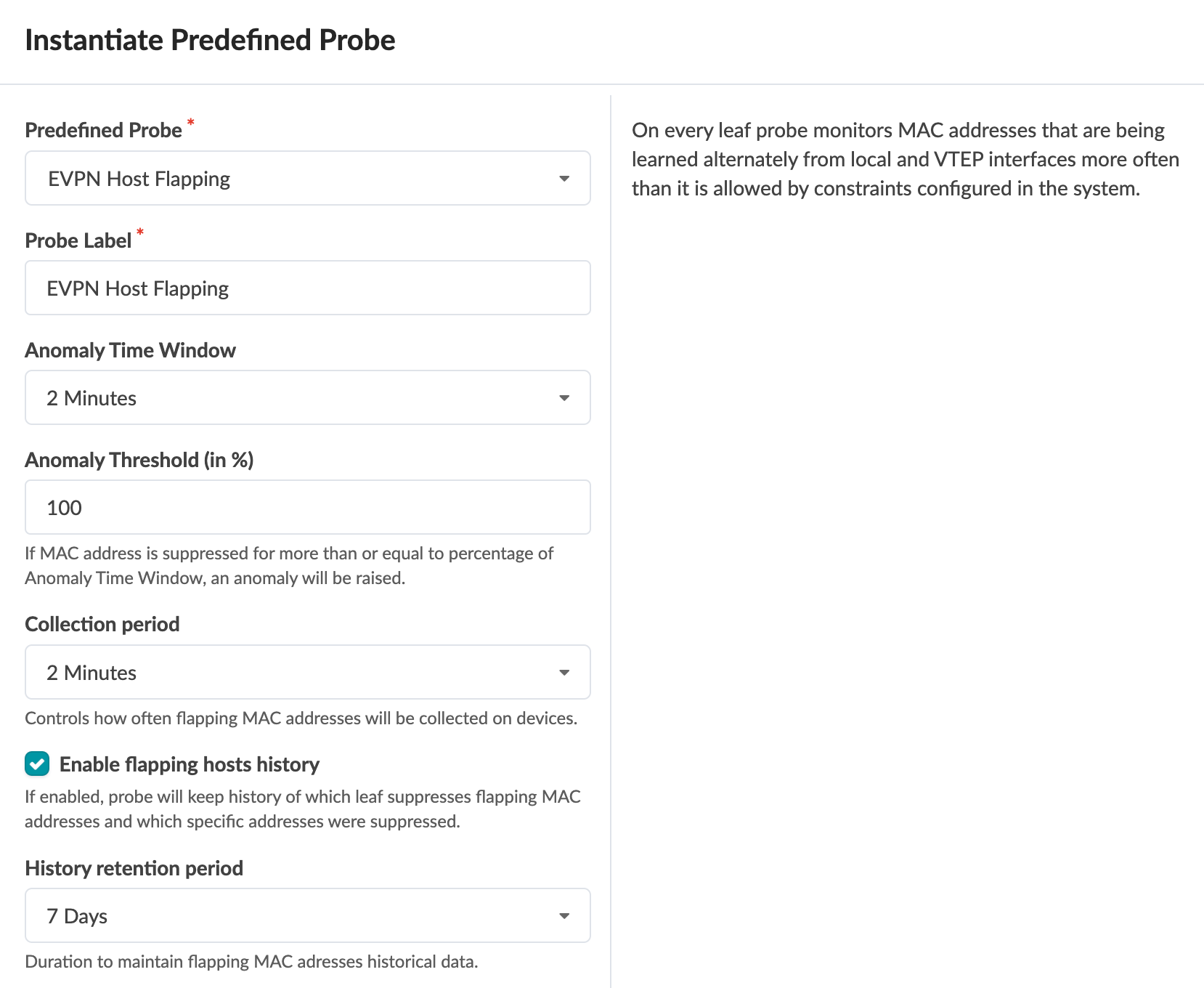
Configuration interface for EVPN Host Flapping probe with options: probe type, label, anomaly time window (2 Minutes), threshold (100%), collection period (2 Minutes), enable history (checked), history retention (7 Days), and description of detecting flapping behavior.

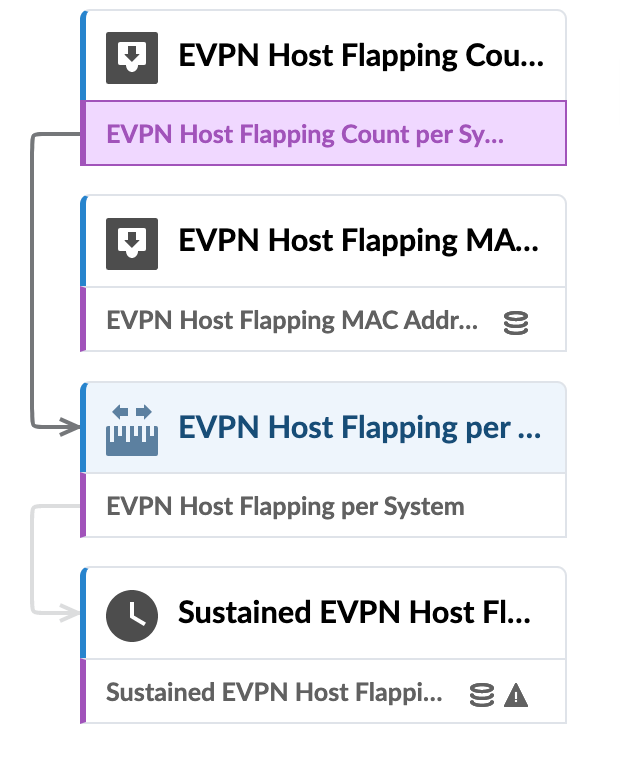
EVPN host flapping flowchart with four components: Host Flapping Count per System, Host Flapping MAC Address, Host Flapping per System, and Sustained Host Flapping, connected by arrows.

For more information about this probe, from the blueprint, navigate to Analytics > Probes, click Create Probe, then select Instantiate Predefined Probe from the drop-down list. Select the probe from the Predefined Probe drop-down list to see details specific to the probe.