Nodes (Datacenter)
From the blueprint, navigate to Staged > Physical > Nodes to go to the Nodes view.
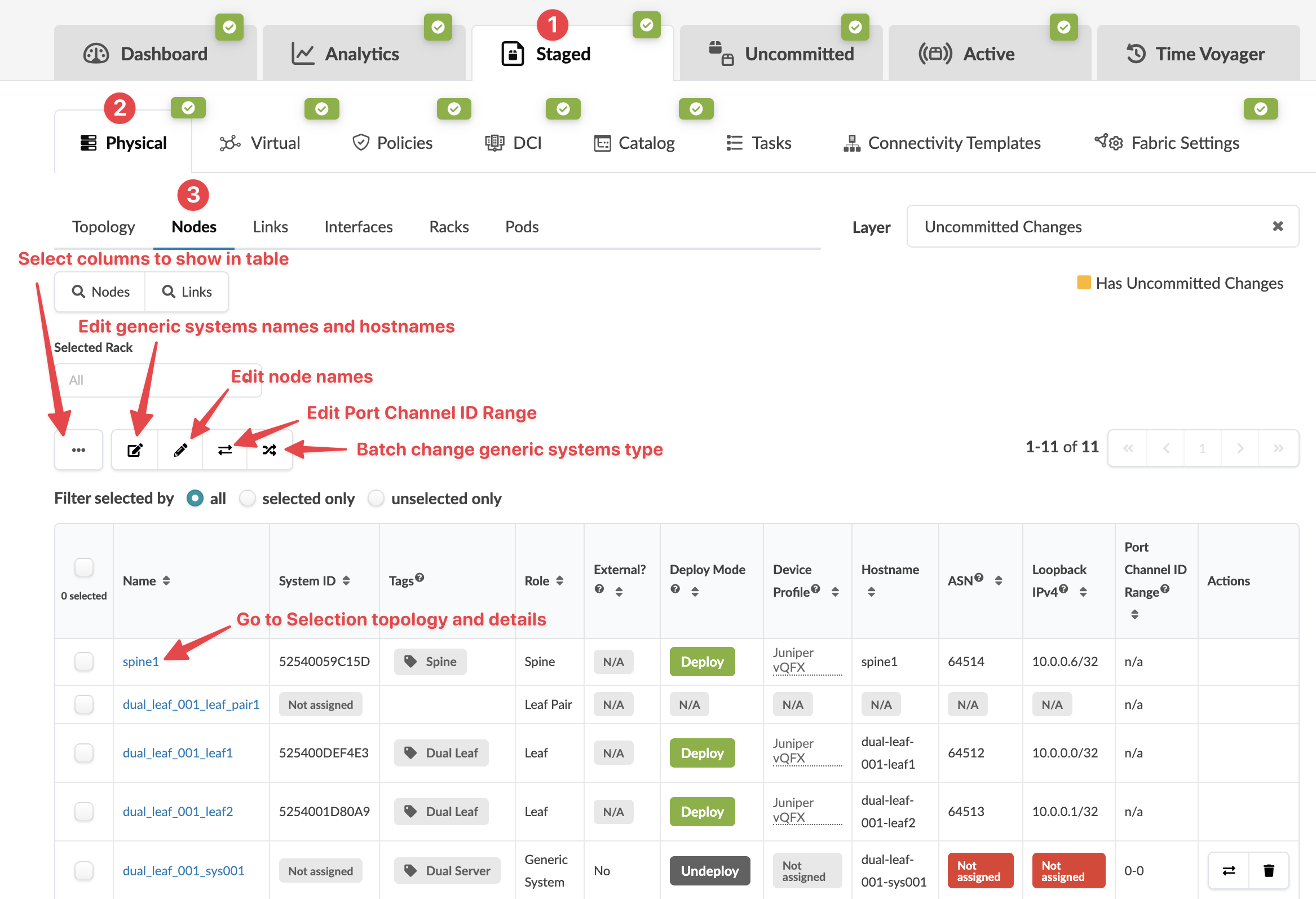
- You can view nodes in the table view or card view.
- In table view, you can select which details to display (from the drop-down list).
- You can click the name of a node in the table to display information in the right panel (such as telemetry, properties, and tags).
Many node operations are performed from the Topology view, and some can also be performed directly in the Nodes view. See the following sections for more information.