Links (Datacenter)
From the blueprint, navigate to Staged > Physical > Links to go to the Links view.
Starting in HPE Networking Apstra Data Center 6.2, anything related to topologyies is only shown in the Active > Physical > Topology and Staged > Physical > Topology screens. The Staged > Physical >Links screen no longer has the Layer menu.
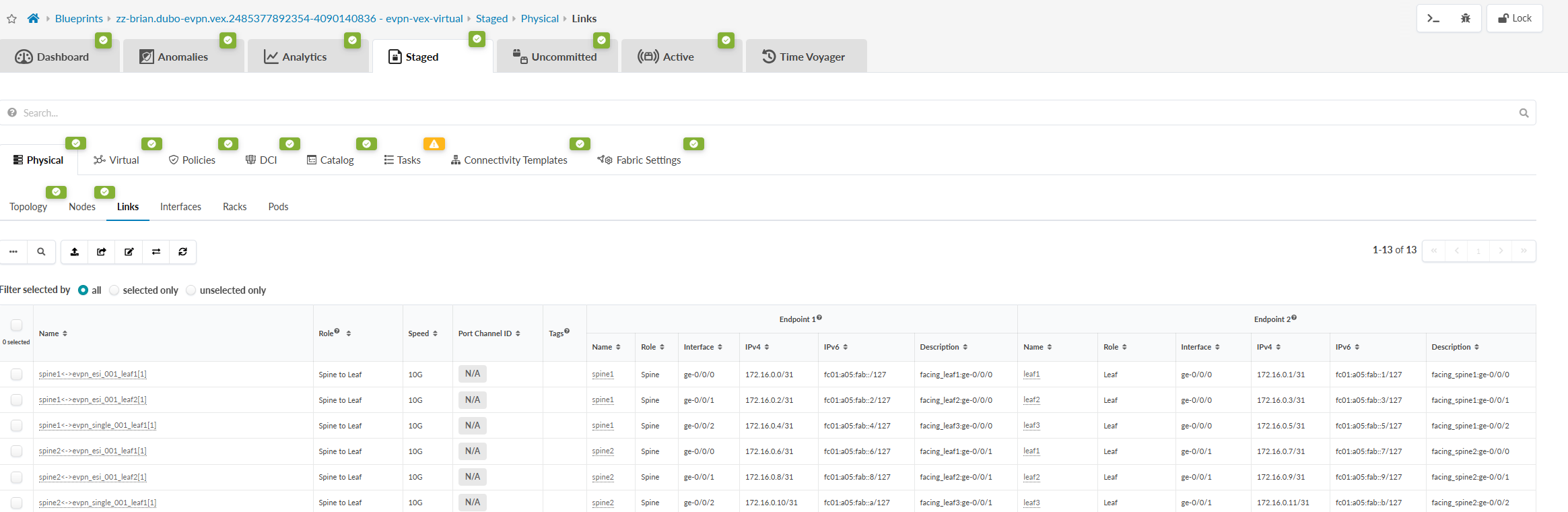
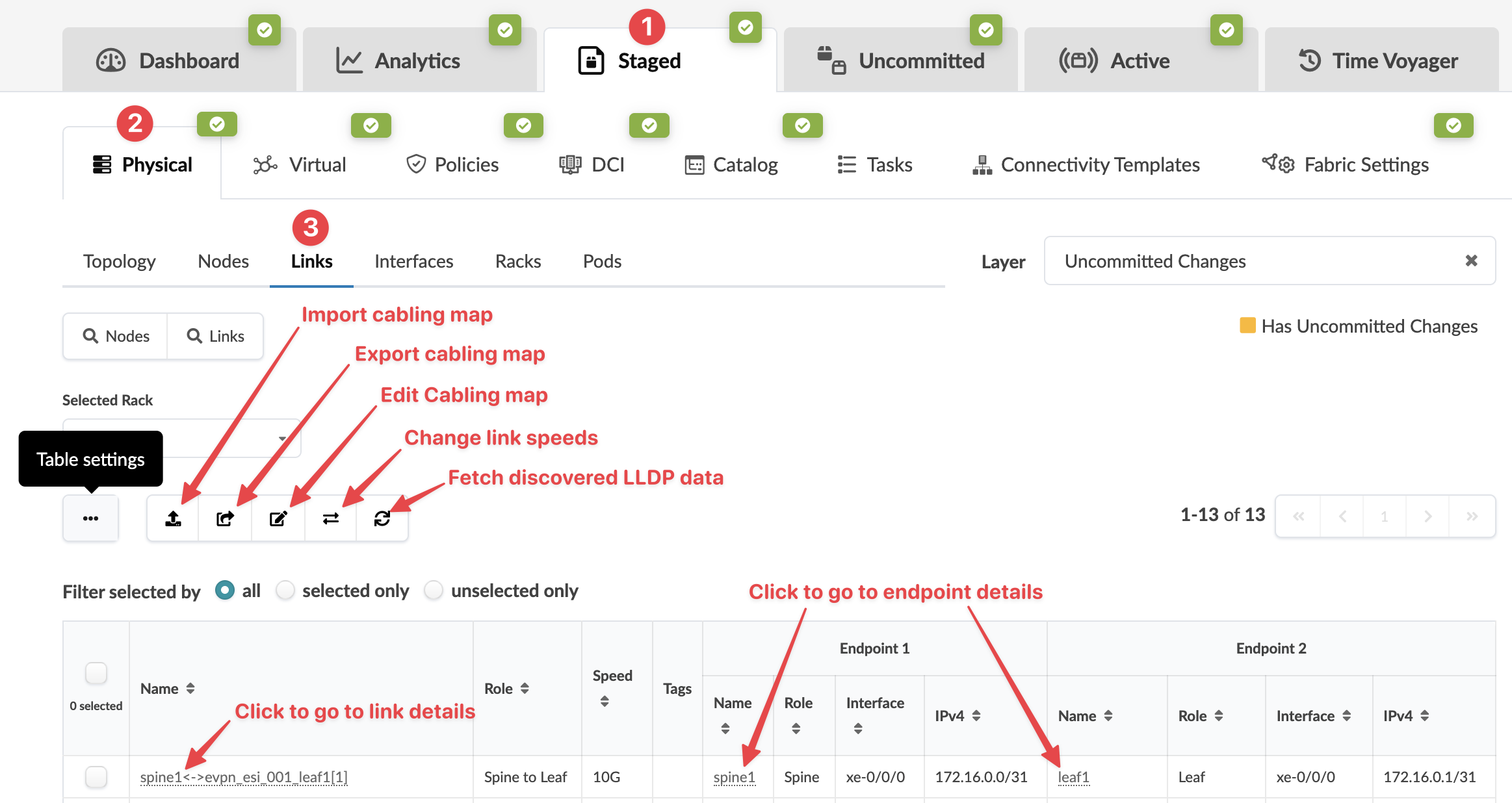
Many link operations are performed from the Topology view, and some can also be performed directly in the Links view. See the following sections for more information.
Example of how links are assigned
In this example, each link is assigned a unique /31 subnet from the IP Pool.
The smaller /31 IP is assigned to the spine interface.
The larger /31 IP is assigned to the leaf interface.
Subnets are assigned in increasing order in a spine-major order.
That is, the links between spine1 and all leafs (in ascending order) are assigned subnets first.
The links between spine2 and all leafs are then assigned subnets, and so on.