Blueprint Active Tasks

Introduction

HPE Networking Apstra Data Center Director notifies you when a backend task fails. Previously, failures only appeared in the Tasks tab, requiring you to manually check. This feature adds visible UI alerts with details such as task name, error, and timestamp, enabling you to quickly address silent errors.

UI Changes

6.1 introduces UI updates for handling failed tasks, including an orange "Recently Failed tasks" badge with a count in the Active Tasks banner at the bottom of the screen. This badge displays when there are unacknowledged issues.
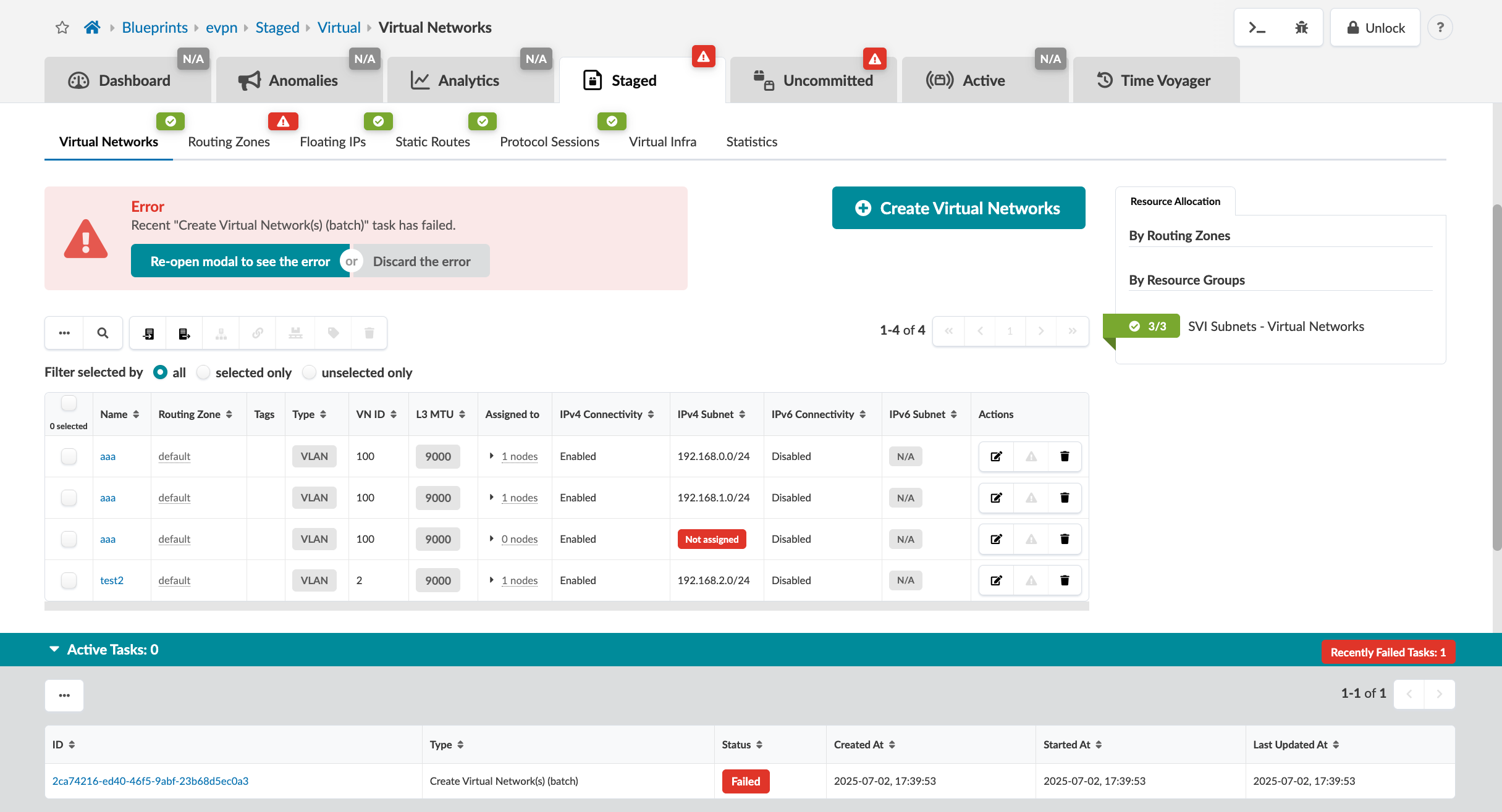
User interface for managing virtual networks with tabs for Virtual Networks, Routing Zones, and more. Error message for failed Create Virtual Network batch task, options to view error or discard. Table lists virtual networks with details like Name, Routing Zone, and IPv4 Subnet. Action buttons for editing and deleting networks. Create Virtual Networks button available. Active Tasks section shows a failed task.
Under Staged > Tasks, a badge appears orange when there are unacknowledged failed tasks, or green when there are no unacknowledged failed tasks. Affected rows are highlighted in orange.
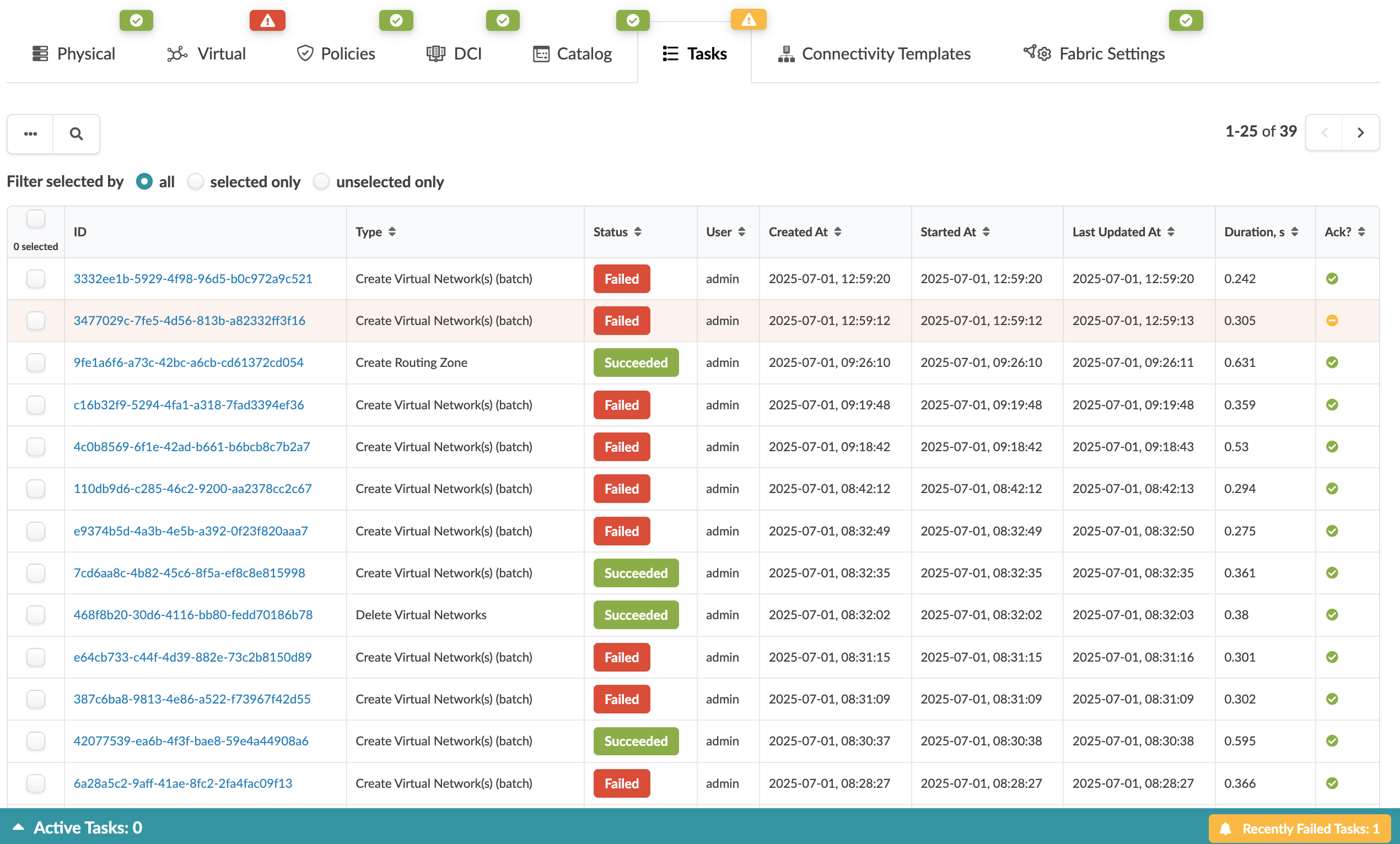
Task management dashboard showing a table with columns for ID, Type, Status, User, Created At, Started At, Last Updated At, Duration in seconds, and Ack status. Top menu includes navigation options like Physical, Virtual, Policies, and Tasks. Summary bar at the bottom shows Active Tasks 0 and Recently Failed Tasks 1.
To acknowledge a failed task, select one or multiple tasks and click the "Acknowledge" button. Selecting a failed task and opening the task details view will automatically acknowledge it.
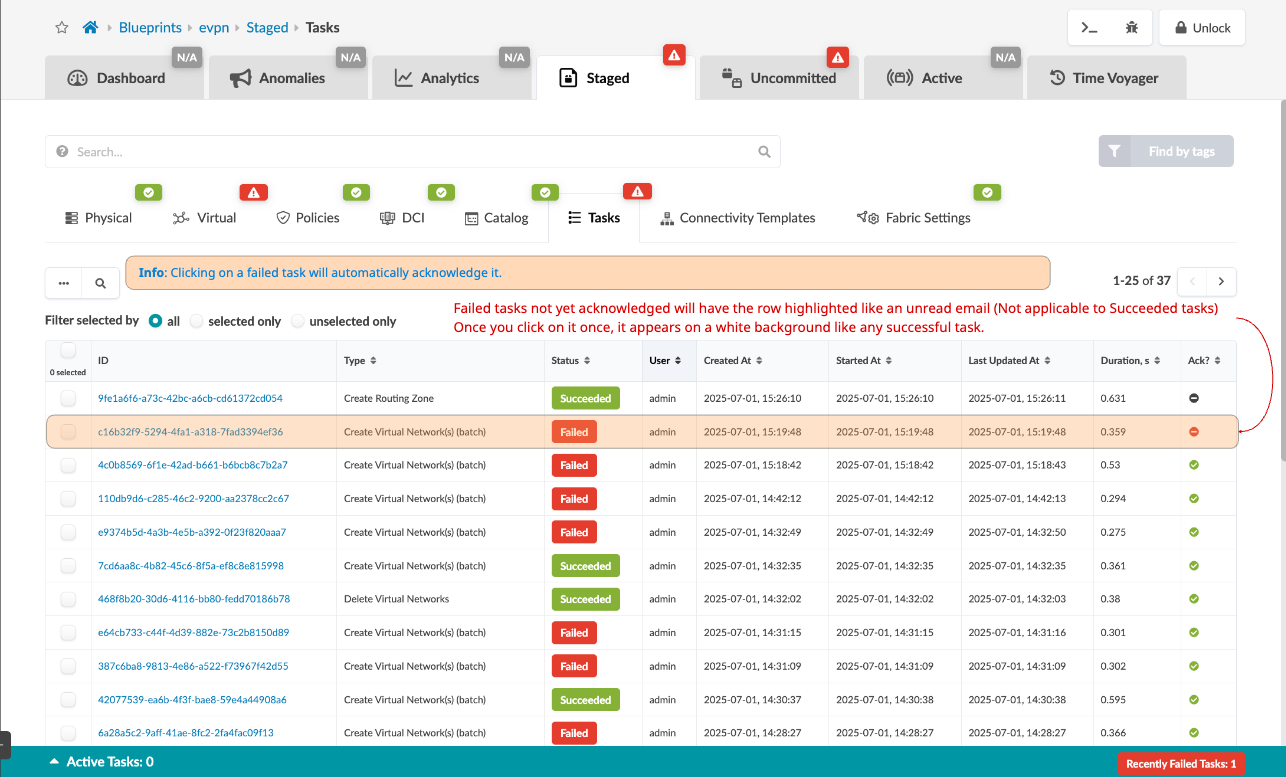
Task management interface with tabs like Dashboard, Anomalies, Analytics, and Staged. Staged tab is selected. Table lists tasks with statuses like Succeeded in green and Failed in red. Failed tasks are emphasized and can be acknowledged by clicking, changing their background to white. Filters include all, selected only, or unselected only. Bottom right shows Recently Failed Tasks counter with one failed task.