Import Probe
You can import intent-based analytics probes.
To import a probe using the GUI:
-
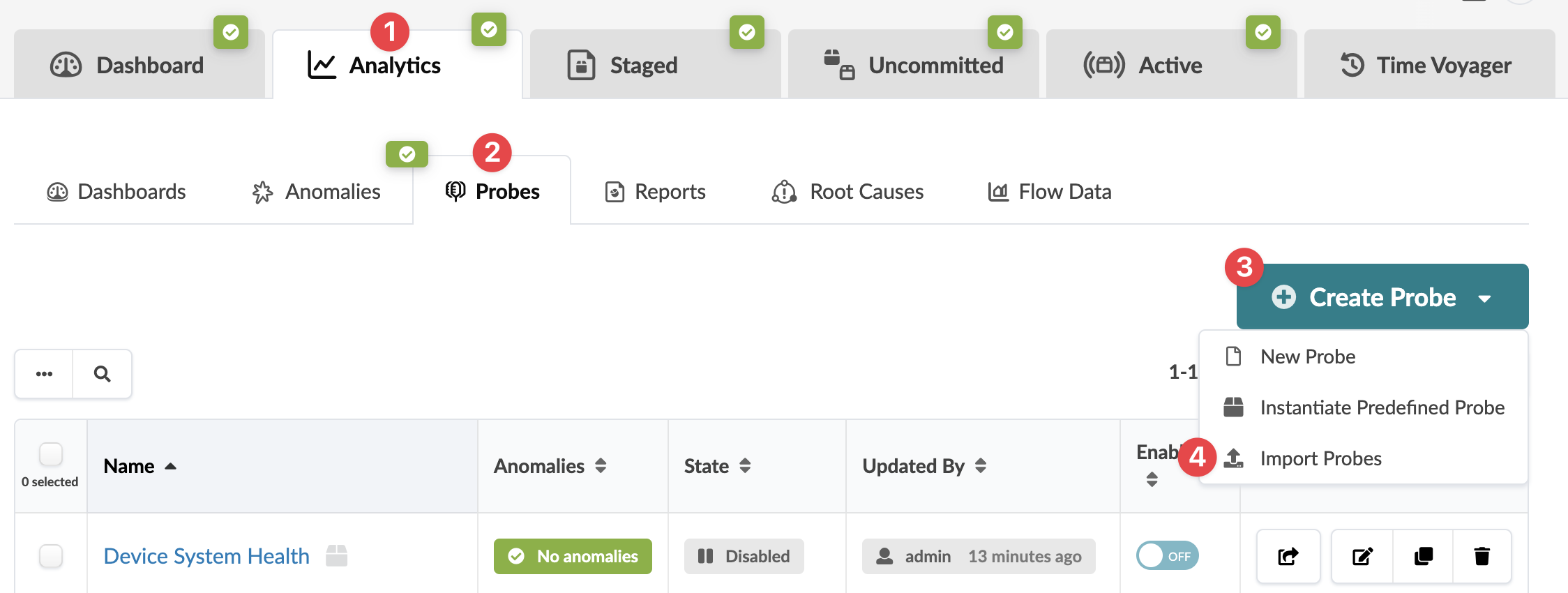
From the blueprint, navigate to Analytics > Probes, then
click Create Probe and select Import Probes
from the drop-down list.
 The Import Probes dialog opens.
The probe is imported and you're returned to the table
view.