Change Apstra GUI User Password

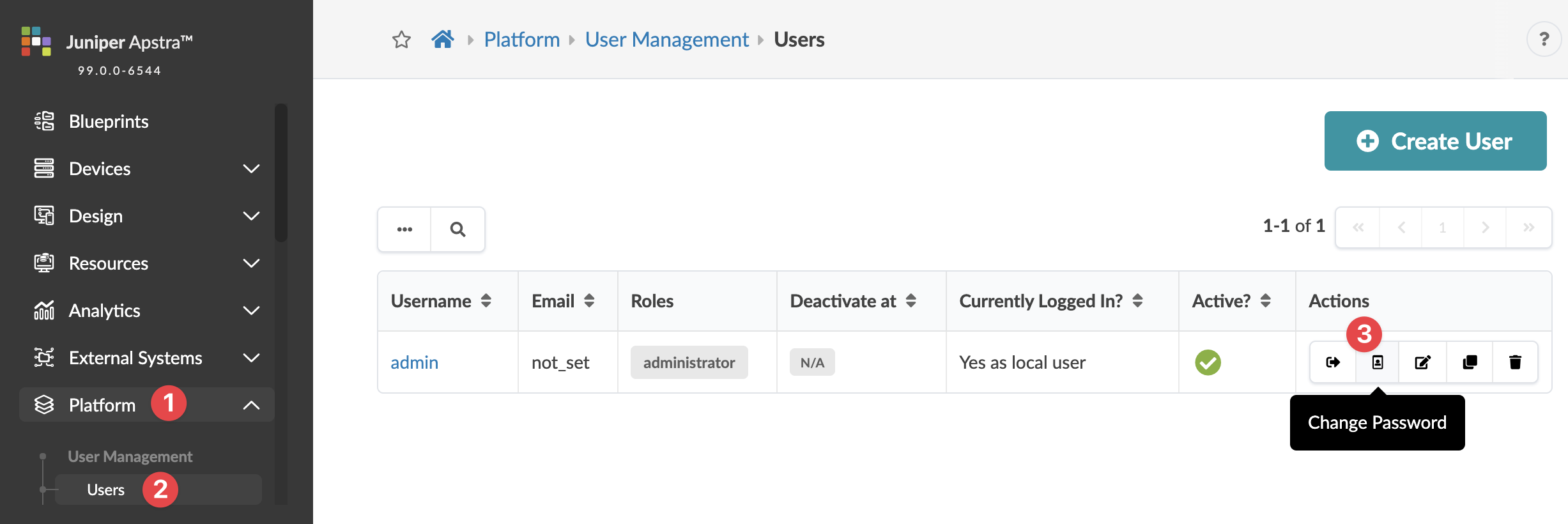
  1. From the left navigation menu, navigate to Platform > User Management > Users and click the Change Password button in the Actions panel, for the user.
  2. Enter a new password that meets password complexity requirements, then re-enter the new password. (You can change password requirements from Platform > Security > Password Complexity Parameters.)
  3. Click Change Password to update the password.