Export Blueprint Analytics Dashboard
You can export an analytics dashboard from one blueprint, then import it into other
blueprints (as of Apstra version 5.0.0).
-
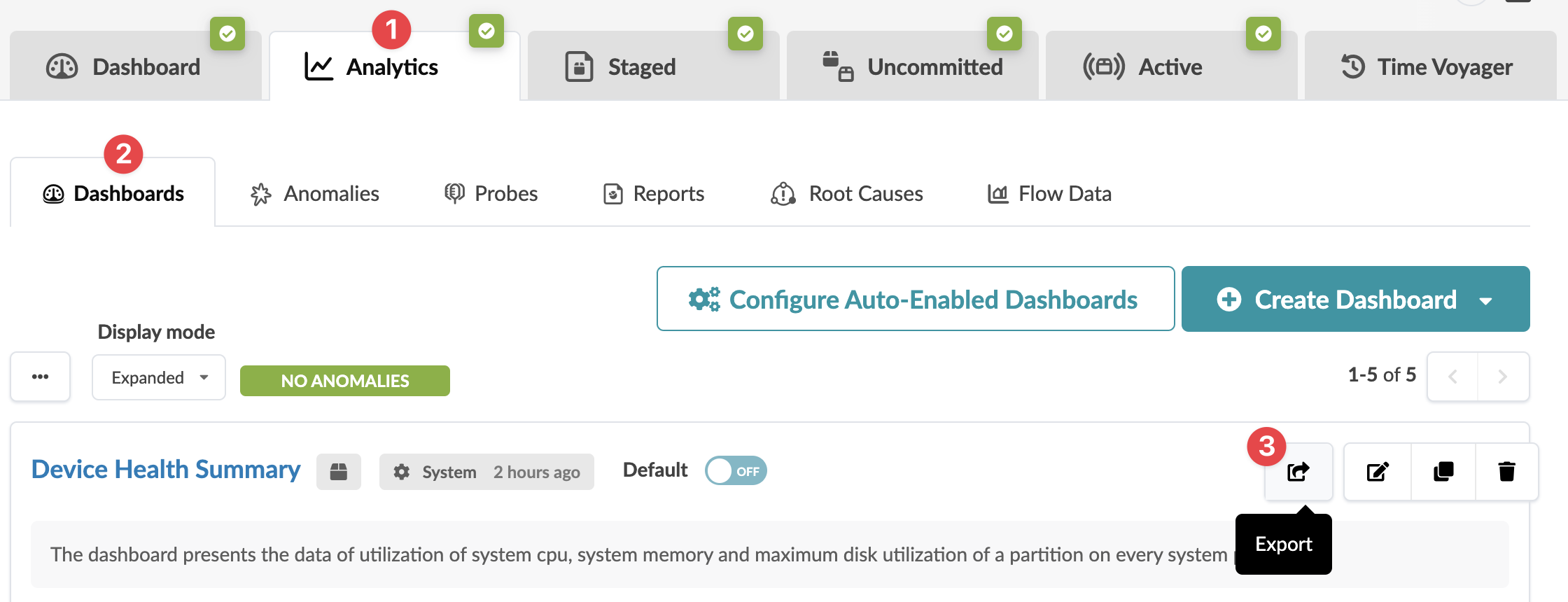
From the blueprint, navigate to Analytics > Dashboard and click
the Export button (top-right of dashboard) for the dashboard to
export.
-
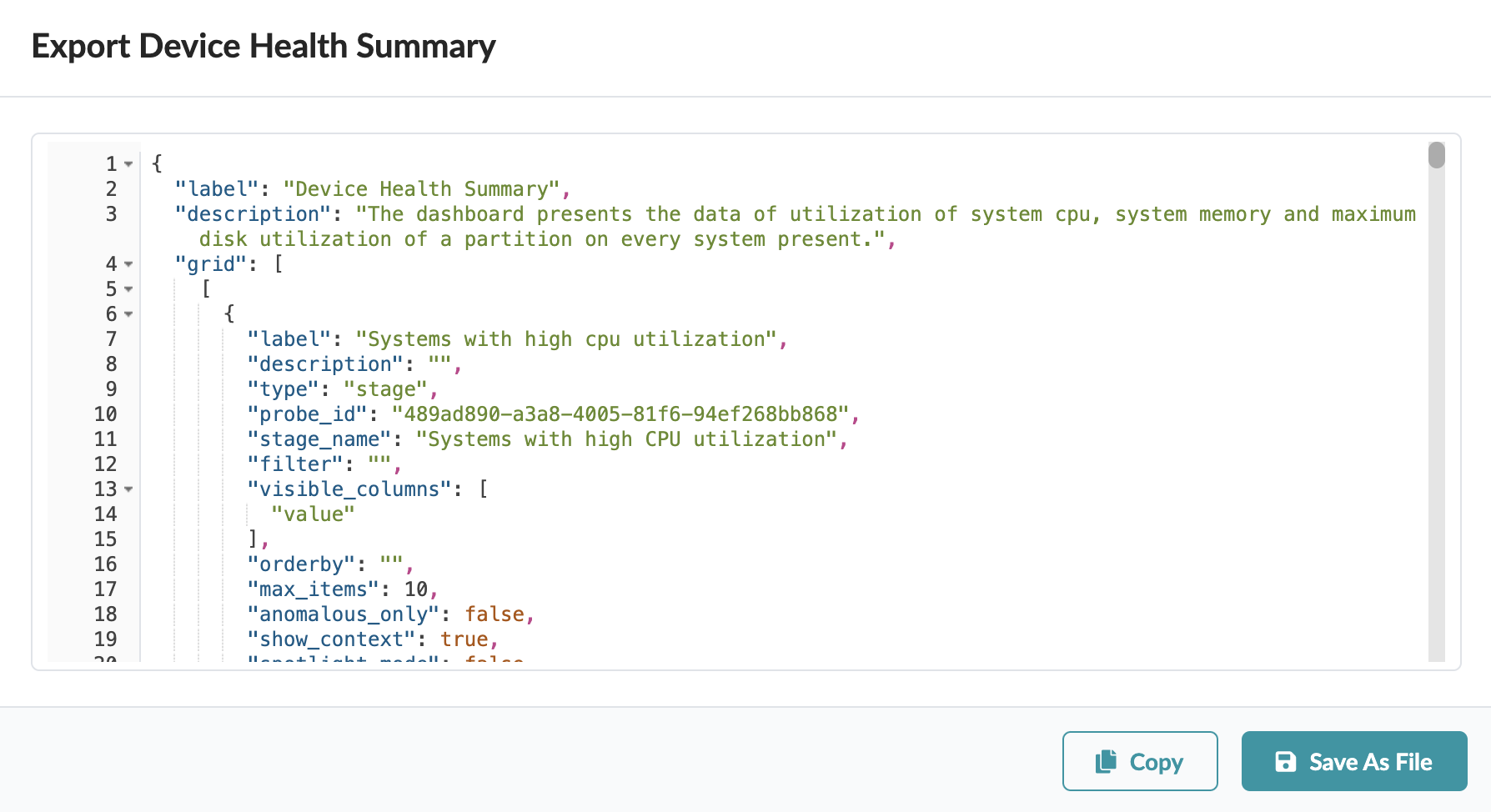
Click Copy to copy the contents, or click Save As
File to download the file.
You can import
exported dashboard into other blueprints.