Query
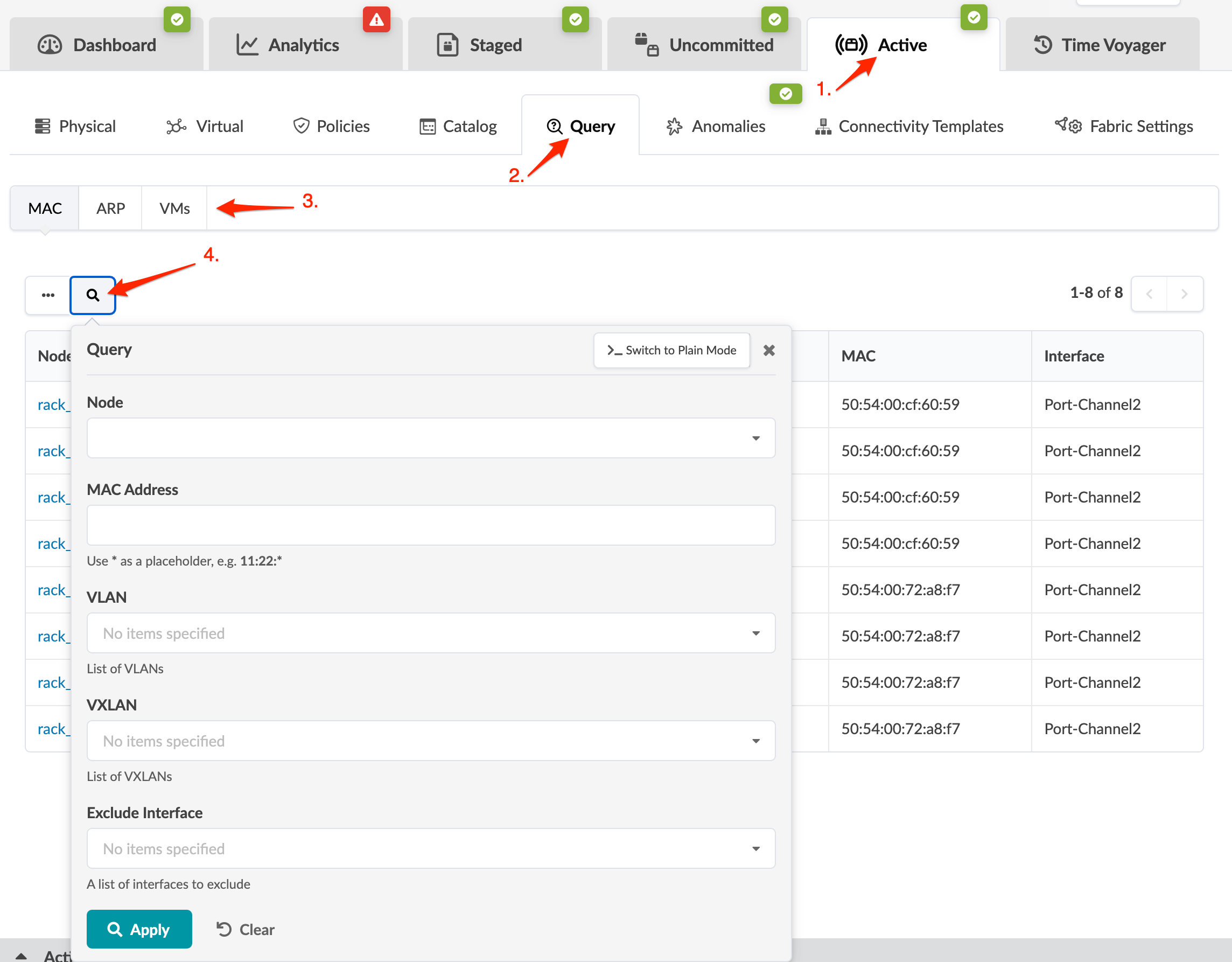
You can search for MAC addresses, IP addresses and VMs by using the query feature in the active blueprint.
-
From the blueprint, navigate to Active > Query. (The
screenshot below is for Apstra version 4.2.1. Some menu tabs have been renamed,
moved, and/or added since Apstra version 4.2.0.)