Attach External Antennas to the AP45
The AP45E model has two pluggable antenna ports, 6-pin and
4-pin.
To attach the antennas:
-
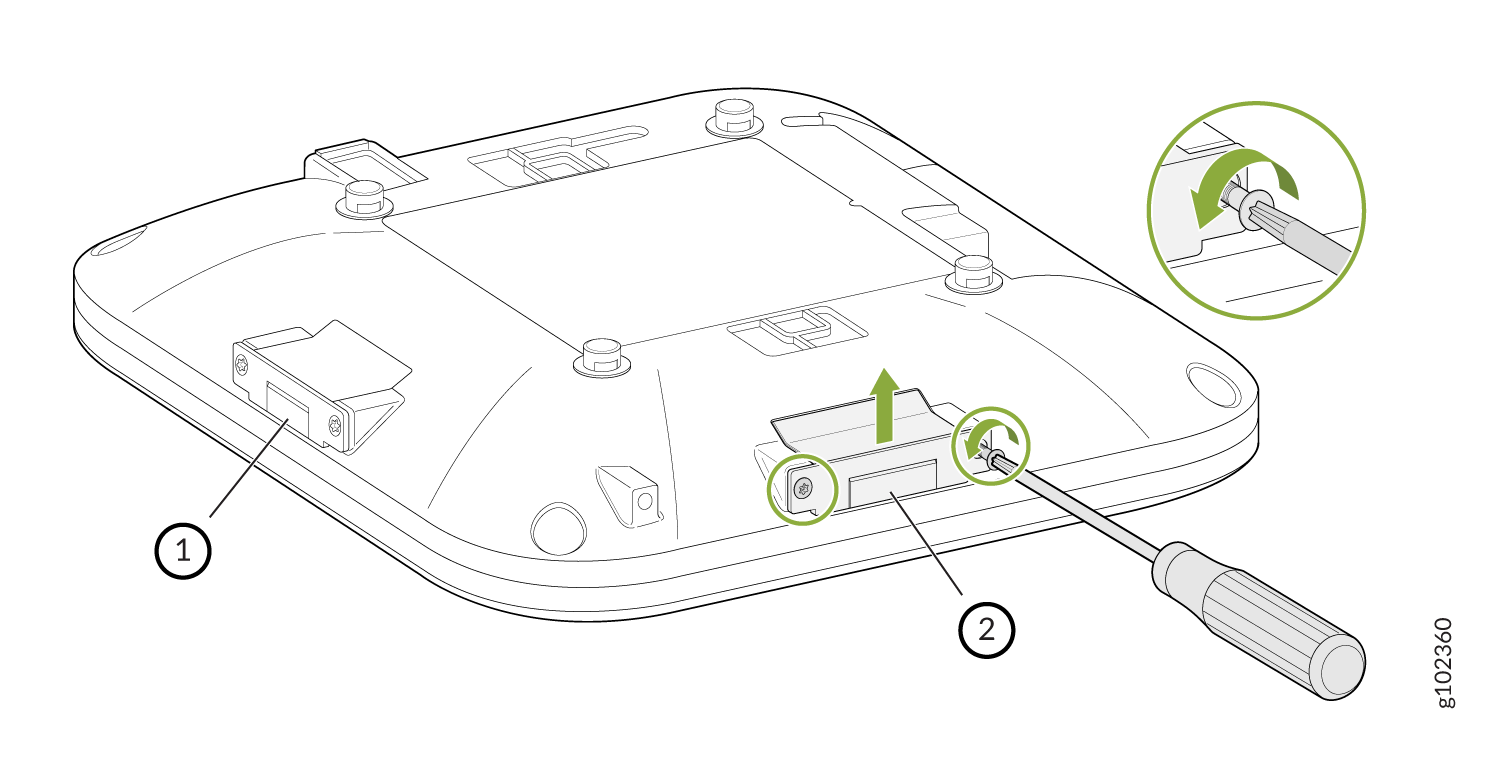
Use a T8 security torx bit to remove the screws that attach the antenna port cover to
the AP. Remove the cover.
-
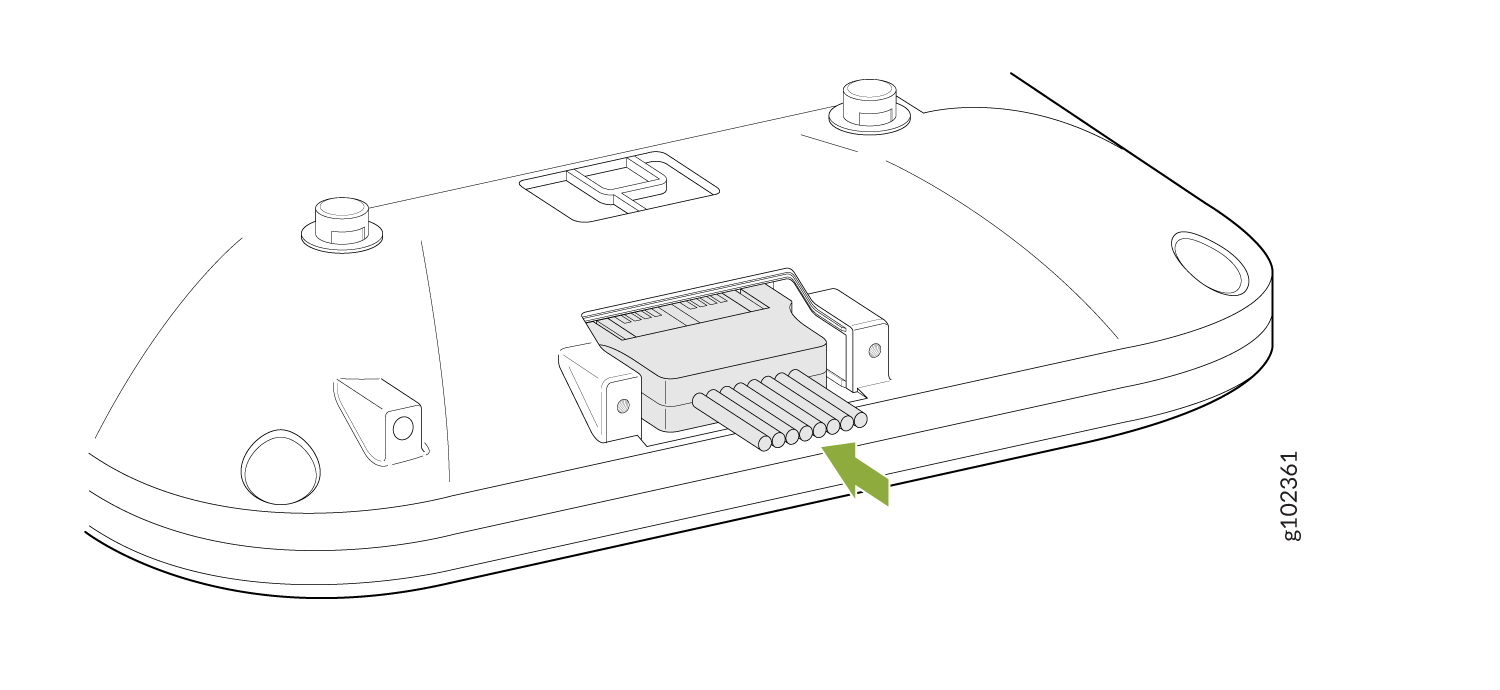
Connect the antennas.
-
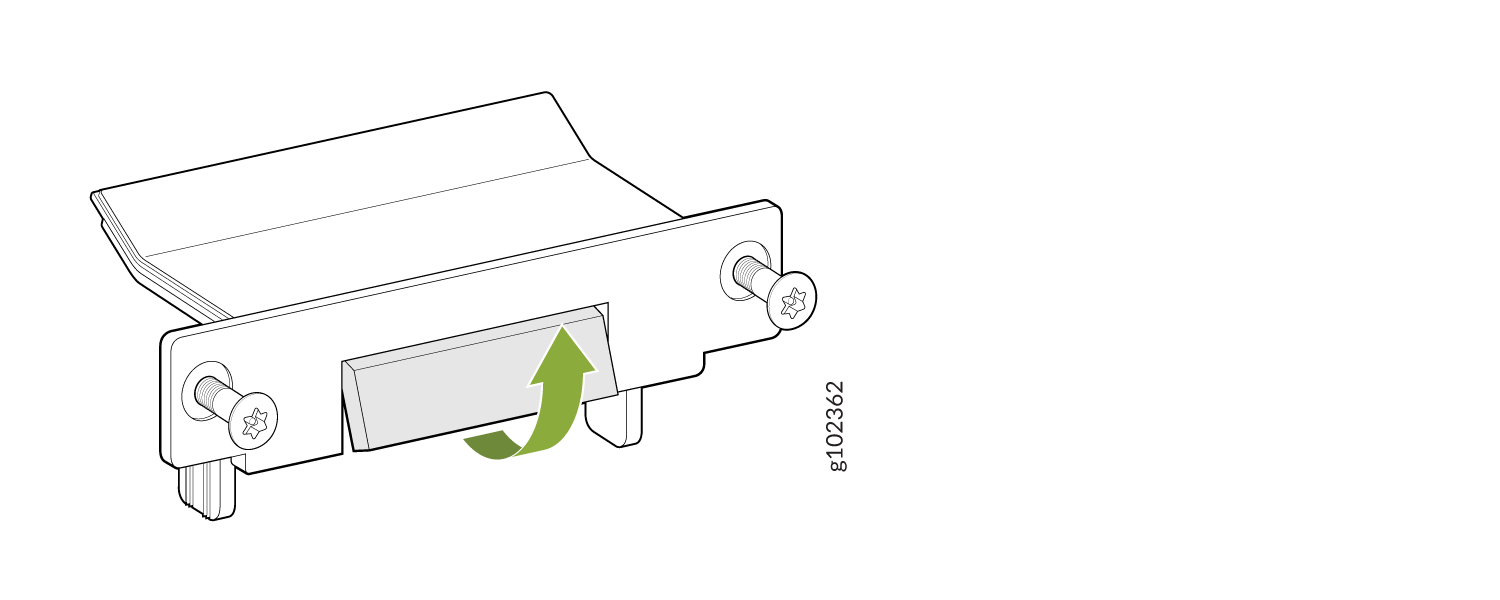
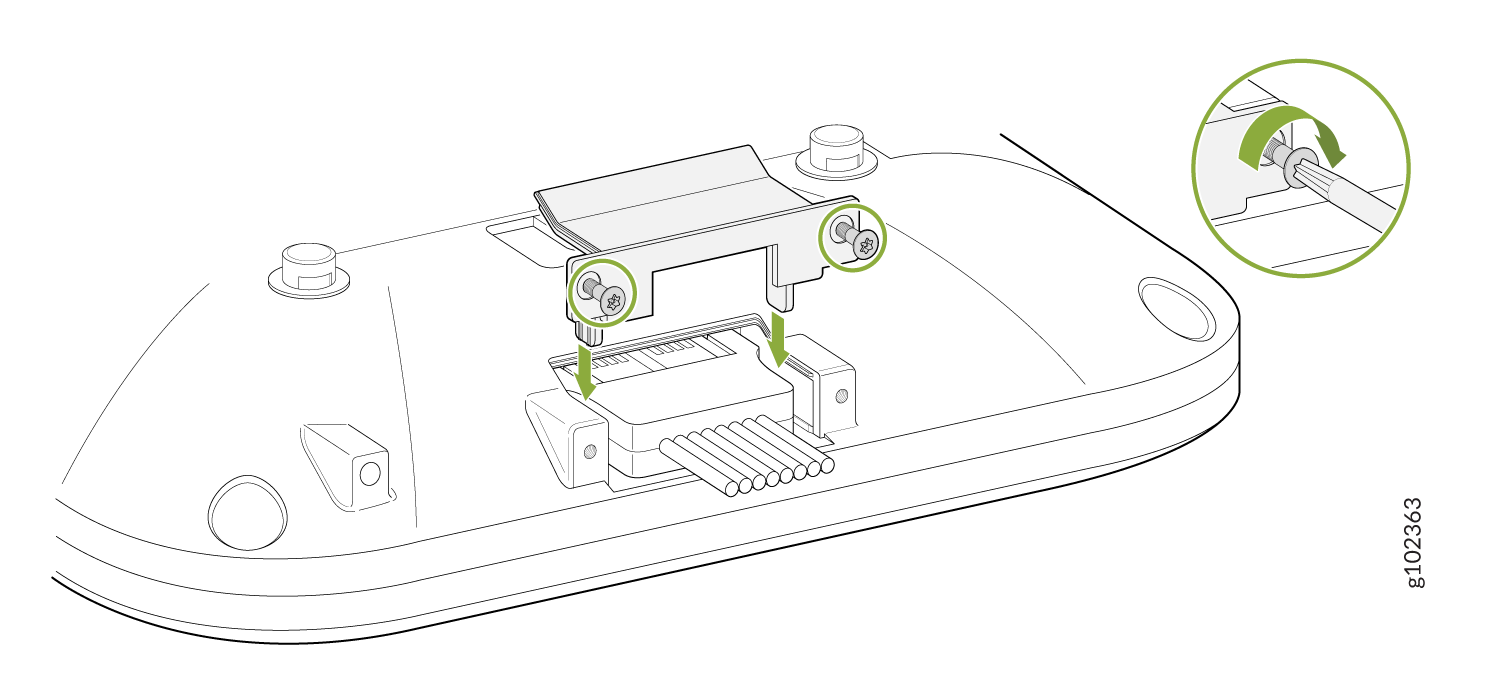
Bend the breakoff tab on the antenna port cover.
-
Attach the antenna port cover to the AP using the screws that you removed in Step 1.
Use the T8 security torx bit to tighten the screws.
-
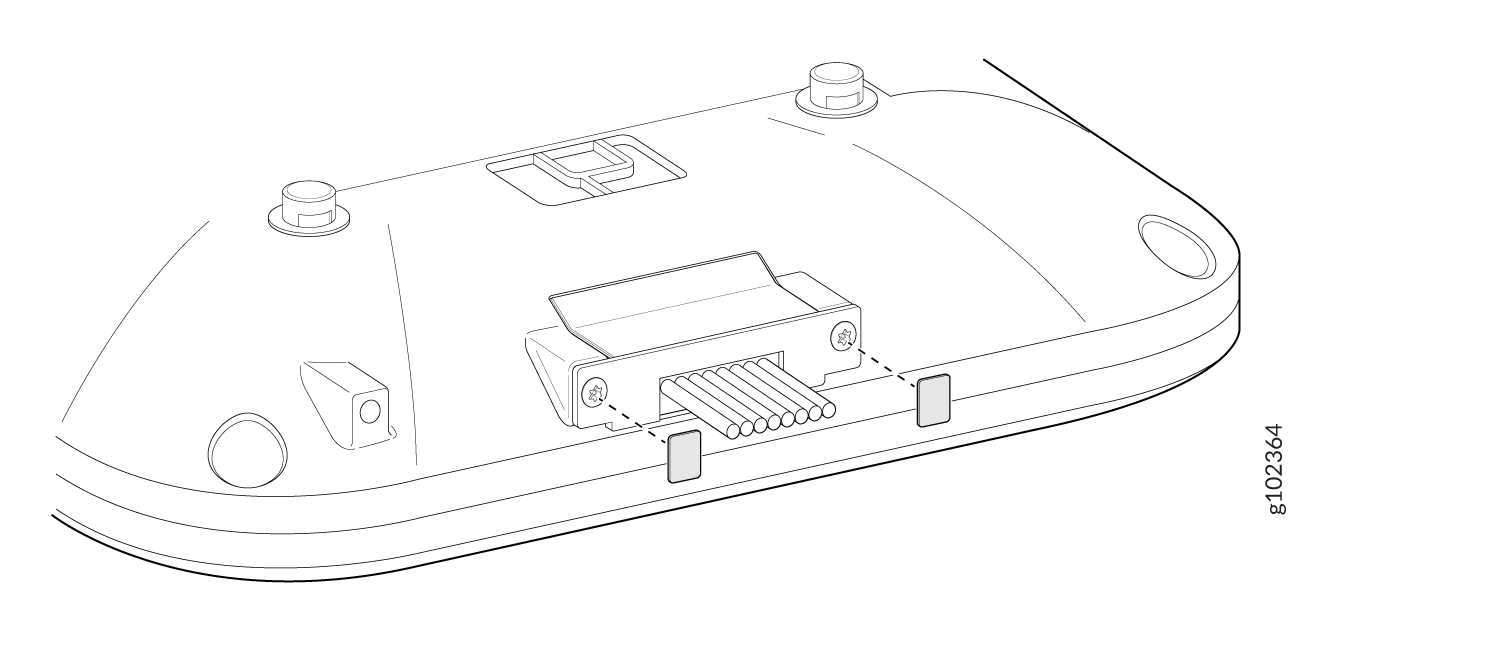
Place
the provided lexan labels on
the antenna
pport cover screws.