APBR-U Universal Mounting Bracket
The APBR-U is a universal mounting bracket shipped with most APs. By using the APBR-U in conjunction with other indoor mounting brackets, you can mount your AP in various ways.
You will need to use the numbered holes to insert screws when mounting the AP on a junction box. The numbered holes that you use vary based on the mounting option used.
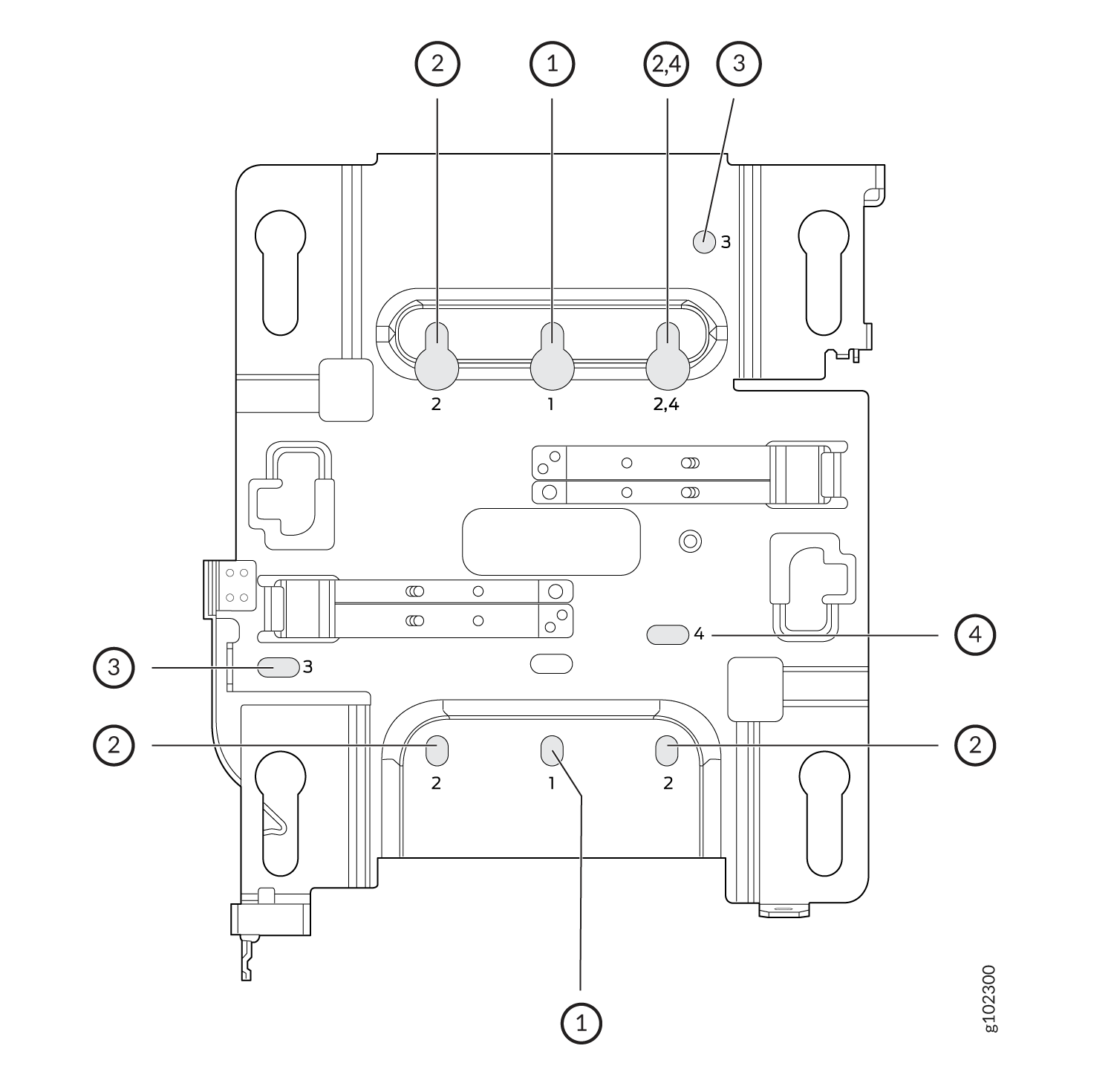
If you're mounting the AP on a wall, use screws with the following specifications:
-
Diameter of the screw head: ¼ in. (6.3 mm)
-
Length: At least 2 in. (50.8 mm)
The following table lists the bracket holes that you need to use for specific mounting options.
| Hole Number | Mounting Option |
|---|---|
| 1 |
|
| 2 |
|
| 3 |
|
| 4 |
|
This is the new Mist BR-U bracket that works for all our indoor APs. We'll ship with the shoulder screws already installed, so attached to the BR-U bracket as follows. You will note a strong click when the locking lever engages. To remove, you need to gently push the lever out of the way and slide the AP back out.