Marvisアプリを使用したトラブルシューティング
以下の手順に従って、無線および有線のクライアント、デバイス、サイトの問題をトラブルシューティングします。
ワイヤレスクライアントのトラブルシューティング
Marvisアプリを使用すると、無線クライアントとそれに関連するアクセスポイント(AP)の障害を確認できます。
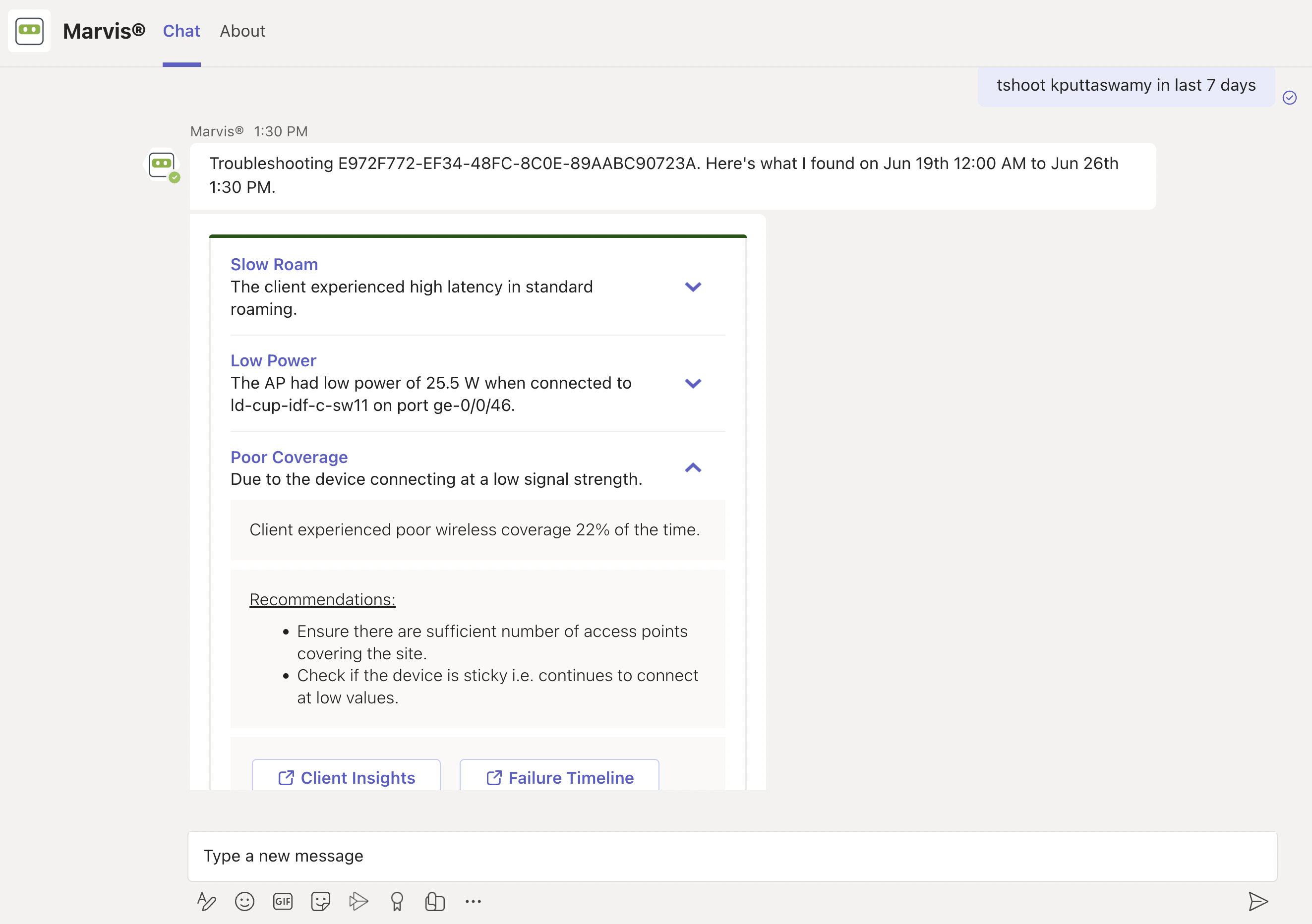
Here's an example that shows the details Marvis provides for the phrase "troubleshoot client name." In this case, Marvis reports that the client is experiencing an authorization error due to a connection timeout.
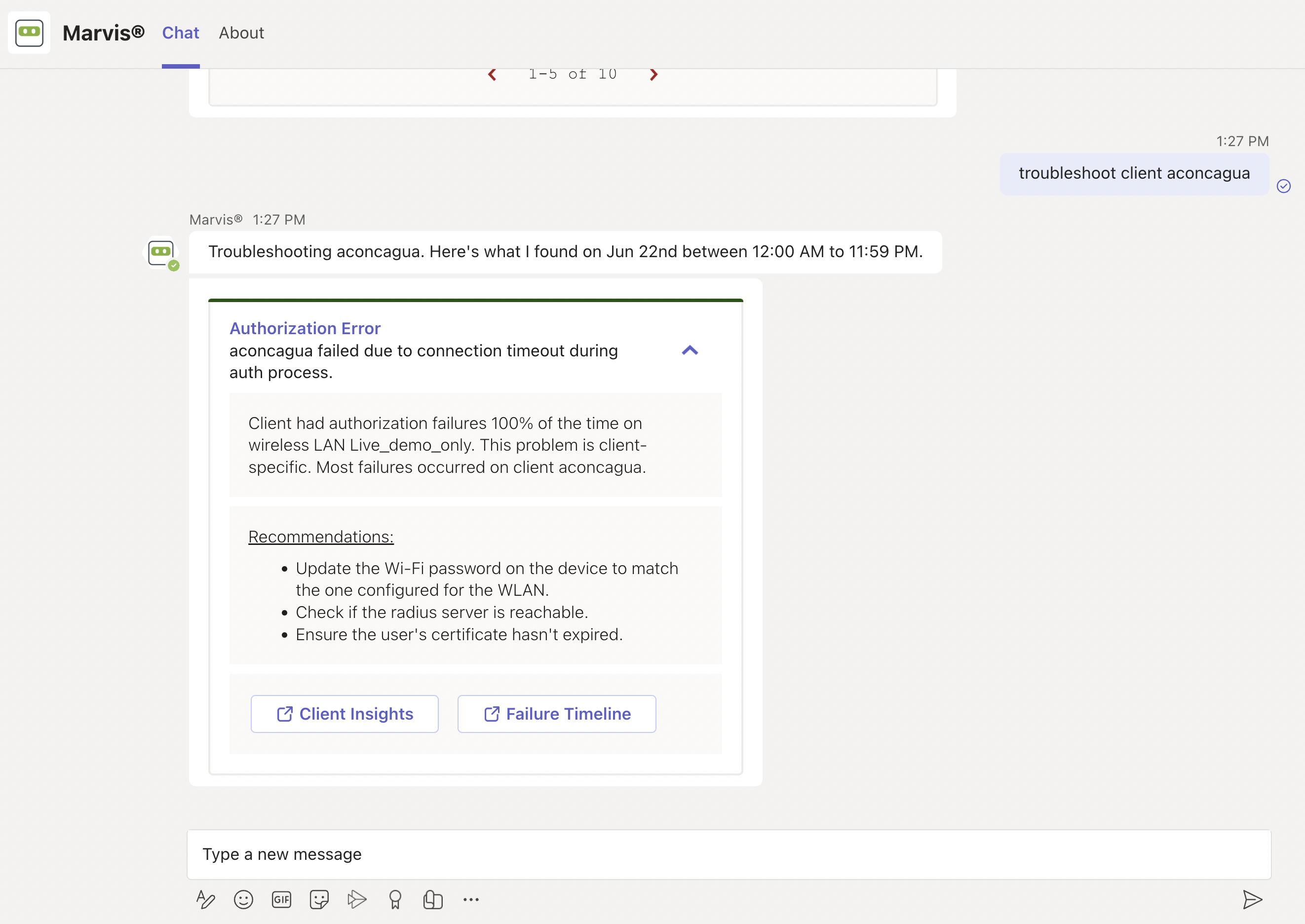
You can click the issue to view details. You can click the Client Insights or Failure Timeline option for more details. In some cases, Marvis also provides recommendations to fix the issue, as the screenshot shows.
Here are some sample phrases that you can use to troubleshoot wireless clients:
-
how was <client name> on June 22nd
-
tshoot client <mac or name> on June 21
有線クライアントのトラブルシューティング
問題が発生している有線クライアントを表示するには、次のようなフレーズを使用します。
-
tshoot有線クライアント<Mac>
-
クライアント名のトラブルシューティング
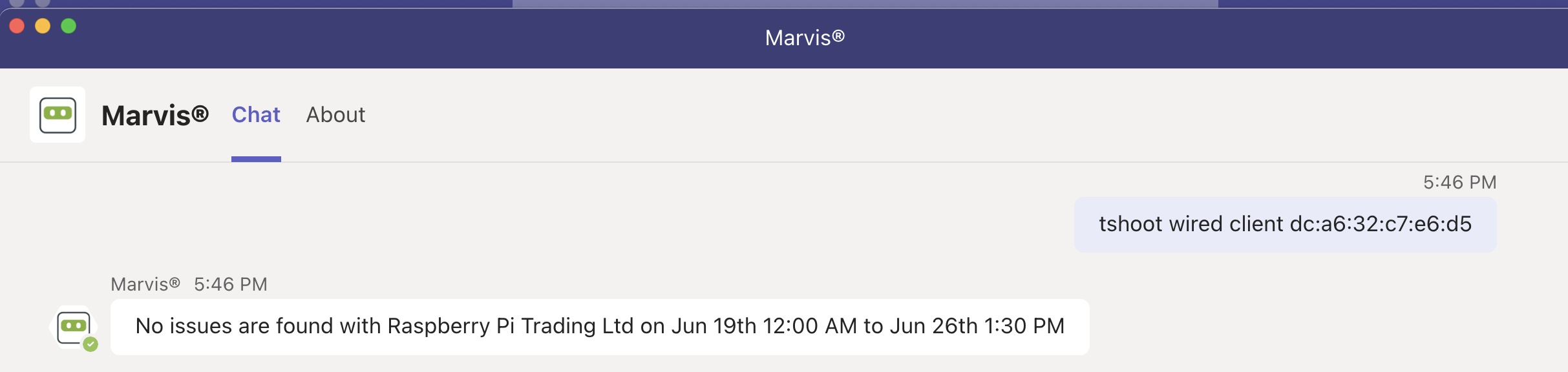
Here's an example that shows the details Marvis provides for the phrase "tshoot wired client <mac>".
デバイスのトラブルシューティング
Marvisアプリを使用して、AP、スイッチ、またはWANエッジデバイスの問題を確認できます。
Here's an example that shows the details Marvis provides for the phrase "tshoot switch name." In this case, Marvis reports that two clients connected to the switch experienced an authentication failure.
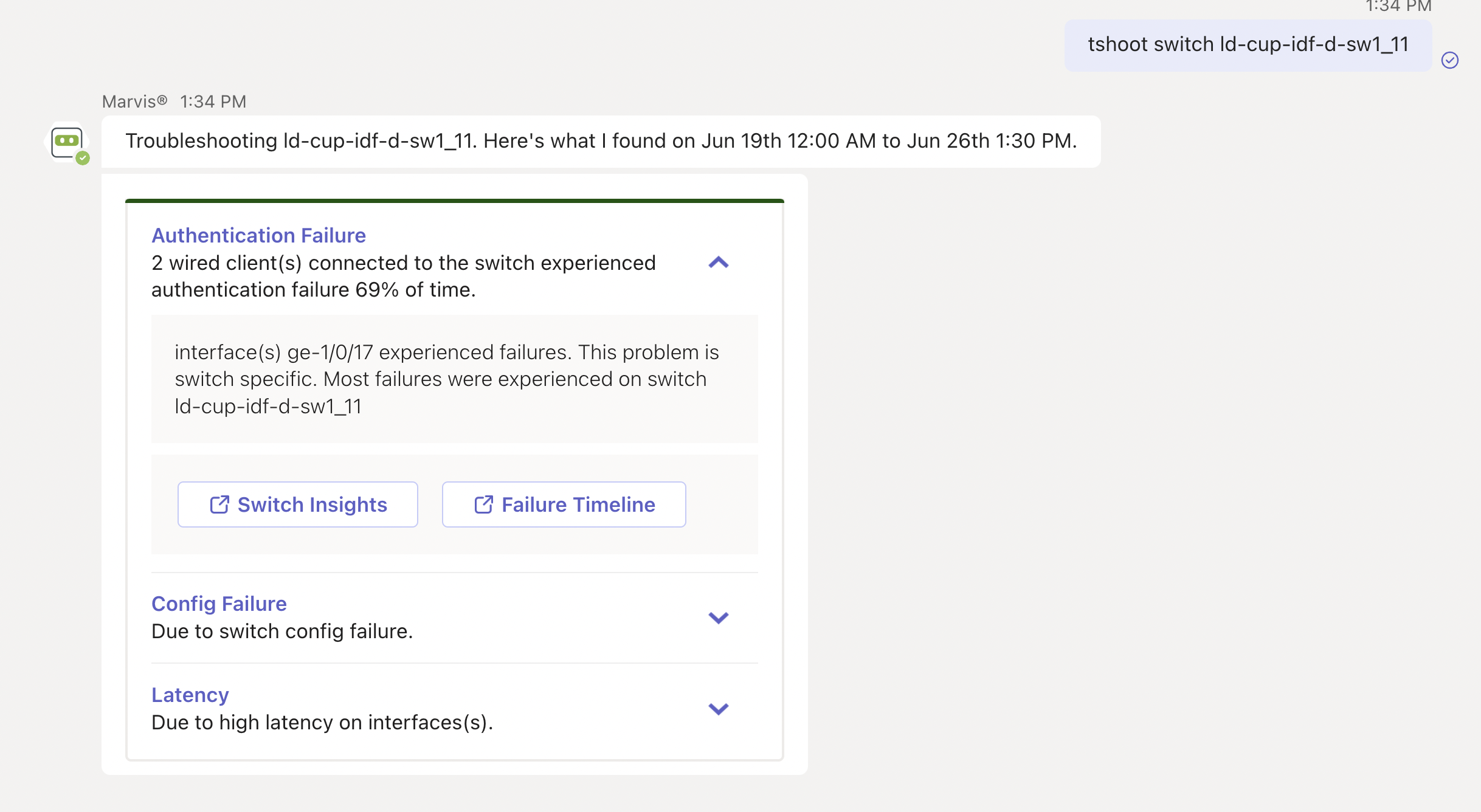
You can click the issue to view details. You can click the Switch Insights or Failure Timeline option for more details. In some cases, Marvis also provides recommendations to fix the issue, as the following screenshot shows:
不満のあるデバイスやクライアントのトラブルシューティング
問題が発生しているデバイス (不満のあるデバイス) を確認するには、Marvis チャット ウィンドウに「不満<デバイス タイプ>」というフレーズを入力するだけです。たとえば、不満足なWANエッジデバイスを表示したい場合、「不満足なWANエッジ」と入力すると、Marvisに問題が発生しているすべてのWANエッジが表示されます。
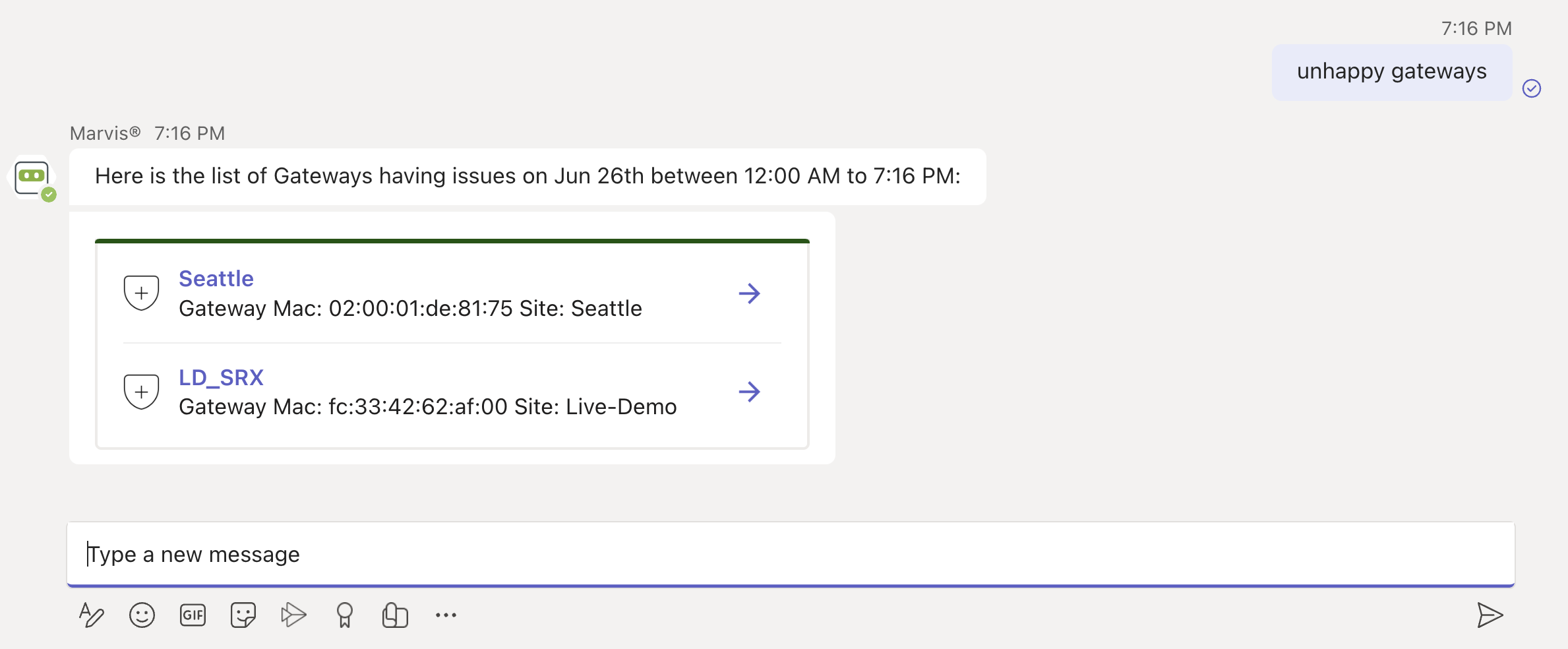
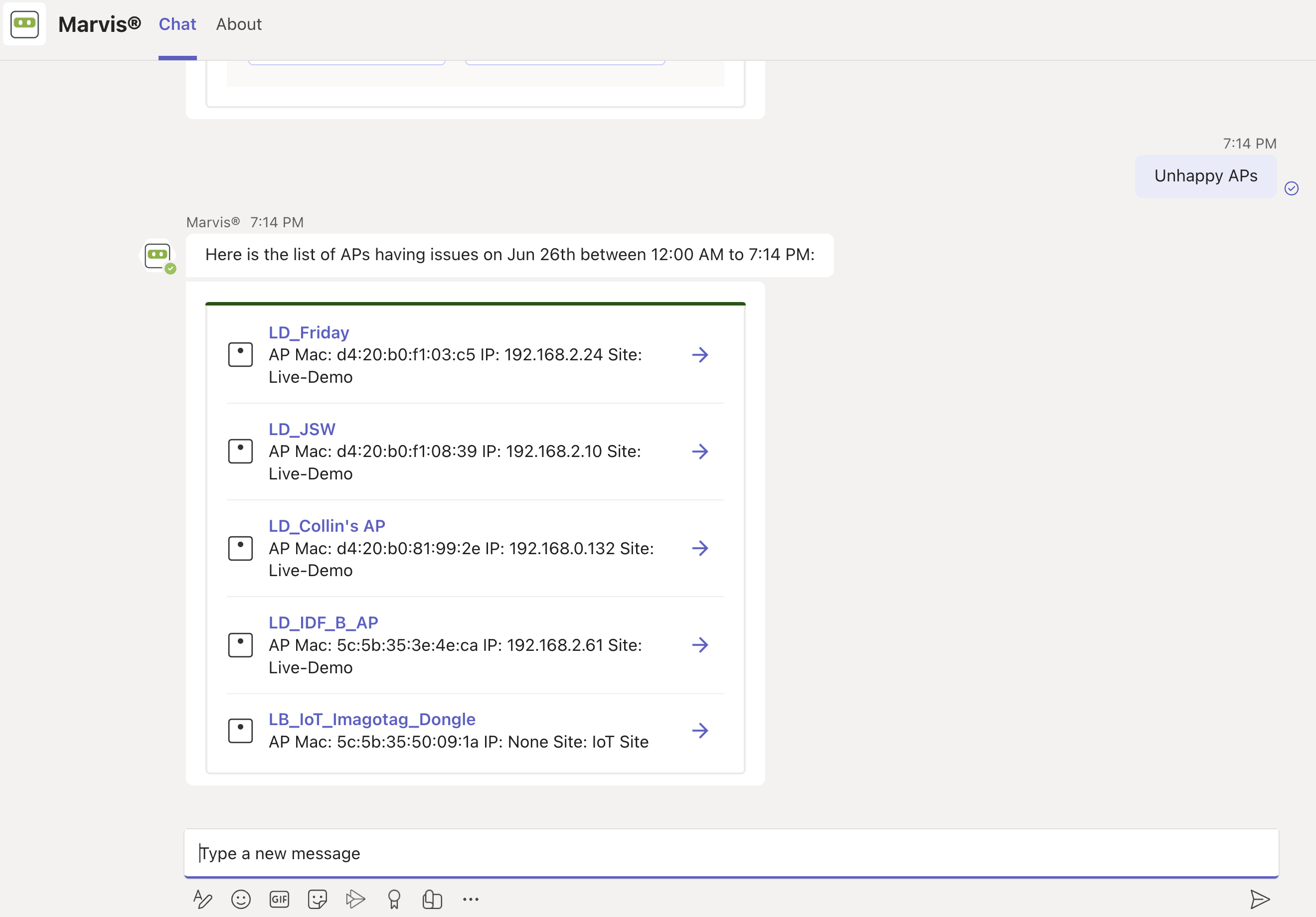
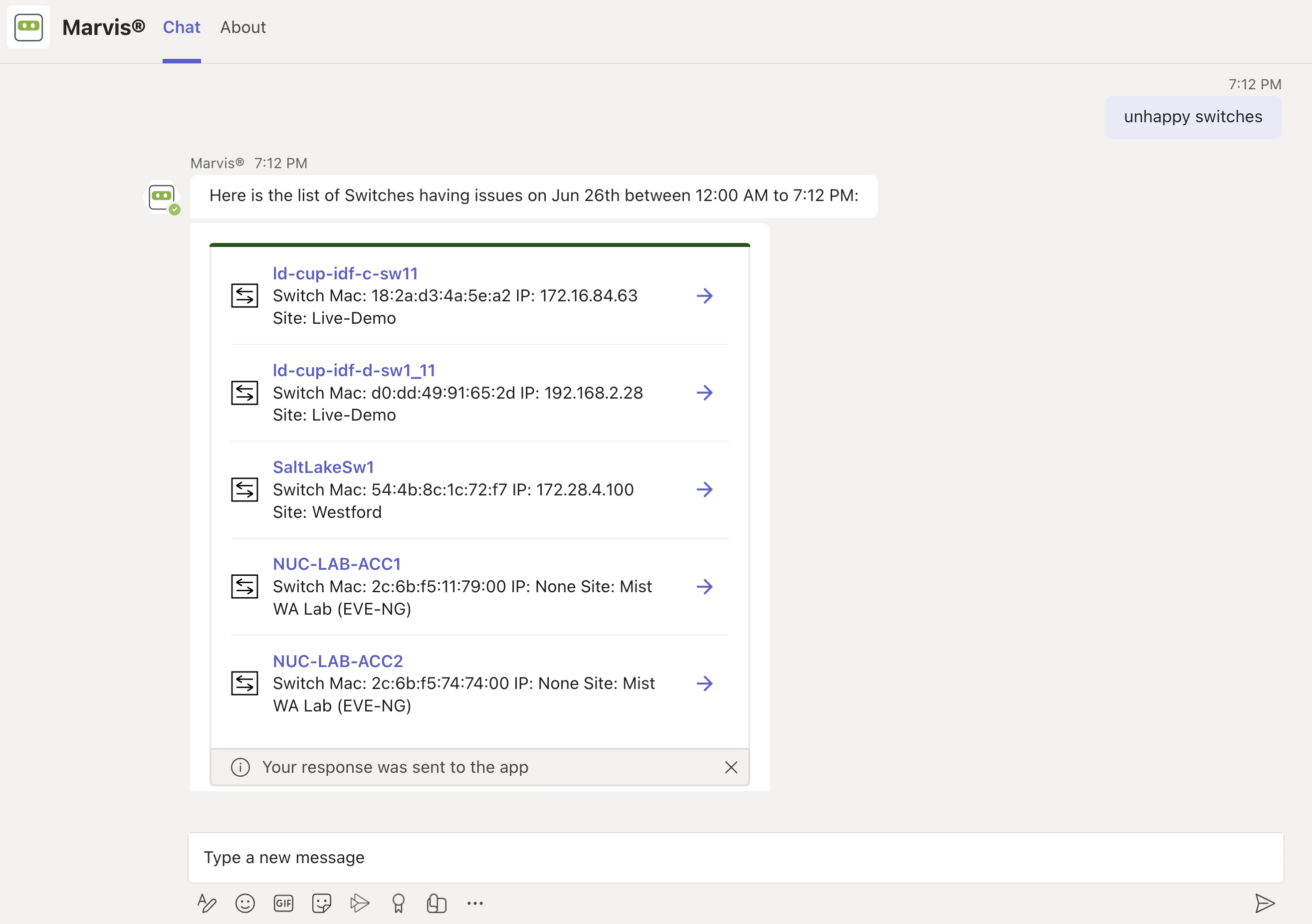
Here are a few examples. You can click any device to view the issues.
Unhappy WAN edges:
Unhappy APs:
Unhappy Switches:
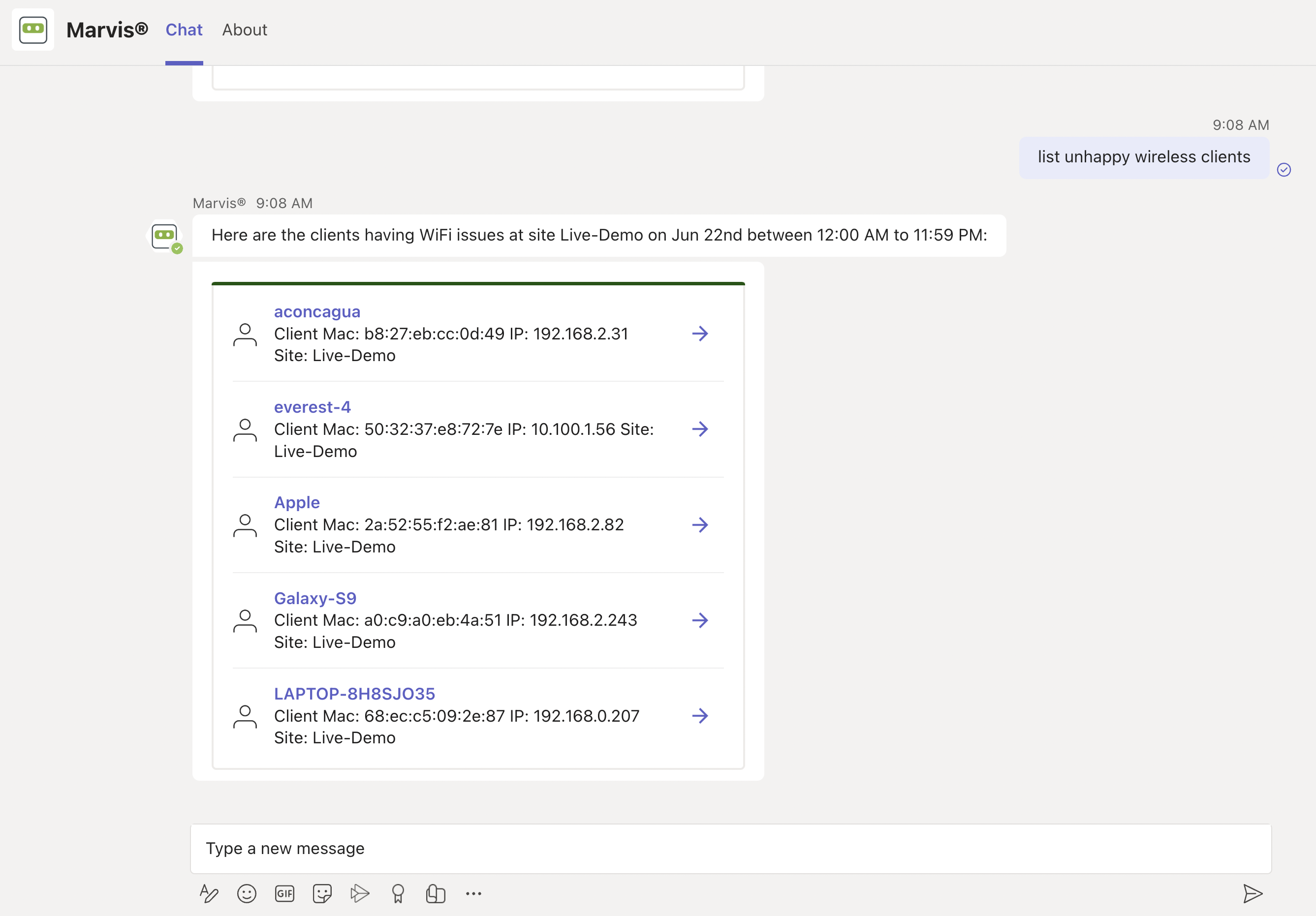
Unhappy Wireless Clients:
サイトのトラブルシューティング
Marvisアプリを使用してサイトのトラブルシューティングを行い、サイトレベルの障害を特定できます。
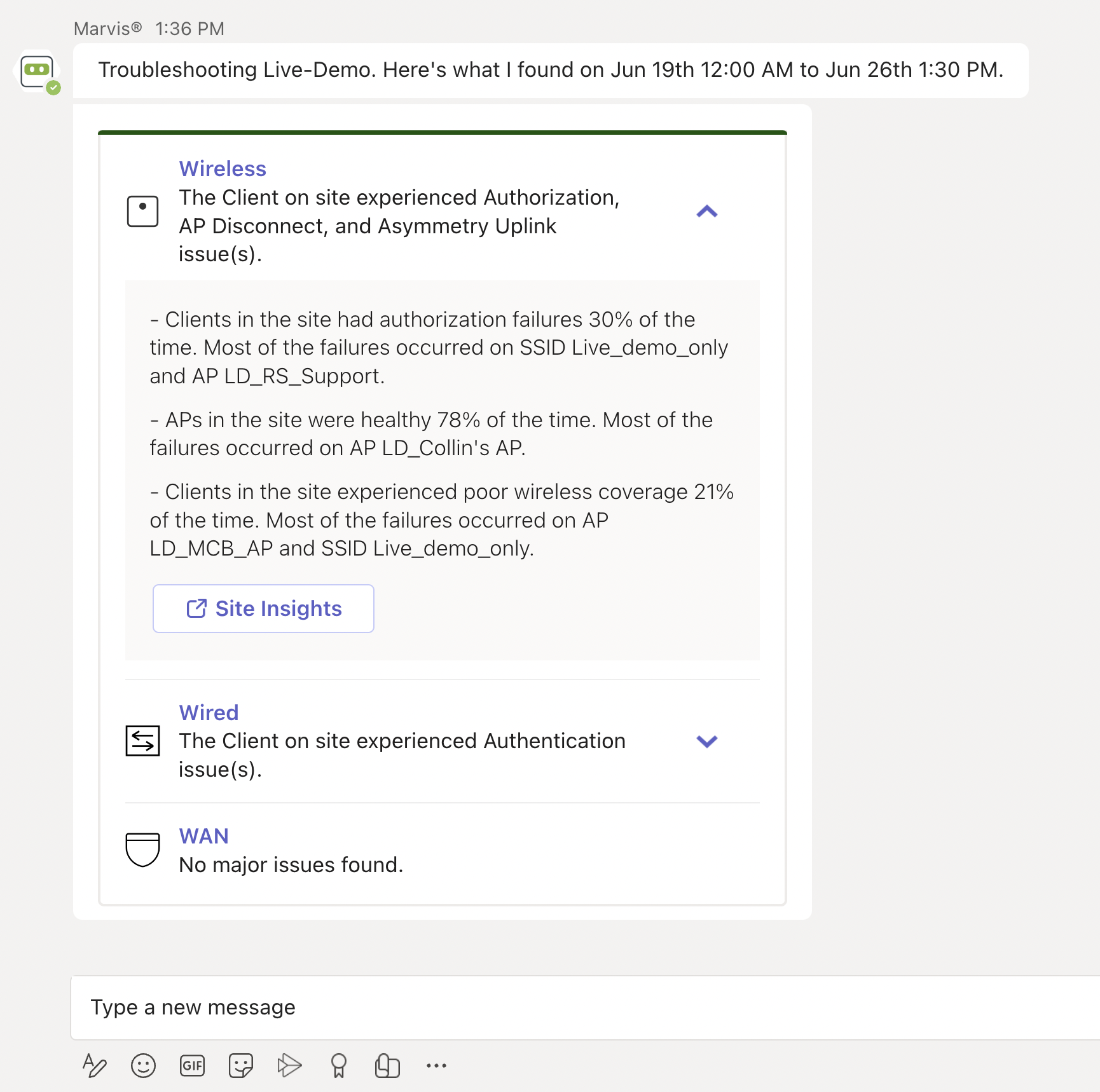
Here's an example that shows the details Marvis provides for the phrase "troubleshoot site name." Marvis shows the troubleshooting results for the site. Marvis classifies these failures under the following categories:
-
Wireless
-
Wired
-
WAN
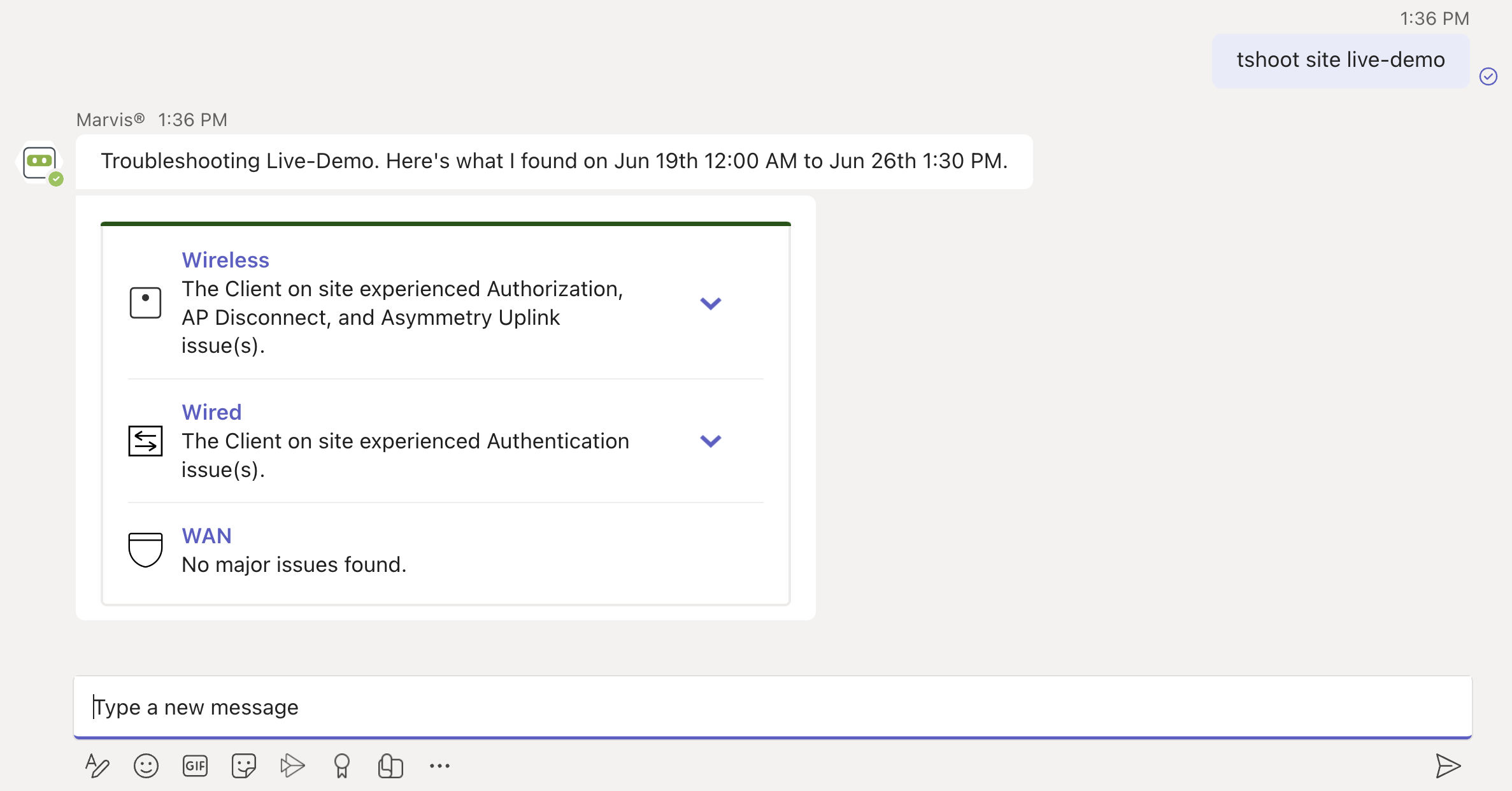
You can click the expand arrow to view more details. You can drill down further to view site-level insights and device-level insights.