Marvisアプリで組織を表示または変更

Marvisアプリで表示する企業を選択します。

複数の組織に対してクエリを実行したり、Marvisアプリを使用して組織を切り替えたりすることもできます。

Marvisアプリを使用すると、以下のことが可能になります。

  • 組織を切り替えます。

  • 現在アクティブな組織(つまり、接続している組織)を表示します。

  • 新しい組織に接続するか、アクティブな組織に再接続します。

Marvis チャット ウィンドウに help を入力するだけで、 構成、 my_configs、 アクティブな オプションに関する詳細が表示されます。
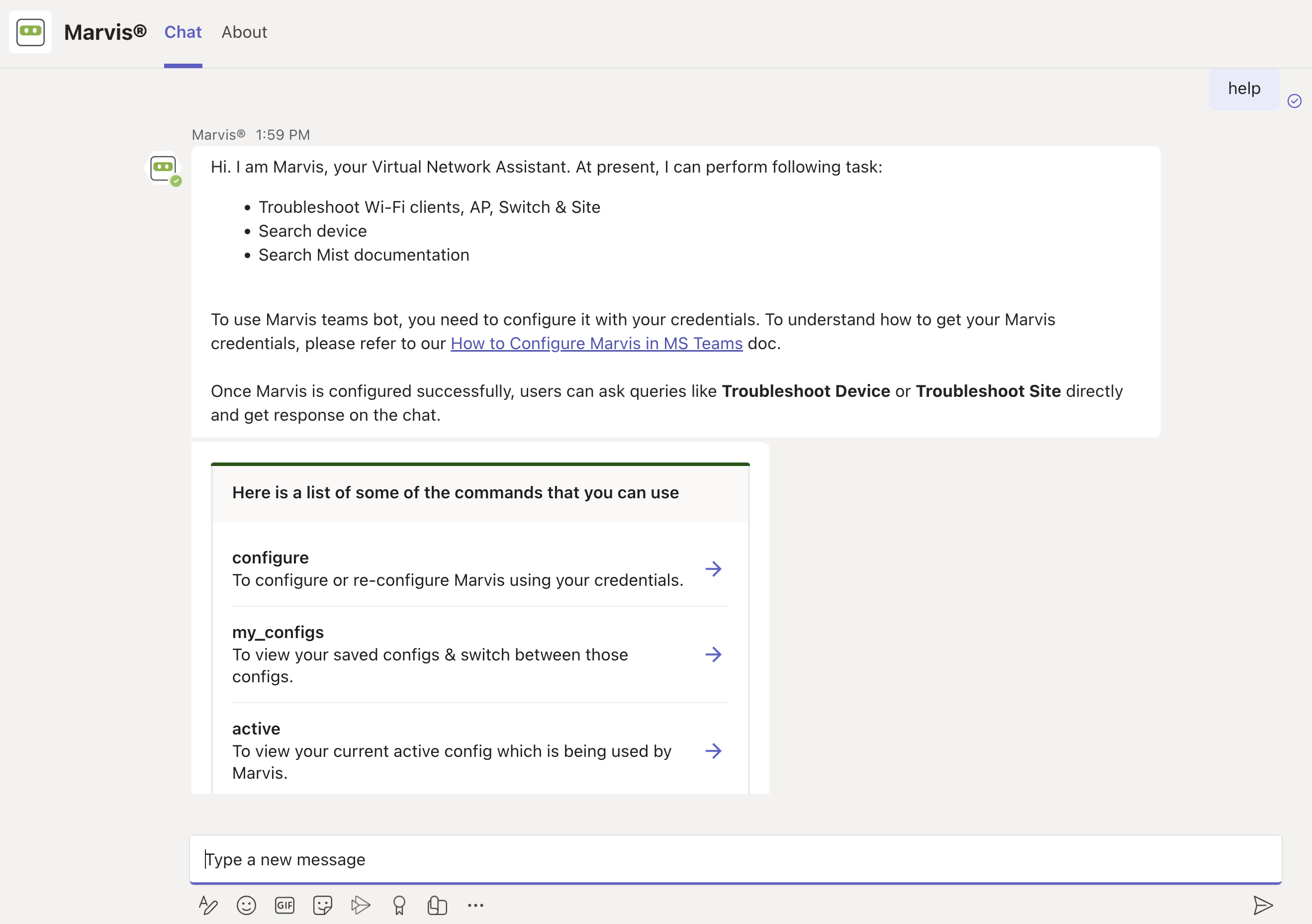
Chat interface for Marvis, a virtual network assistant, showing capabilities like troubleshooting Wi-Fi clients, searching devices, and accessing documentation. Includes commands for configuration, viewing saved configurations, and checking active settings, with a text input field for user queries.

  • configureを入力すると、ログイン画面Marvis表示されます。現在アクティブな組織に再接続するか、別の組織に接続できます。
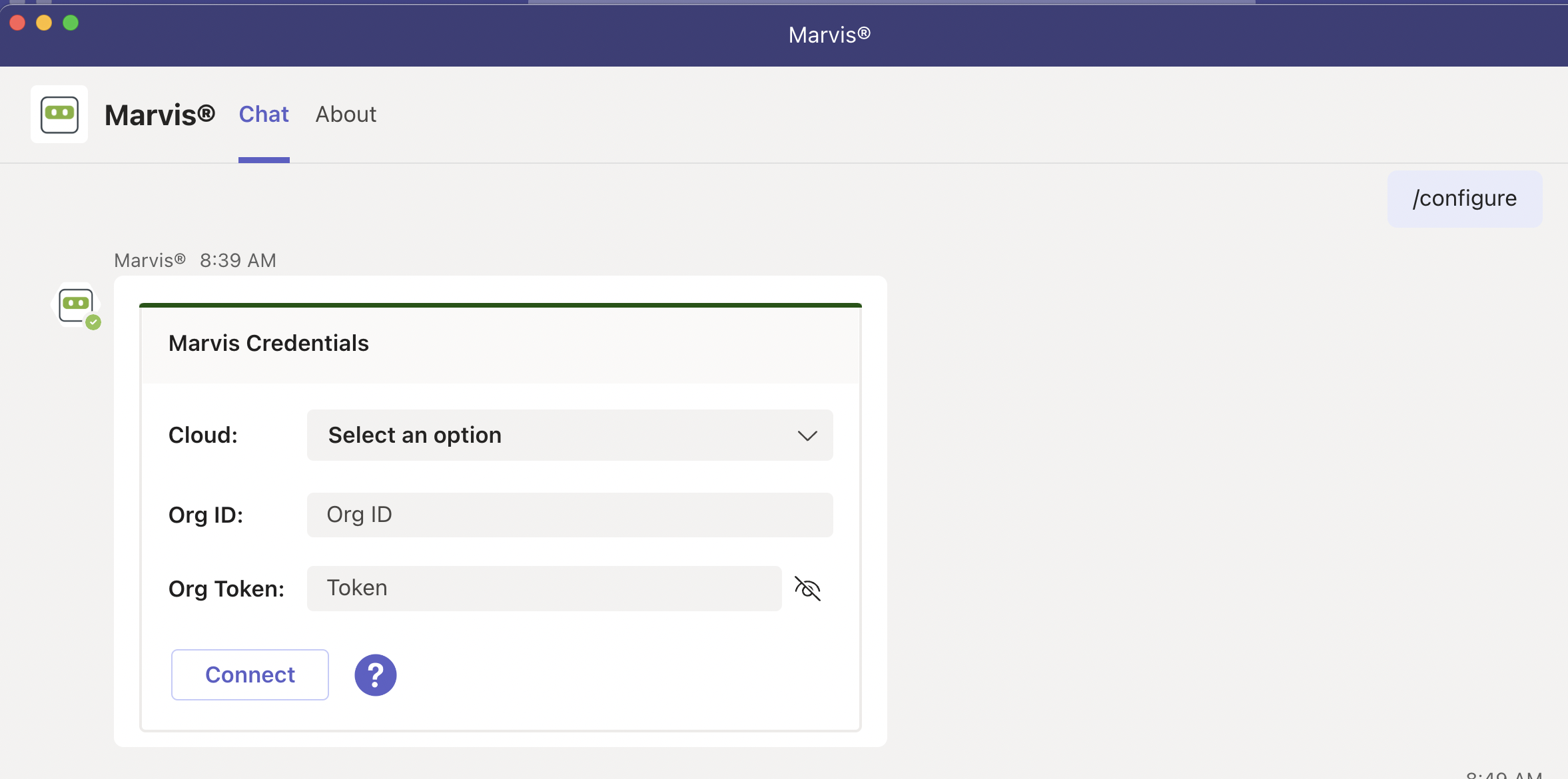
    User interface for configuring Marvis Credentials with fields for cloud selection, Org ID, Org Token, Connect button, and help icon for assistance.

  • my_configsを入力すると、以下Marvis表示されます。

    • 接続している組織

    • 現在アクティブな組織

    別の組織を選択すると、それがアクティブな組織になります。組織内のデバイスとサイトに関する情報をMarvisに問い合わせることができます。
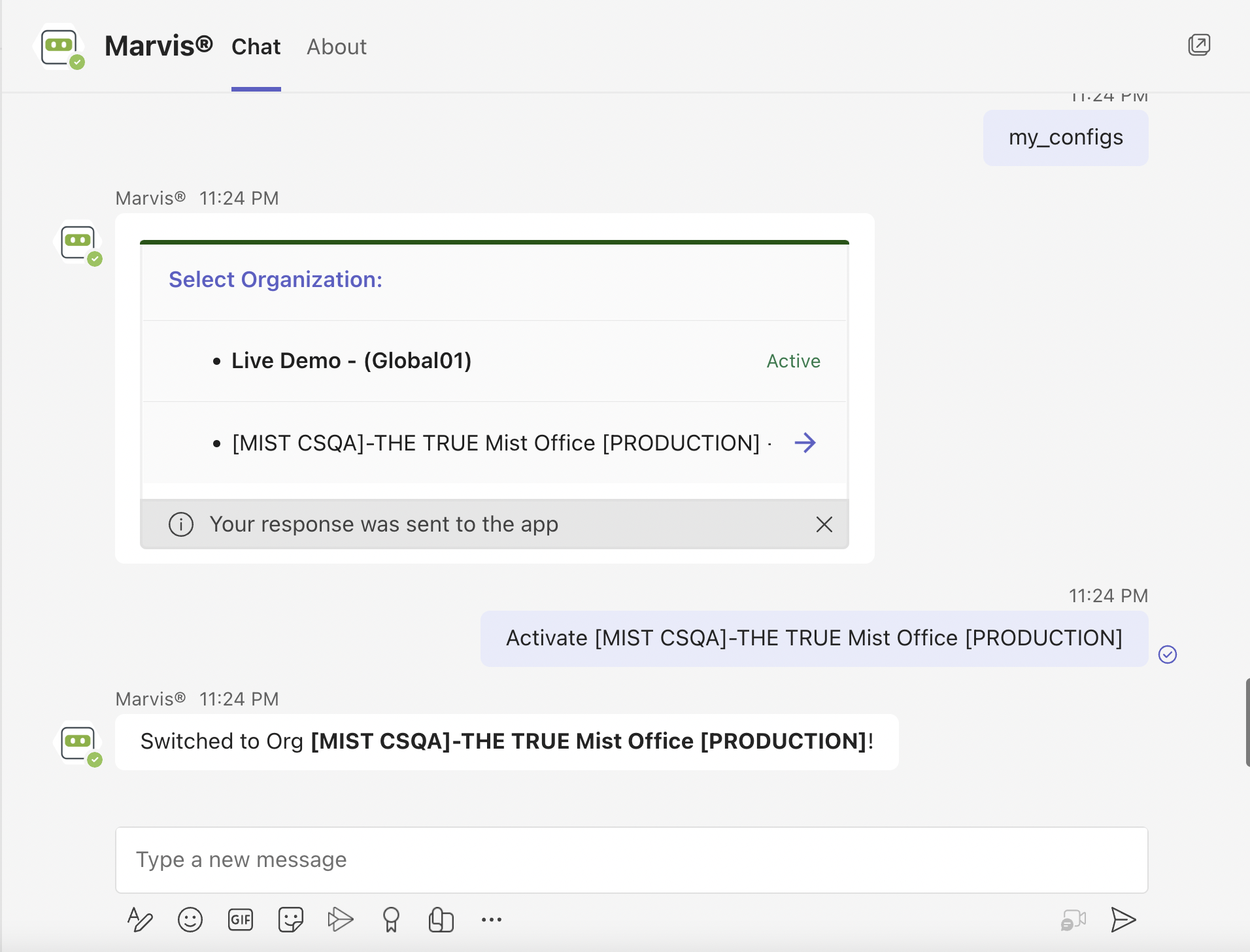
    Chat interface showing user interacting with Marvis Chat to switch organizations. User activates MIST CSQA-THE TRUE Mist Office PRODUCTION, confirmed by chatbot with switched to selected organization message.

  • activeを入力すると、現在アクティブな企業が表示されますMarvis。