アクセスポイントを9/16インチまたは15/16インチのTバーに取り付けます
注:
このトピックは、次のアクセスポイント(AP)に適用されます:AP21、AP24、AP27、AP32、AP33、AP34、AP36、AP37、AP41、AP43、AP45、AP47、BT11
APBR-Uユニバーサル取り付けブラケットが必要です。
9/16インチにAPを取り付けるにはまたは15/16インチ天井Tバー:
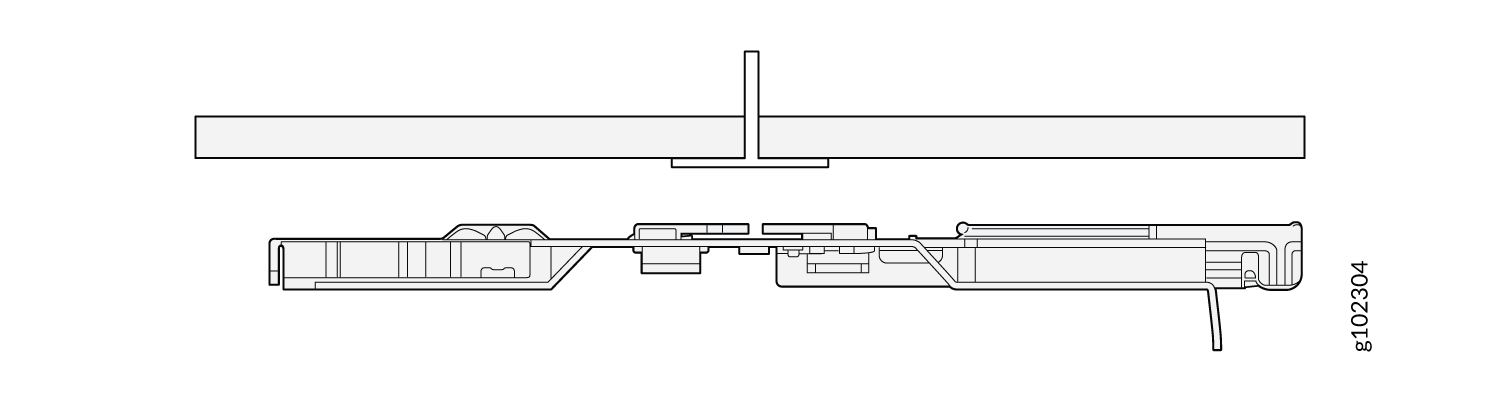
- APBR-U取り付けブラケットをTバーの中央に合わせます。
図1:取り付けブラケット(APBR-U)を9/16インチまたは15/16インチに合わせます。Tバー
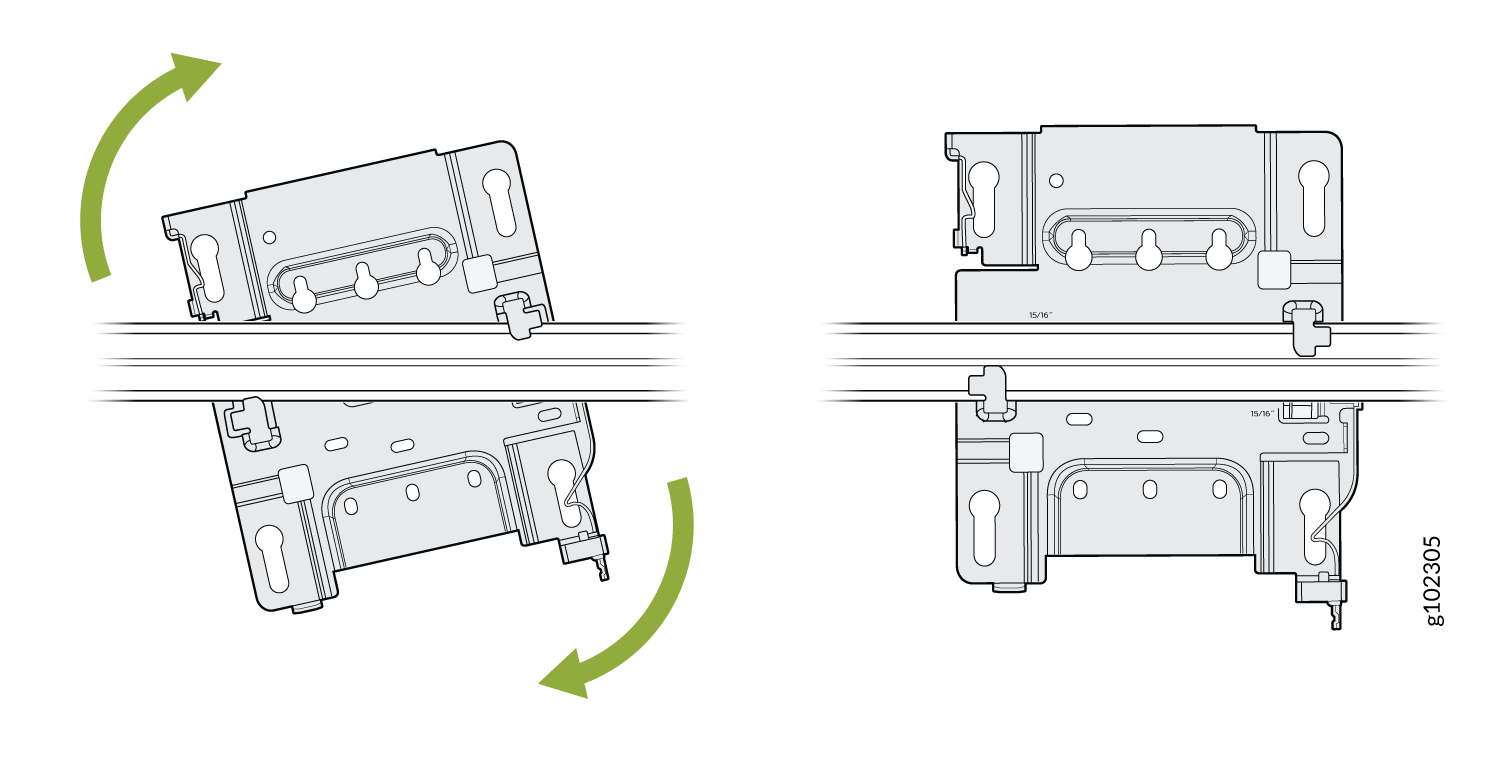
- ブラケットが所定の位置にロックされていることを示すカチッという明確なカチッという音がするまで、取り付けブラケットを回転させます。
図2:取り付けブラケット(APBR-U)を9/16インチまたは15/16インチにロックします。Tバー
- 取り付けブラケットの鍵穴がAPの肩付きネジにかみ合うようにAPを配置します。上にスライドさせて、APを所定の位置にロックします。
図3:APを9/16インチまたは15/16インチに取り付けます。Tバー
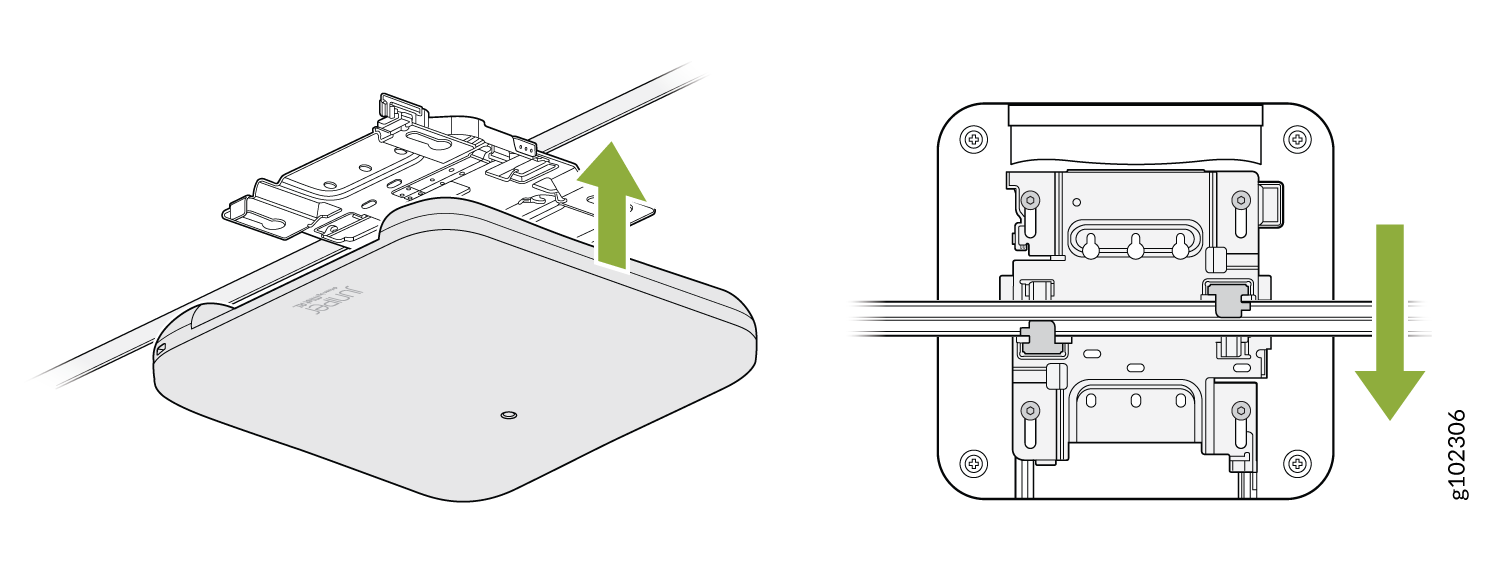
You can directly connect to 9/16ths or 15/16ths T-bar by using these flanges and inserting the bracket as shown. You will hear a click when properly installed. To disconnect, please press the clips as shown and remove the AP. The AP would then be hung as shown. Again, to remove the AP, you must gently press the security lever while you slide it out.