使用 Marvis 应用进行故障排除

请按照以下过程对无线和有线客户端、设备和站点的问题进行故障排除。

无线客户端故障排除

使用 Marvis 应用程序,您可以查看无线客户端及其相关接入点(接入点)的故障。

要检查无线客户端是否遇到任何问题,请在 Teams 窗口中输入短语,例如“客户端 name故障排除”。

Here's an example that shows the details Marvis provides for the phrase "troubleshoot client name." In this case, Marvis reports that the client is experiencing an authorization error due to a connection timeout.
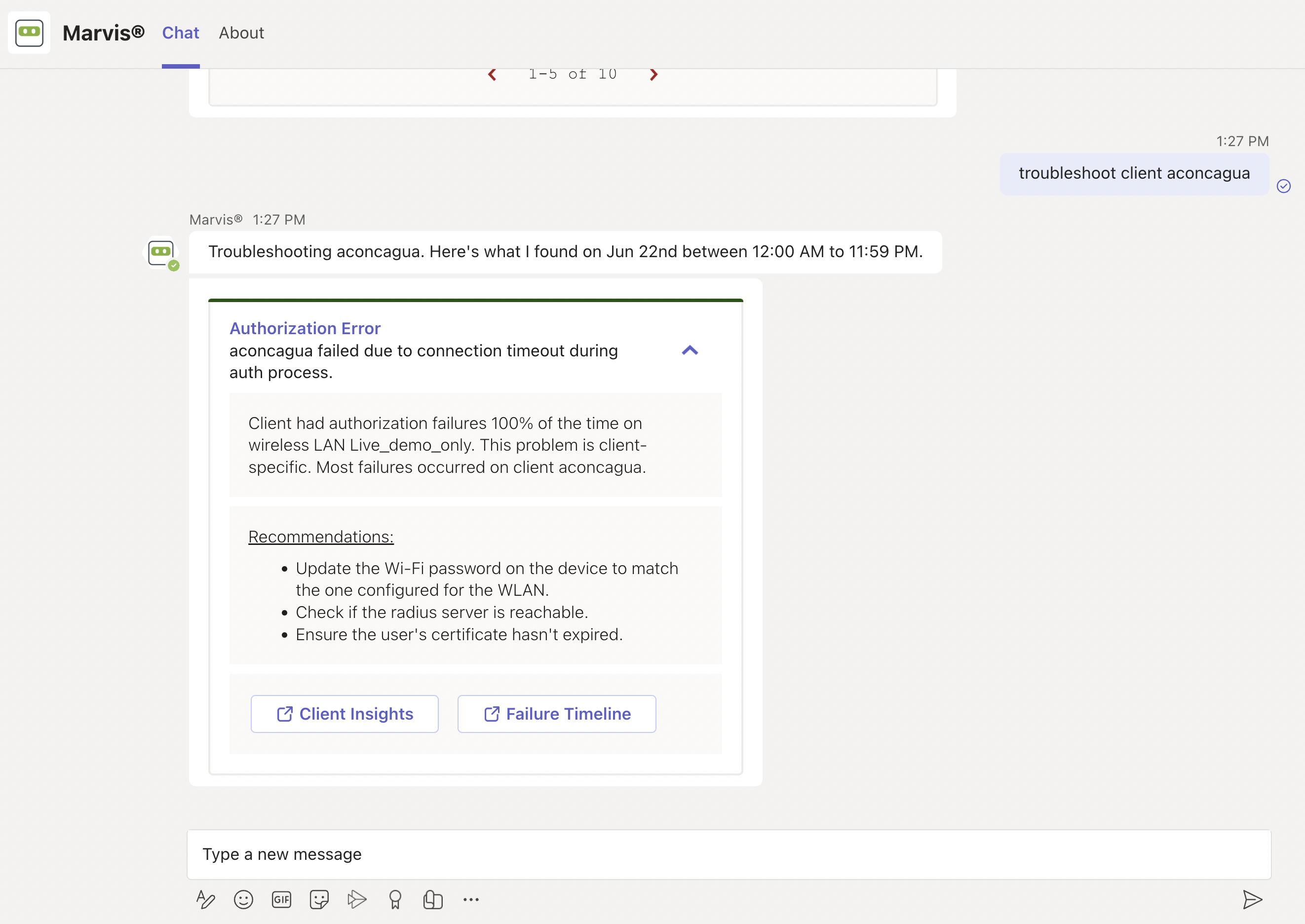
Authorization Error for client aconcagua due to connection timeout. 100 percent authorization failures on WLAN Live_demo_only. Recommendations: update Wi-Fi password, check RADIUS server, ensure certificate validity. Options: Client Insights and Failure Timeline for further investigation.

You can click the issue to view details. You can click the Client Insights or Failure Timeline option for more details. In some cases, Marvis also provides recommendations to fix the issue, as the screenshot shows.

Here are some sample phrases that you can use to troubleshoot wireless clients:

  • how was <client name> on June 22nd

  • tshoot client <mac or name> on June 21

有线客户端故障排除

要查看遇到问题的有线客户端,请使用如下短语:

  • tshoot 有线客户端 <MAC>

  • 客户端名称故障排除

Here's an example that shows the details Marvis provides for the phrase "tshoot wired client <mac>".
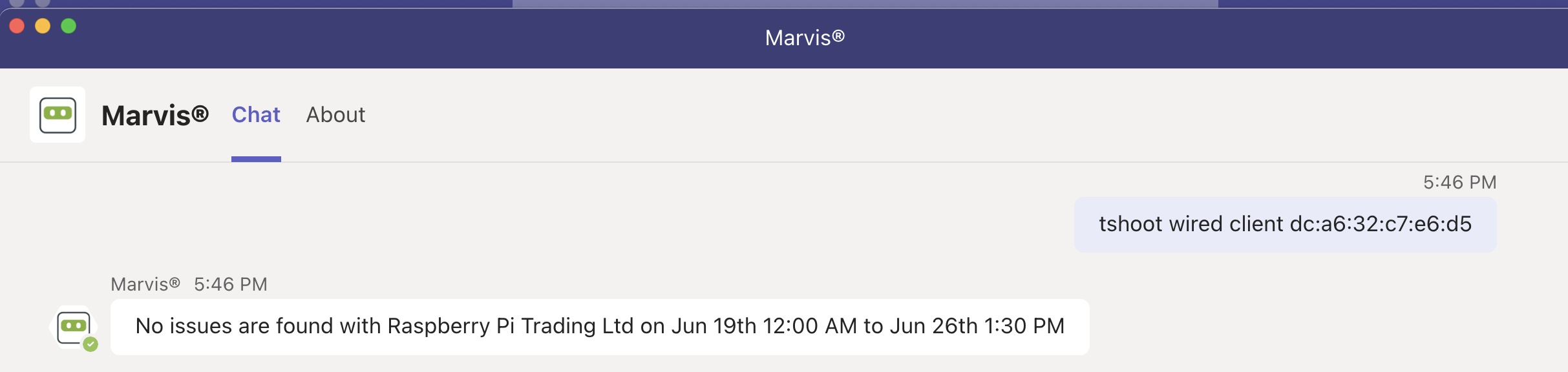
Chat interface showing a query to troubleshoot wired client dc:a6:32:c7:e6:d5. Marvis responds with no issues found for Raspberry Pi Trading Ltd between Jun 19th 12:00 AM and Jun 26th 1:30 PM. Tabs labeled Chat and About are visible at the top.

设备故障排除

您可以使用 Marvis 应用检查接入点、交换机或 WAN 边缘设备上的问题。

要检查设备是否遇到任何问题,请在 Teams 窗口中输入短语,例如“tshoot switch name”或“tshoot device name”。

Here's an example that shows the details Marvis provides for the phrase "tshoot switch name." In this case, Marvis reports that two clients connected to the switch experienced an authentication failure.
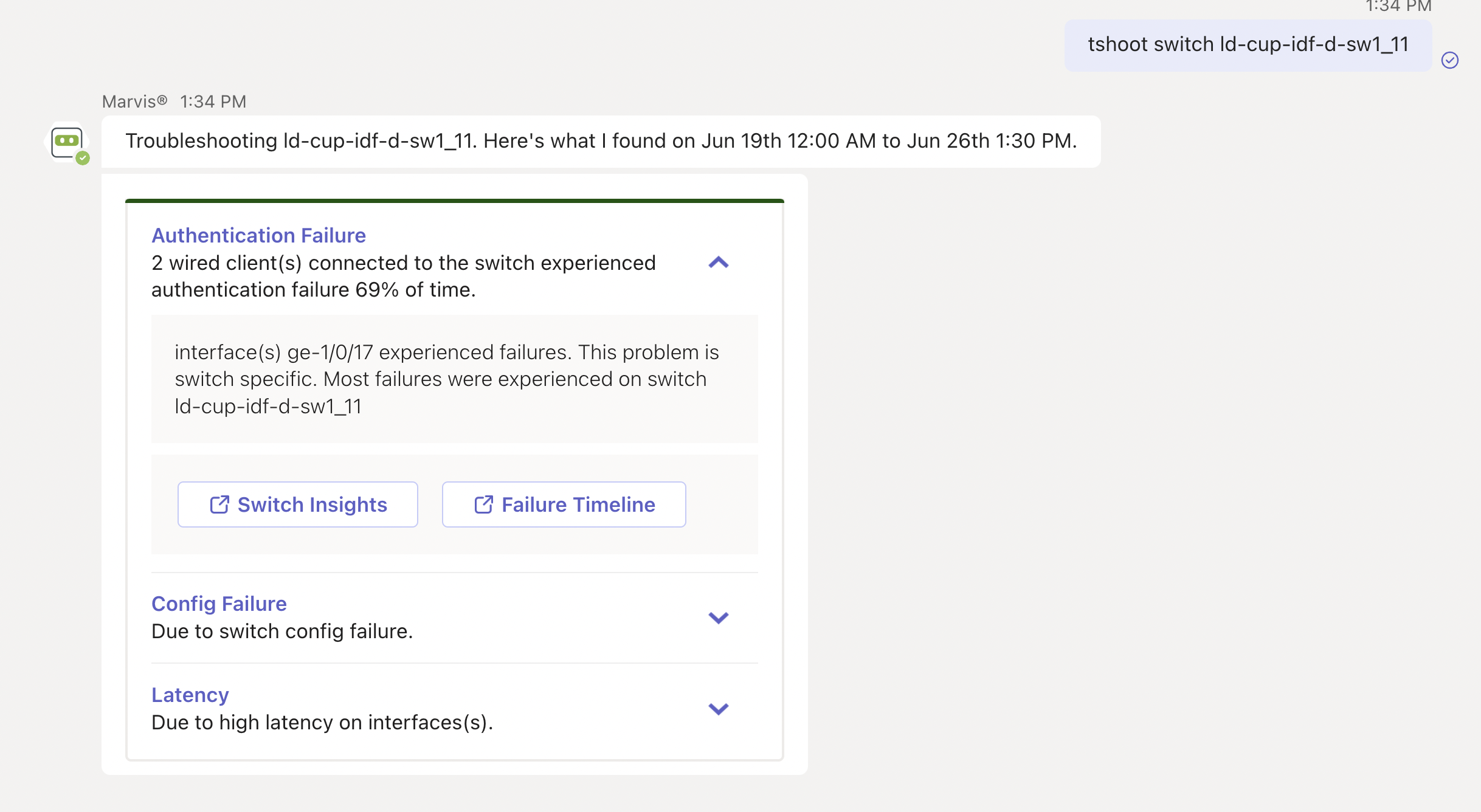
Troubleshooting report for switch ld-cup-idf-d-sw1_11 showing authentication failures for 2 wired clients on interface ge-1/0/17, switch configuration failure, and high latency. Options to view Switch Insights and Failure Timeline.

You can click the issue to view details. You can click the Switch Insights or Failure Timeline option for more details. In some cases, Marvis also provides recommendations to fix the issue, as the following screenshot shows:
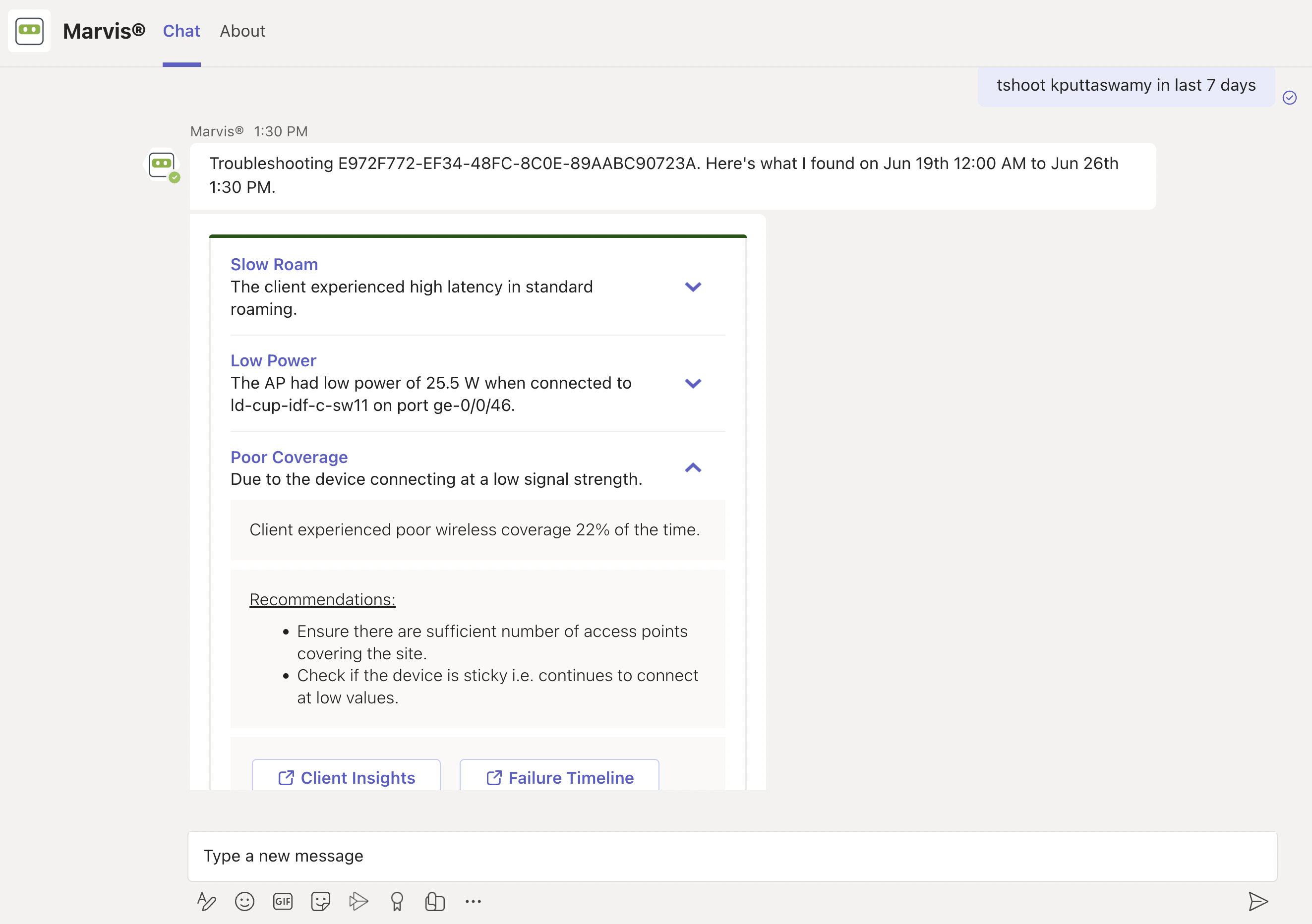
Troubleshooting report from Marvis showing network issues between June 19th and June 26th: slow roam with high latency, low AP power at 25.5 W, and poor wireless coverage at low signal strength 22 percent of the time. Recommendations include adding access points and checking for sticky device behavior. Options for Client Insights and Failure Timeline are available.

对不满意的设备或客户端进行故障排除

要检查遇到问题的设备(不满意的设备),只需在Marvis聊天窗口中输入短语“不满意<设备类型>”。例如,如果您想查看不满意的 WAN 边缘设备,请输入“不满意的 WAN 边缘”,Marvis 将显示所有遇到问题的 WAN 边缘。

Here are a few examples. You can click any device to view the issues.

Unhappy WAN edges:
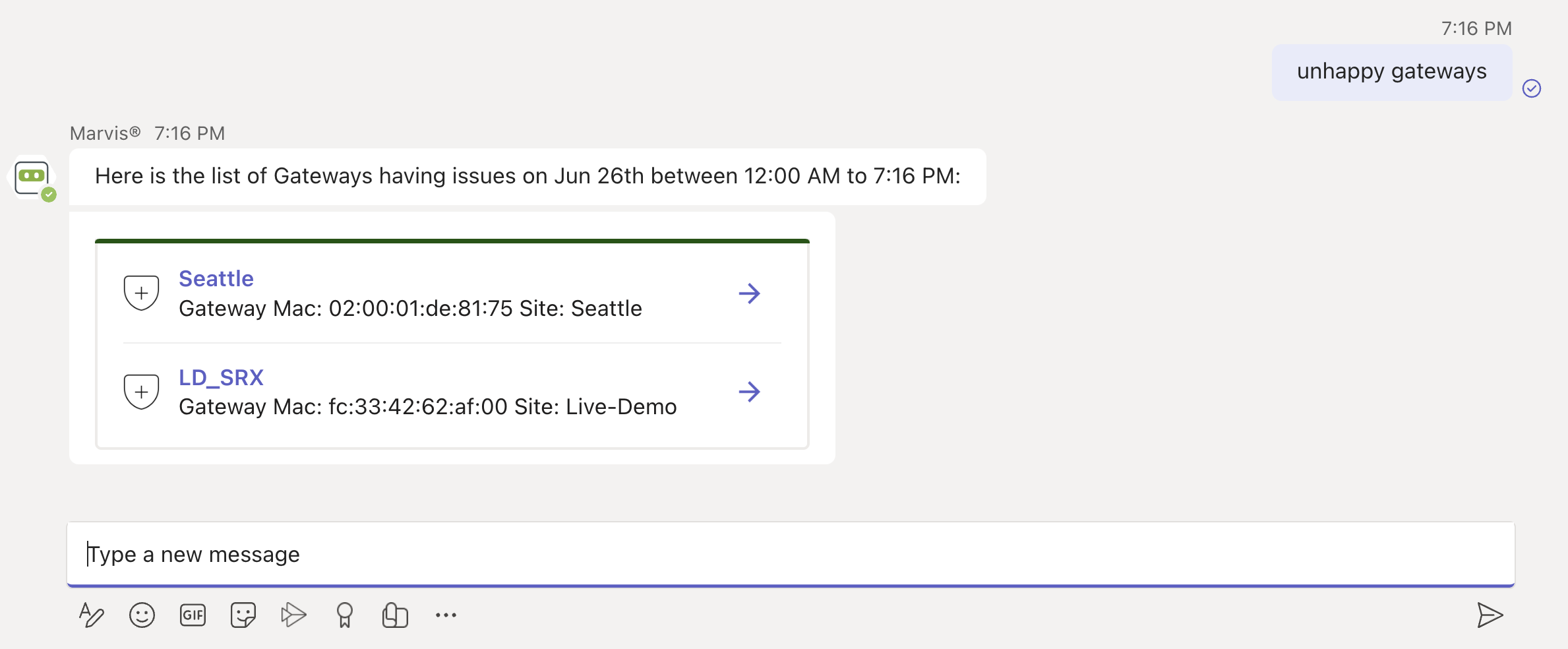
Chat interface showing query results for unhappy gateways on June 26th from 12:00 AM to 7:16 PM. Seattle gateway MAC 020001de8175 at Seattle site and LD_SRX gateway MAC fc334262af00 at Live-Demo site. Shield icons and arrows present for actions. Text input field visible for further queries.

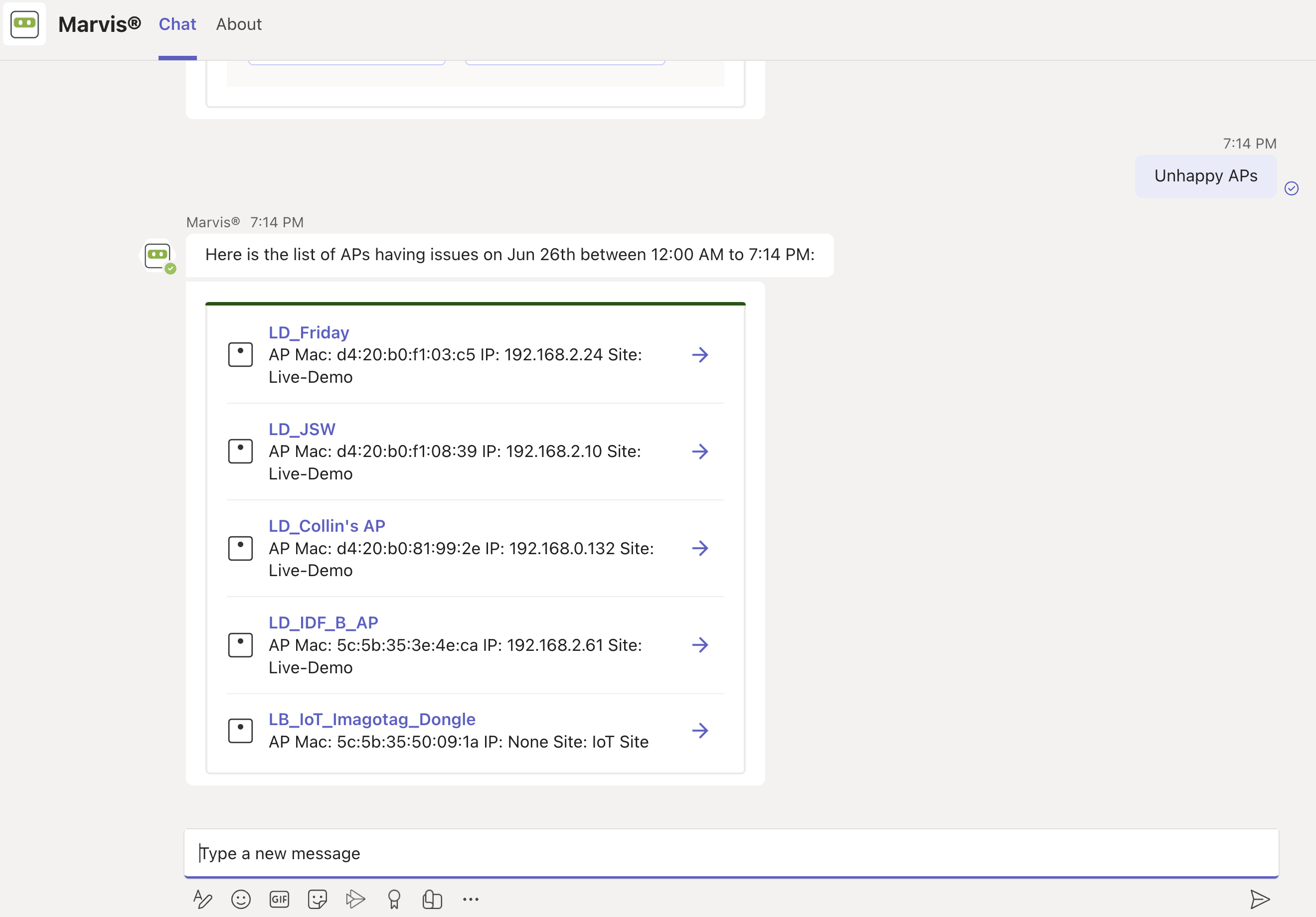
Unhappy APs:

Chat interface displaying a list of Access Points with issues on June 26 between 12:00 AM and 7:14 PM, including names, MAC addresses, IP addresses, and sites.

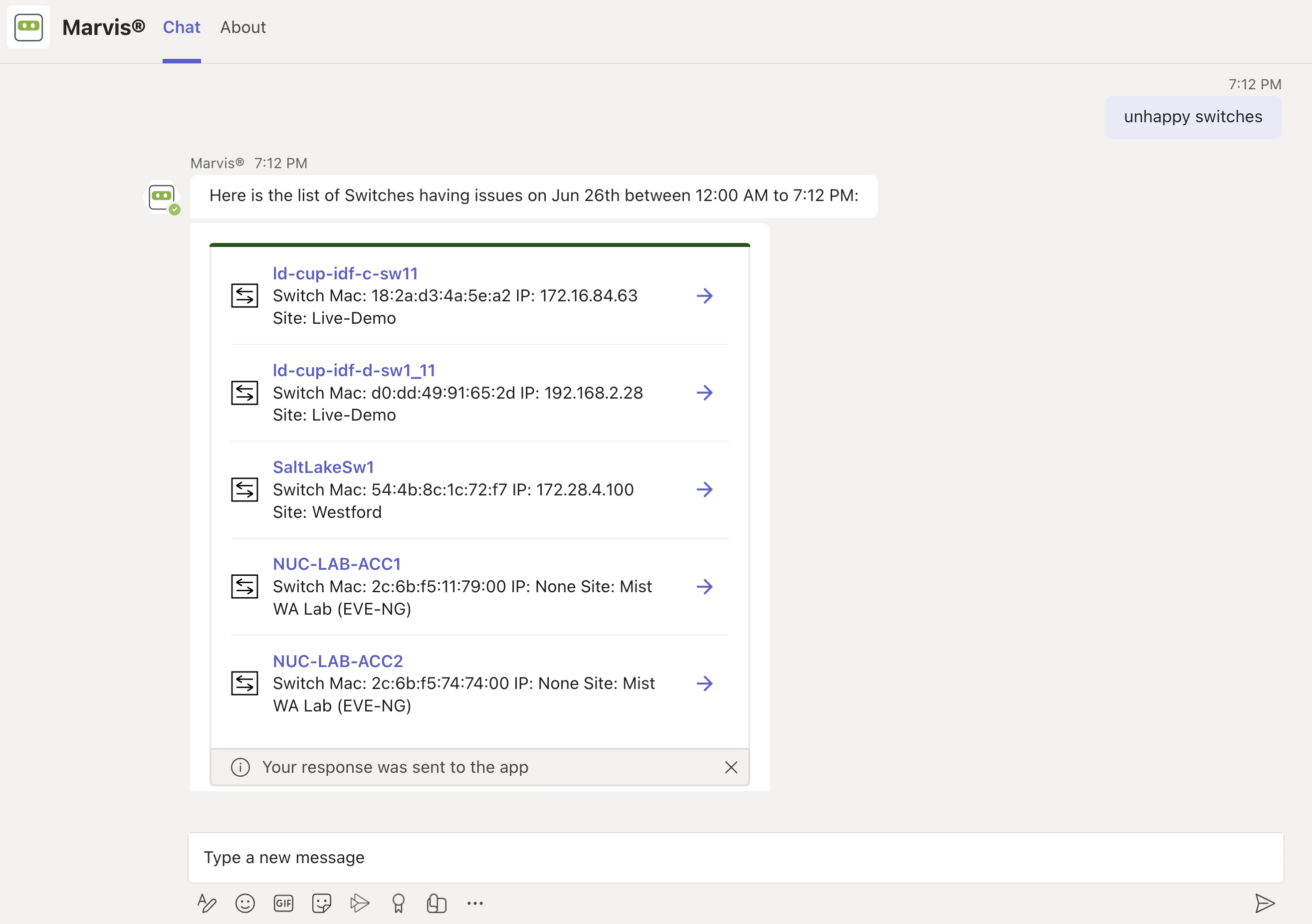
Unhappy Switches:

Chat interface with virtual assistant Marvis listing network switches experiencing issues on June 26th from 12:00 AM to 7:12 PM, including switch names, MAC addresses, IPs, and site locations.

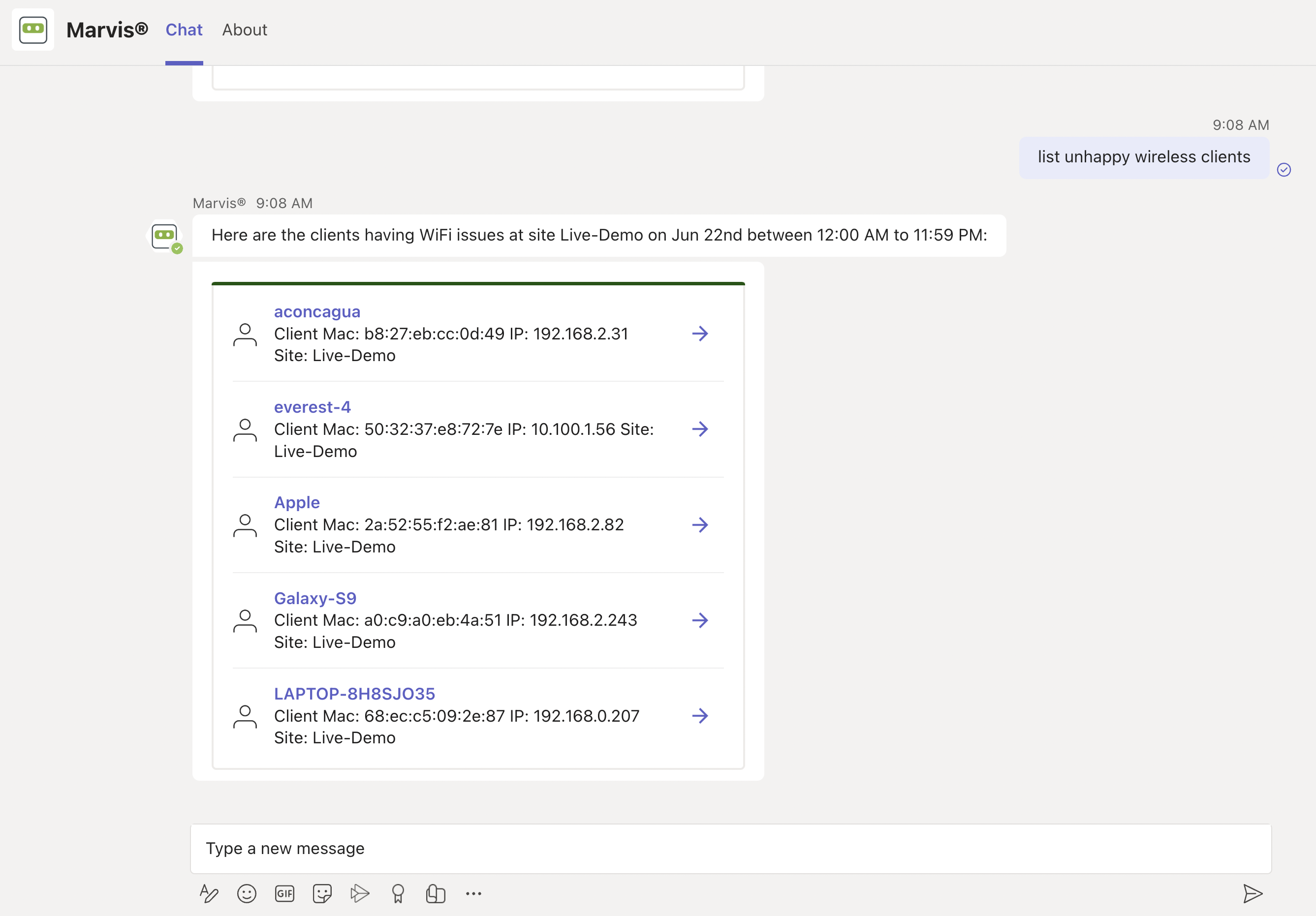
Unhappy Wireless Clients:

Chat interface showing a query asking to list unhappy wireless clients and a response listing five clients with WiFi issues at Live-Demo site on June 22nd.

站点故障排除

您可以使用 Marvis 应用对站点进行故障排除,以识别站点级故障。

要检查设备是否遇到任何问题,请在 Teams 窗口中输入短语,例如“疑难解答站点 name”。

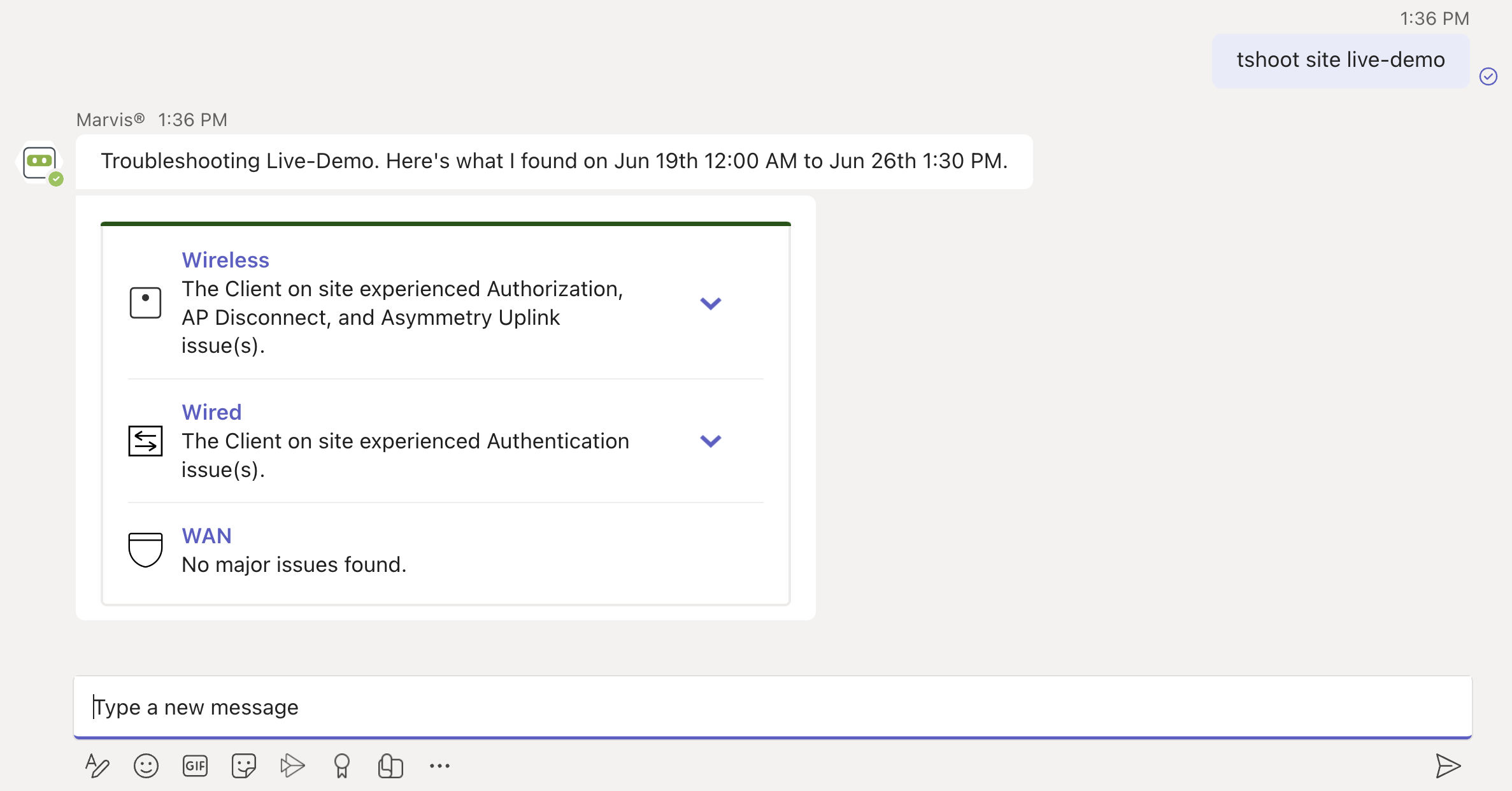
Here's an example that shows the details Marvis provides for the phrase "troubleshoot site name." Marvis shows the troubleshooting results for the site. Marvis classifies these failures under the following categories:

  • Wireless

  • Wired

  • WAN

Troubleshooting interface for Live-Demo showing diagnostic data from June 19th 12:00 AM to June 26th 1:30 PM. Wireless issues include Authorization, AP Disconnect, and Asymmetry Uplink. Wired issues include Authentication. No major WAN issues detected.

You can click the expand arrow to view more details. You can drill down further to view site-level insights and device-level insights.
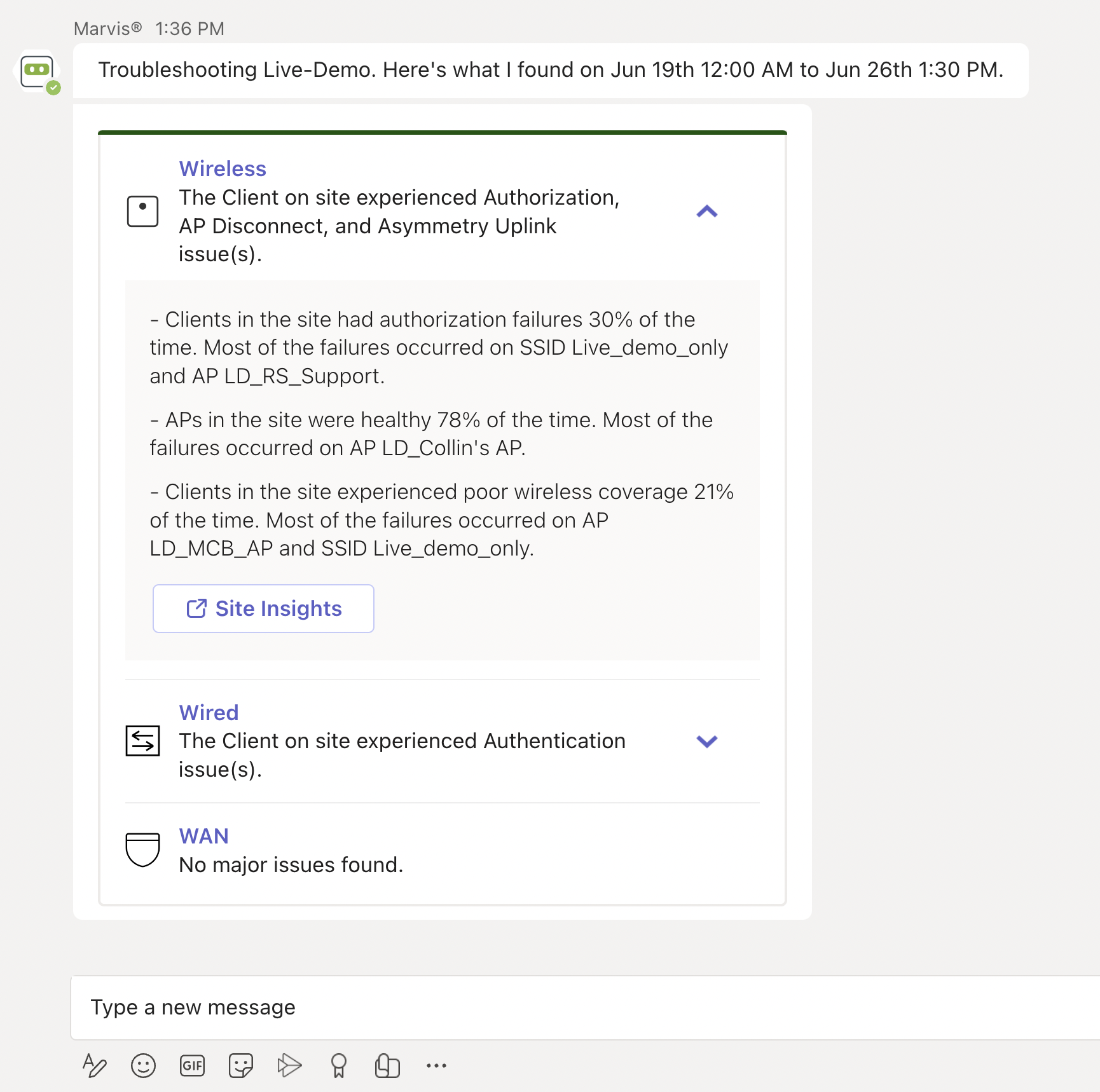
Troubleshooting report showing wireless issues with authorization failures on SSID Live_demo_only, AP disconnects, uplink asymmetry, and poor coverage. Wired shows authentication issues. WAN has no major issues. Site Insights link provides details.